.svg)
.svg)

.png)

A website redesign is a phased, measurable program: discovery, strategy, design, content, build, test, launch, and optimize, in that order. Skipping the discovery or content phases is what causes the SEO drops and blown timelines you’ve probably heard horror stories about. Done right, the process protects your rankings through a redirect map, meets Core Web Vitals and WCAG 2.2 AA accessibility targets, and treats the first 30 days post launch as a monitoring sprint, not an afterthought. An experienced digital creative agency runs this exact sequence for clients across tech, finance, and education.

When Should You Redesign Your Website?
Most redesigns get greenlit for one of five reasons, and knowing which one applies to you changes everything about scope.
- Conversion drops. Traffic holds steady but leads or sales decline, usually a UX or messaging problem, not a traffic problem.
- Brand evolution. A rebrand, merger, or new positioning makes the old site visually or verbally off-message.
- Platform limitations. Your CMS can't support new features, integrations, or editorial workflows.
- Performance issues. Slow load times, mobile rendering bugs, or accessibility complaints.
- Poor mobile experience. Mobile traffic converts far worse than desktop on the same pages.
A refresh touches visuals, copy, and a handful of templates without changing architecture. A full redesign rebuilds the sitemap, content model, and often the CMS itself. If you’re rewriting more than a third of your pages or changing your primary navigation, you’re doing a full redesign whether you planned to or not. Set your KPIs (organic traffic retention, conversion rate, time-on-task) before you touch a wireframe.

What Happens in Website Redesign Discovery?
Discovery is where most redesign budgets quietly get saved or wasted. Compressing this phase is the single biggest predictor of post-launch SEO and conversion problems, because the artifacts discovery produces, the redirect map, the prioritized page list, the content briefs, are what everything downstream depends on.
Here’s what a proper discovery phase actually delivers.
- Analytics audit — which pages drive traffic, conversions, and revenue right now.
- Content inventory — a full list of every URL, its performance, and its intent.
- Technical SEO audit — crawl errors, orphaned pages, duplicate content, indexing issues.
- Stakeholder interviews — sales, support, and leadership all see different site problems.
- User research summary — session recordings, heatmaps, and if budget allows, moderated testing.
Prioritizing pages comes down to a simple filter: keep anything with strong traffic and conversion signals, merge overlapping pages targeting the same intent, and retire anything with negligible traffic and no strategic value. This is often called the 4R method, review, reframe, rebuild, refine, and it’s the cleanest way to avoid dragging dead weight into the new site.
Discovery typically runs one to three weeks depending on site size, and it’s a shared responsibility. You provide analytics access, stakeholder time, and honest answers about what isn’t working. Your agency or team turns that into a prioritized brief.
Pro Tip: Pull your last 12 months of analytics before the first discovery call. Agencies waste half their first week just getting access to the data they need to start.
How Do You Plan the Site Structure and Redirects?
Strategy is where discovery findings become a build-ready plan, and the two deliverables that matter most here are the sitemap and the redirect map.
Your new sitemap should align with specific business goals and user tasks, aiming for simplicity and ease of navigation, and build the architecture around that answer rather than your org chart.
Each page needs a content brief before anyone writes a word of copy:
- Target search intent and primary keyword
- Supporting evidence (stats, case studies, testimonials) to include
- The page's single call to action
- Metadata: title tag, meta description, header structure
Redirect mapping is non-negotiable if you’re changing any URLs. Google’s own migration guidance recommends server-side permanent redirects (301 or 308 status codes), verifying both the old and new site in Search Console, and submitting fresh sitemaps once the new structure is live. Build the redirect map as a spreadsheet: old URL, new URL, redirect type, and a note on why the page was merged or retired. For a deeper technical checklist on preserving rankings through a migration, this site migration SEO guide is worth bookmarking before you touch a server config.
What Does the Design Phase Need to Deliver?
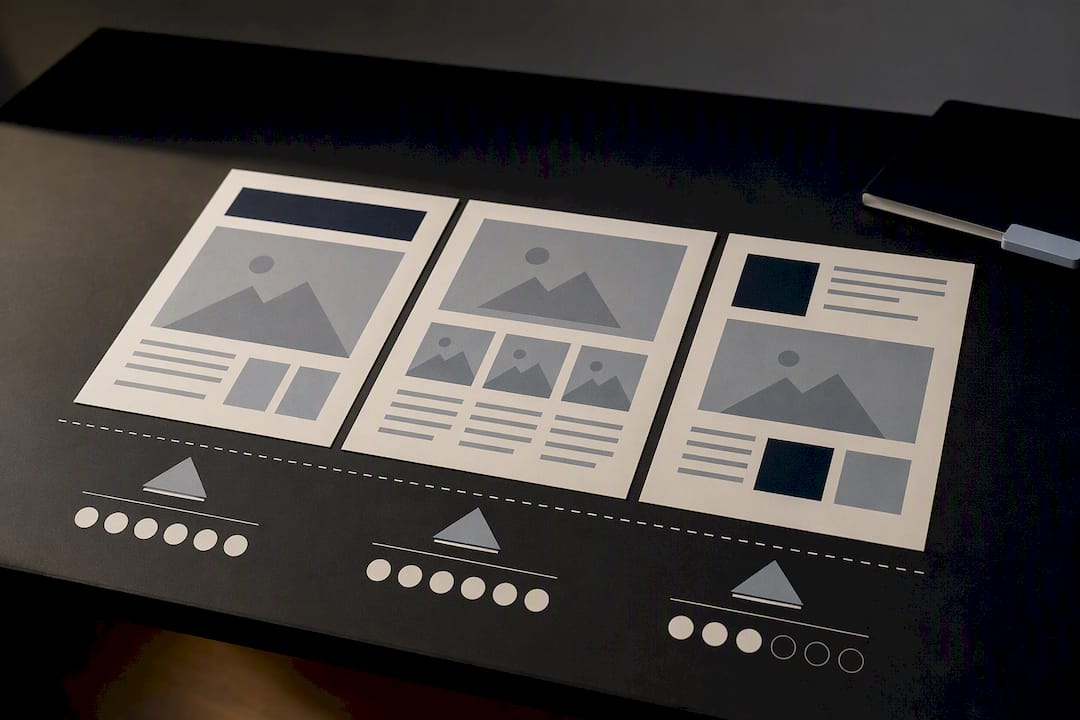
Design starts with wireframes, not visuals, because structure and CTA placement need to be locked before anyone picks a color palette. Skipping straight to high-fidelity mockups is how teams end up redesigning the same page three times.
A design phase done properly produces:
- Wireframes for every unique template, approved before visual design begins
- A design system with reusable components, so development doesn't rebuild the same button five different ways
- Responsive templates tested at mobile, tablet, and desktop breakpoints
- Accessibility built in from the start, targeting WCAG 2.2 Level AA, the benchmark most Australian guidance points to, including for government digital services
Performance constraints belong in design acceptance criteria too. A hero image at 4MB looks great in Figma and tanks your Largest Contentful Paint score the moment it hits a real browser.
Pro Tip: Ask your designer for a “performance budget” per template, a maximum page weight and image count, before final visuals are approved. It’s much cheaper to enforce at design than to fix after development.
How Should You Handle Content Migration and SEO Copy?
Content readiness is the most common reason redesign timelines slip, more than design revisions, more than development bugs. Treating content as a parallel workstream rather than an afterthought helps keep launch schedules on track.
The workflow that actually holds up:
- Sort every existing page into keep, rewrite, merge, or retire, based on the analytics and intent signals from discovery.
- For pages you're keeping or rewriting, preserve the original search intent even as you improve the copy, changing what a page ranks for mid-redesign is a common and avoidable ranking hit.
- Update metadata (titles, descriptions, headers) for every migrated page before launch, not after.
- Finalize your redirect map alongside content decisions, since every merge or retirement needs a corresponding redirect entry.
- Assign a single content owner responsible for approvals, so copy doesn't sit in review limbo while developers wait.
Front-loading this work, starting content alongside wireframes rather than after visual design wraps, is what separates projects that launch on schedule from the ones still finalizing homepage copy the week before launch.
What Performance Targets Should Development Hit?
Development builds out templates, components, and third-party integrations in a staging environment, ideally one robust enough to handle a Googlebot recrawl without falling over once you go live.
The targets to hold your build team to are Google’s Core Web Vitals thresholds:
- Largest Contentful Paint (LCP) at or under 2.5 seconds
- Interaction to Next Paint (INP) at or under 200 milliseconds
- Cumulative Layout Shift (CLS) at or under 0.1
These thresholds are measured at the 75th percentile of real page loads, and a page has to pass all three simultaneously to count as “good.” Missing on just one, usually CLS from late-loading ads or fonts, still counts as a fail.
Test in both lab conditions (Lighthouse, PageSpeed Insights) and field data (real user monitoring), because lab scores on a fast office connection routinely look better than what actual mobile users on patchy connections experience. Run performance checks before launch, not after you notice traffic dipping.
What Belongs on Your Pre-Launch QA Checklist?
QA is where you catch the problems that don’t show up until real users, real browsers, and real edge cases hit the site. Skipping steps here is how “surprise” bugs end up live on day one.
- Run functional and integration tests across forms, checkout flows, and any third-party tools.
- Test across a browser and device matrix, not just Chrome on your own laptop.
- Have stakeholders complete structured User Acceptance Testing (UAT) against the original brief, with one person owning sign-off.
- Run automated accessibility scans, then follow up with manual keyboard and screen reader testing.
- Publish an accessibility statement describing your conformance level and how users can report issues, standard practice for sites aiming at WCAG 2.2 AA.
- Verify every redirect, canonical tag, and updated sitemap before flipping the switch.
What Should You Watch in the First 30 Days After Launch?
Launch day itself is mechanical if you’ve done the earlier phases properly: point DNS to the new environment, remove any staging robots block, deploy your redirect map, and submit fresh sitemaps to Search Console immediately.
- Use server-side permanent redirects, and keep them live for at least a year where feasible, since Google's guidance notes redirect mapping errors are a leading cause of lost search visibility after a migration.
- Verify both the old and new domain properties in Search Console before and after the switch.
- Monitor indexing status daily for the first week, watching for pages that vanish from the index unexpectedly.
The window from 48 hours to 30 days post launch is when technical errors and behavioral shifts actually surface. Check form submissions, watch for 404 spikes, and compare organic traffic against your pre-launch baseline daily, not weekly.
How Do You Turn Launch Data Into Your Next Phase?
Optimization is the phase most teams forget to plan for, treating launch as the finish line instead of the start of a feedback loop.
- Set a defined monitoring window (30 to 60 days is typical) and track the KPIs you set back in scoping: organic traffic, conversion rate, time-on-task.
- Prioritize fixes using three lenses: SEO risk first, revenue impact second, user friction third.
- Run A/B tests on underperforming templates rather than redesigning them from a hunch.
Pro Tip: Resist the urge to change five things at once after launch. Isolate one variable per test, or you won’t know what actually moved the needle.
How Raw Studio Runs This Process for Clients
Raw Studio maps its own frameworks directly onto this sequence. Design Sprint compresses discovery and strategy into structured, time-boxed workshops instead of weeks of back-and-forth. Rapid MVP applies to design and development, validating a testable version fast rather than building blind for months.
- Design Sprint sessions align stakeholders and produce a validated direction before full design begins.
- Rapid MVP prototyping lets you test key flows with real users before committing full development budget.
- Case study work, including the Propper redesign, shows this approach applied to a real technology platform end to end.
- Engagements typically start with a discovery workshop, followed by a scoped proposal covering design, development, and QA deliverables.
Practical Project Management Tips From Philippe
Timeline slippage almost never comes from design or development. It comes from feedback loops with no owner. Consolidate every round of stakeholder feedback into one document, appoint a single decision-maker who can break ties, and lock scope before design starts, not during it.
Start content early, in parallel with wireframes, and build approval time into the schedule itself rather than hoping it happens quickly. Where you can, launch in phases or run A/B tests on new templates instead of flipping everything live at once. Isolating changes makes problems easier to find and cheaper to fix.
Ready to Start Your Redesign? Here’s How Raw Studio Helps
Most agencies quote a redesign, disappear for three months, and hand you a site that looks good but wasn’t tested against real user behavior. Raw Studio runs the opposite way: research-driven, validated at every phase, with measurable outcomes built into the process rather than promised at the end.
If you want a gut check before committing to a full rebuild, the Free UX Audit identifies the highest-impact fixes on your current site, often the fastest way to see where a redesign would actually move the needle. For teams ready to move on a full engagement, the Design Team (Platinum) plan runs $8,400 per month and covers ongoing design support across a redesign’s full lifecycle, while a standalone Full UX/CRO Audit starts from $2,500 one-off if you want a scoped diagnostic first. Both, along with Web Development and other services, are detailed on the pricing page. A discovery call typically covers your current site’s problems, a realistic timeline for your scope, and which engagement model fits, no obligation to sign anything on the call itself.