.svg)
.svg)

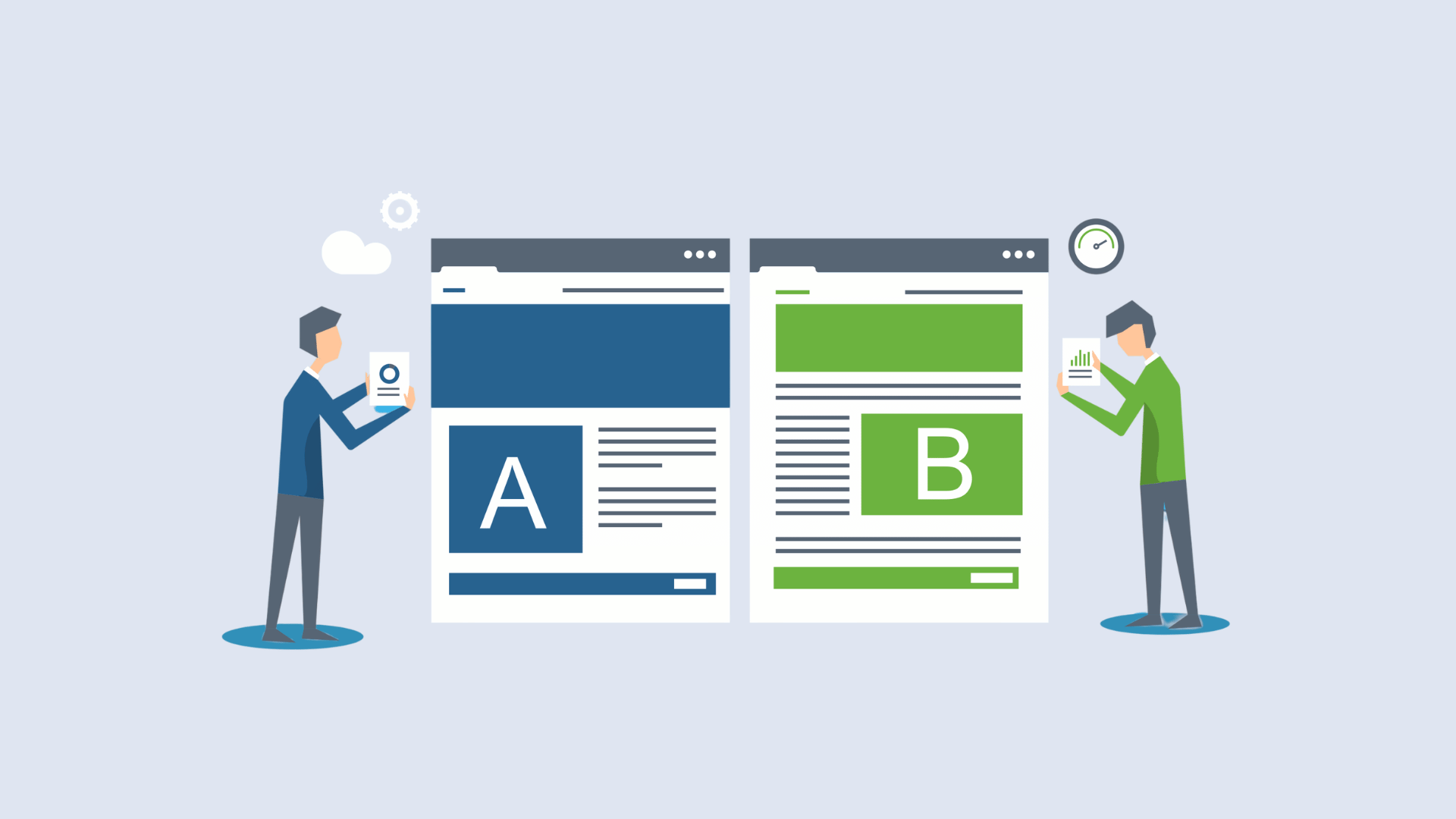

Start with five platform categories: marketer visual editors, full-stack feature-flag platforms, landing-page builders, mobile experiment tools, and qualitative research tools. Your single next step is to audit who will own the tests and whether results can flow into your analytics before you look at a single vendor. Run that audit, check it against a sample-size calculator, and the shortlist builds itself. Our CRO audit starts in exactly the same place.
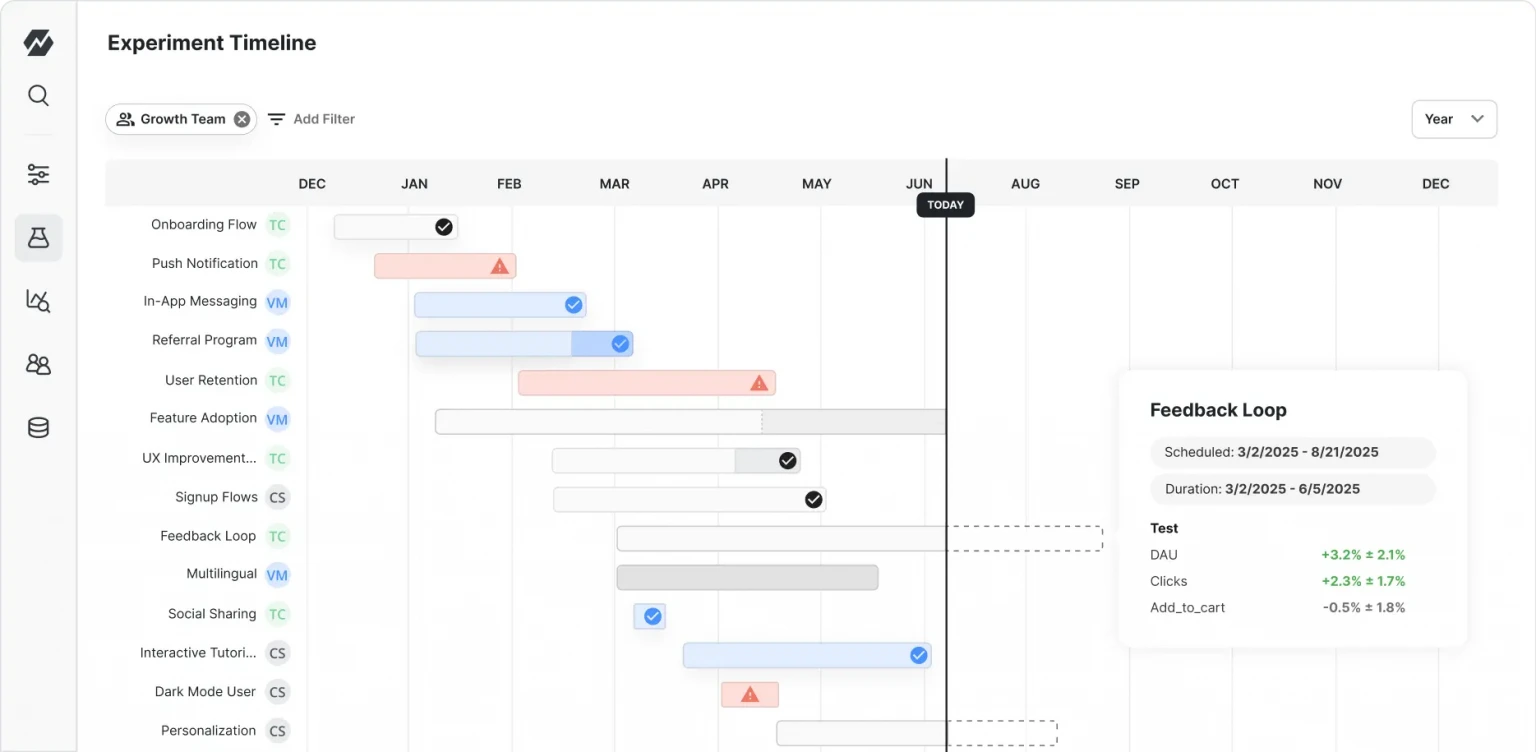
Which A/B testing platform category should you evaluate first?
Think of the market as five neighborhoods rather than one long list of logos. Each neighborhood serves a different owner, a different level of technical skill and a different kind of question. Picking the neighborhood first saves you weeks of demos that were never going to fit.
CXL's roundup of A/B testing tools puts the dividing line plainly: choice between tools often comes down to who owns the test. Marketing teams want visual editors for speed and independence from developers. Product and engineering teams want feature-flag platforms that plug into the codebase and the data warehouse. Hold that idea in your head as you read the categories below.
- Marketer visual editors. These tools load your site, let you click on a headline or button, and change it without writing code. Best for marketing and growth teams running landing page, pricing page and checkout tests. They fit startups through mid-market companies well, and enterprises use them for the marketing surface of a larger product. Common features: point-and-click editing, audience targeting, built-in reporting, basic personalization and a QA preview mode.
- Full-stack and feature-flag platforms. These run experiments in your application code, on the server, in the API or inside a backend flow. Best for product and engineering teams testing pricing logic, recommendation algorithms, onboarding flows or anything a visual editor cannot touch. They suit mid-market and enterprise teams with developers on hand, though a technical startup can use them from day one. Common features: server-side SDKs, feature flags with gradual rollouts, warehouse-native measurement, and stats engines that read from your own event data.
- Landing-page builders with A/B features. These let you build a page and split traffic between versions in one place. Best for small marketing teams, campaign managers and founders who need to test a paid-traffic page this week. They fit startups and small businesses best. Common features: templates, drag-and-drop editing, built-in traffic splitting and simple conversion tracking.
- Mobile experiment tools. These handle testing inside iOS and Android apps, where you cannot just swap a script on a page. Best for mobile product teams testing onboarding, paywalls and in-app prompts. Scale fit runs from growth-stage to enterprise. Common features: mobile SDKs, remote configuration, staged rollouts and per-user targeting.
- Qualitative tools. These do not run the test. They help you decide what to test. Heatmaps, session recordings and on-page surveys show where people stall or give up. Microsoft Clarity is one example that provides heatmaps and session recordings, and it fits any team size as the research layer before a test. Most CRO programs pair a testing tool with a qualitative layer like this, a pattern Coursera's overview of popular tools also reflects.
There is a split worth understanding beneath those categories. CXL describes modern experimentation as two worlds: client-side web optimization, where speed of visual editing wins, and warehouse-native feature experimentation, where server-side flags are measured in the company's own data stack. The practical lesson: align your tool with the analytics stack you already have instead of chasing a platform that promises to do everything.
Here is how that plays out for a few common teams. A small marketing team with a paid-traffic landing page and no engineering support should look at visual editors and landing-page builders. A SaaS product team that wants to test a new onboarding sequence across web and mobile should look at feature-flag platforms and mobile tools. A growth lead who suspects the checkout is leaking but cannot say where should start with a qualitative tool, then graduate to testing once there is a hypothesis worth running.
One more point on scale. Test volume matters more than company size. A small company with a high-traffic page can run more valid tests than a large company with a quiet one. We come back to that when we talk about sample size, and again when we talk about pricing.
If you want a broader view of adjacent tool types, such as analytics, survey and personalization products, our complete guide to conversion rate optimisation tools covers them in one place.
How do you choose between A/B testing tools?
A good evaluation checklist is boring in the best way. It filters out tools that do not fit before you fall for a demo. Work through these areas in order, because the first one tends to eliminate many options.
Start with who owns the test
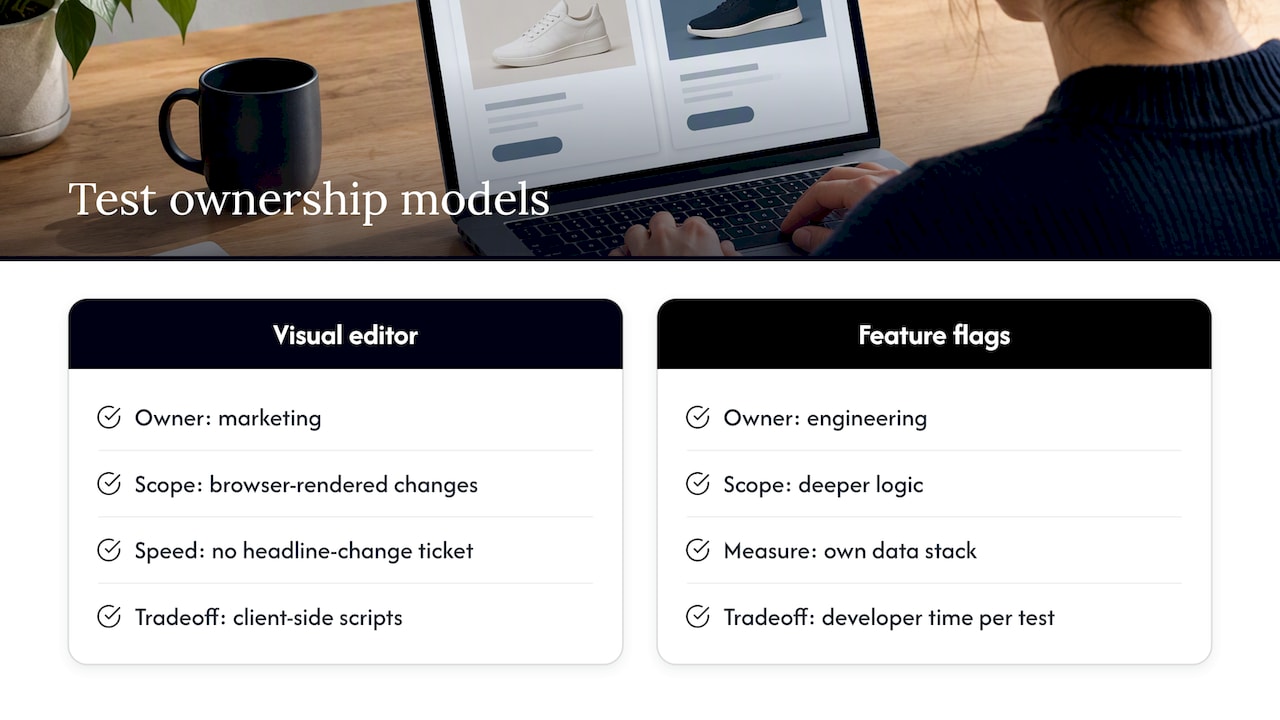
Ownership decides architecture. If marketing owns the program, a visual editor keeps experiments moving without a developer ticket for every headline change. The tradeoff is that client-side scripts sit on top of your page and can only change what the browser renders.
If engineering owns it, a feature-flag platform lets you test deeper logic and measure in your own data stack. The tradeoff is that every test needs developer time, which can slow the pace of learning if your team is stretched. As CXL notes, these two camps genuinely want different things: speed and independence on one side, code and warehouse integration on the other.
Be honest about the real owner, not the one on the org chart. If the person who will actually build and QA tests every week is a marketer, buy for a marketer.
Check data fit
Ask where experiment results will live. Can the tool export event-level data? Can you send experiment assignments to your analytics platform so you can slice results by segment? Can it write to your warehouse? A testing tool that traps its numbers in its own dashboard leaves you unable to double-check anything.
Think about scale and concurrency
Ask how many experiments you expect to run at once and on what surfaces. Client-side tools are quick to launch but can flicker and may struggle with complex logic. Server-side testing handles heavier lifting and avoids flicker, but takes more engineering. Match the architecture to your realistic test volume, not the volume you hope to reach in the future.
Confirm privacy and compliance
Look at how the tool handles cookies, user identifiers and consent. If you serve people in regions with GDPR-like or CCPA-like rules, check that the tool's architecture lets you respect consent choices and data deletion requests. A server-side setup that keeps assignment inside your own systems can simplify this, but verify it with your legal team rather than assuming.
Look at operational needs
Finally, test the day-to-day experience. How good is the QA and preview mode? How deep is the targeting and segmentation? Can you roll a winning variant out gradually, and roll it back fast if something breaks? These features decide whether the tool feels like a help or a chore over time.
For vendor research, Gartner Peer Insights lists A/B testing tools with verified product reviews and ratings, and lets you filter by company size, industry and region. That filter is handy when you want to see how companies like yours rate a tool. User sentiment on G2 is another common signal for feature feedback, so treat both as one input, not a verdict.
Here is the checklist in short form:
- Who will build, launch and QA tests every week?
- Can results be exported or imported into your analytics or warehouse?
- Does the architecture suit your test volume and page complexity?
- Does it respect consent and data rules in your markets?
- Are QA, targeting and rollout controls good enough for daily use?
Pro Tip:Score each shortlisted tool on these five questions with the people who will use it, then drop any tool that fails the ownership question, no matter how good the demo looked.
What makes an A/B test result trustworthy?
A great tool cannot rescue a badly run test. Before you compare vendors, learn the rules that make results believable, because they also shape what you need from a tool.
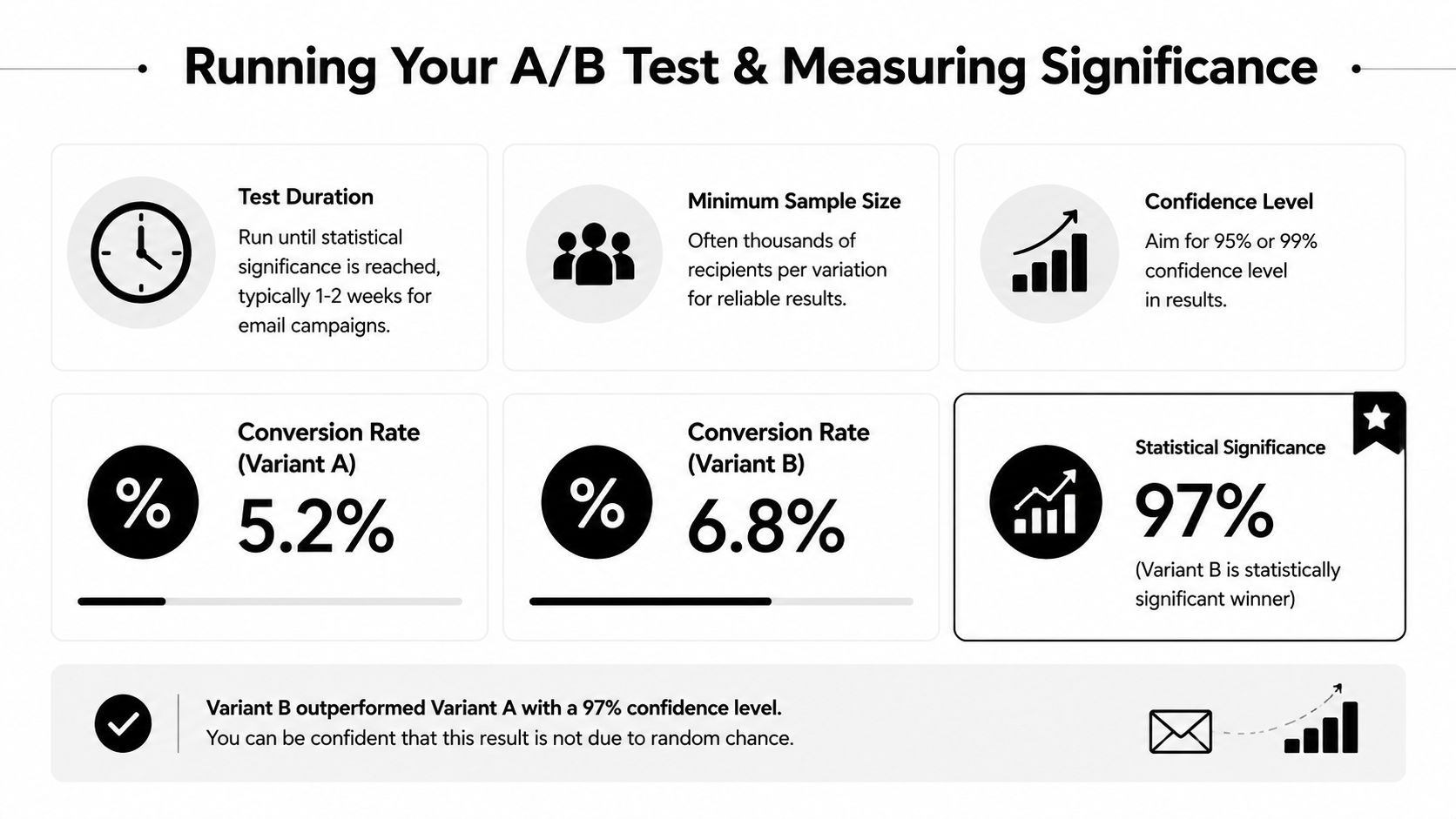
Plan sample size around the randomisation unit, baseline conversion rate, minimum detectable effect, allocation and analysis method. A conventional fixed-horizon design might use a 5% significance level and 80% power, but these are design choices. Evan Miller's calculator provides a starting point for binary conversion metrics; revenue metrics, clustered assignment and multiple comparisons need appropriate methods.
Set duration around the required sample, conversion delay and relevant business cycles. Full-week increments can help cover weekly patterns, but there is no universal four-week maximum. Longer tests need stable assignment and checks for identity loss, seasonality and concurrent changes. Choose an analysis method that fits the planned monitoring and stopping rules.
Predefine the primary metric, sample target and stopping rule. Fixed-horizon and sequential methods have different requirements; do not treat an early green dashboard as a decision rule.
Here is a QA and discipline routine that protects your results:
- Check the experience in the major browsers and on real phones and tablets, not just a desktop preview.
- Watch for flicker, the brief flash of the original page before the variant loads. If you can see it, visitors can too, and it can bias results. Server-side delivery or a split-URL test can remove it.
- Use a split-URL test when the change is large enough that rewriting the page with a script would be fragile.
- Write down your stopping rule before launch: the sample size, the minimum run time and the primary metric.
- Resist peeking and declaring a winner the first time a dashboard turns green. Data fishing across dozens of segments after the fact produces false positives.
- Import the results into your analytics and cross-check revenue and transaction counts against your other systems.
For fixed-horizon analysis, repeated significance checks followed by early stopping inflate false-positive risk. Properly designed sequential methods can support interim decisions; see Statsig's explanation of sequential testing. Investigate safety regressions and data-quality failures whenever they occur.
If your page has low traffic, be realistic. A page that takes months to reach the needed sample size is a poor candidate for a standard test. Test a higher-traffic page, aim for a bigger change, or use qualitative research to fix obvious problems first.
For a founder-friendly walkthrough of the same ideas applied to revenue, read our guide on A/B testing for founders.
Why do integrations decide whether you can trust your results?
A testing tool that reports its own numbers and nothing else is asking for blind faith. Integrations are how you replace faith with verification.
Importing experiment outcomes into your analytics or data warehouse does two things. It reduces risk, because you can check the tool's story against an independent record. And it opens up deeper segmentation, because you can slice results by customer type, acquisition channel, device or lifetime value rather than only the segments the testing tool happens to offer. The guidance from the CXL program review above is blunt on this point: always import experiment results into analytics for validation.
When you evaluate a tool, verify these integration capabilities rather than taking a logo wall on a pricing page as proof:
- Can it send experiment and variation IDs to your analytics platform as events or dimensions?
- Can it connect to your e-commerce backend so revenue is attributed to the right variation?
- Can it push or pull data through your event pipeline or warehouse?
- Does it offer an API or raw data export for custom analysis?
- Does it work with your tag manager and consent tool without breaking either?
- Can you pull results back out into the reporting you already use?
Server-side experiments deserve a note here. Because the variation is decided before the page is sent, they avoid the flicker that client-side scripts can cause, and they sidestep some browser-side sampling quirks. They also pair naturally with warehouse-native measurement, where the experiment is measured in your own data rather than the vendor's. The cost is engineering time, which is why ownership comes first.
Now the cross-check routine. After a test runs, compare the visitor counts, conversion counts and revenue in the testing tool against the same figures in your analytics. Small differences are normal, since tools count sessions and users differently. Large gaps are a signal. If the numbers diverge badly, or one variation shows an odd traffic split, pause and investigate before you act on any winner. Common culprits are a broken tracking tag on one variation, bots, a consent banner that blocks one arm, or a redirect that drops the experiment ID.
Treat reconciliation as part of the test, not a bonus step. A winner you cannot reproduce in your own analytics is a rumor.
How much do A/B testing tools cost, and is a free tier enough?
Vendors price experimentation in a handful of shapes, and knowing the shape tells you how your bill will grow.
- Events or tracked traffic. You pay based on how many visitors, sessions or events the tool processes. This suits low and steady traffic, and gets expensive on large sites.
- Monthly active users. Common in feature-flag and product experimentation tools. Costs rise with your audience, regardless of how many tests you run.
- Seats. A fixed price per teammate. Predictable, but it can discourage inviting the designers and analysts who should be involved.
- Enterprise custom quotes. Larger platforms often hide pricing behind a sales call and bundle features, support and contract terms. Expect negotiation.
Budget bands tend to follow team size. Small teams often start with free or low-cost tiers or a landing-page builder with built-in splitting. Mid-market teams usually move to a paid plan with proper targeting, integrations and support. Large organizations negotiate annual contracts. We do not quote exact vendor prices here, because they change often and differ by plan, so check each vendor's own pricing page.
A free tier or developer plan is enough when you are learning the process, running a few simple tests on a single page, and have modest traffic. It stops being enough when you need more concurrent tests, deeper segmentation, warehouse export, security reviews or support you can rely on.
Watch for hidden costs:
- Fees or limits on exporting raw data
- Caps on how long results and event history are stored
- Enterprise-only features such as advanced targeting, roles and audit logs
- Charges for integrations you assumed were included
- Developer time to implement and maintain the tool
Frame the spend with simple ROI math. Estimate how many tests you can realistically run in a year, multiply by your expected win rate, then by the average impact of a win. That mirrors the test volume times win rate times impact per win idea from the A/B testing process write-up. If the number does not comfortably exceed the tool's annual cost plus the time to run it, start smaller.
How should you run your first valid A/B test?
You do not need the perfect tool to run a good first test. You need a clear plan. Follow this sequence.
- Define the hypothesis and primary metric. Write one sentence: "If we change X for audience Y, then metric Z will improve because of reason R." Pick a single primary metric, such as completed checkouts or demo requests. Decide whether a standard A/B test or a split-URL test fits the size of the change.
- Estimate sample size. Choose the baseline, minimum detectable effect, significance level and power appropriate to the metric and analysis. Translate the target into traffic and allow for conversion delays and relevant weekly cycles.
- Build and QA. Check every variation in major browsers and on real devices. Look for flicker, broken layouts and tracking gaps. Confirm the experiment ID reaches your analytics before you launch.
- Launch and verify data flow. Once live, confirm that traffic is splitting as planned and that conversions are being recorded in both the testing tool and your analytics.
- Predefine stopping rules. Agree the sample target, minimum duration and decision criteria before launch, using rules that match your fixed-horizon or sequential analysis.
- Analyze and decide. At the end, check the primary metric first, then look at segments with caution. Decide to roll out, iterate or park the idea, and record what you learned for the next test.
Pro Tip:Keep a simple experiment log with the hypothesis, dates, sample size, result and decision. Over time, that log can be worth more than any dashboard.
What should you know about free tiers before committing?
Free plans are a smart way to learn, and also an easy place to get stuck. Use them for the right job.
A free or developer plan works well to validate your process: practice writing hypotheses, running a first test, and checking numbers in your analytics. It lets you find out whether anyone on your team will actually keep up the habit before you sign a contract.
Before you build a program on one, read the limits closely. Check the cap on visitors or events, the number of simultaneous experiments, how many teammates can log in, and how long data is kept. Check whether you can export raw data, because a result you cannot take with you is a result you cannot audit.
Plan the exit too. If your tests start to succeed, your traffic and demands grow with them, and the jump from free to paid can be steep. Ask what happens to your running experiments and history if you outgrow the plan, and whether moving to another tool means starting from scratch. A free tier that fits this quarter but traps you next year is not free.
When should you buy a tool and when should you hire an agency?
Tools give you the ability to test. They do not give you the hypotheses, the design craft or the weekly discipline to keep a program alive. That gap is where most testing programs quietly stall.
In our experience, managed CRO delivers faster returns when a team lacks bandwidth, has no repeatable test process, or needs design expertise to turn a hypothesis into a variation worth testing. Buying a license in that situation often leaves a tool nobody has time to use.
This is where our Design Sprint and Rapid MVP frameworks fit. A Design Sprint compresses research, ideation and prototyping into a short, focused stretch so you validate direction before you build. Rapid MVP gets a working version in front of real users quickly. Both feed experimentation with stronger ideas, which speeds learning and tends to lift conversion more than testing weak guesses ever will.
Here is a simple triage. If you have a developer or analyst with spare capacity, a clear owner and a few months to learn, run tools in-house and grow the muscle. If you are short on time, new to testing or need a quick read on where the biggest leaks are, commission a short audit first, then decide whether to keep an agency engaged or take the plan in-house. The audit costs far less than a year of an unused platform.
Where can we help you run experiments faster?
If you would rather have specialists drive experimentation, Raw Studio's Full UX/CRO Audit starts from $3,500 plus GST as a one-off. Confirm current scope and pricing, then choose an engagement around your research, design and measurement needs.
- A Full UX/CRO Audit that finds where visitors drop off and ranks what to test first
- A Design Sprint to validate a direction before you commit to building it
- Rapid MVP to get a working version in front of users quickly
- Ongoing support from our team if you want experiments run for you
The next step is simple: book an audit or a discovery call and we will map your highest-impact tests. See our conversion rate optimisation service or our pricing page to choose the engagement that fits.