



Framer suits design-led teams that want to shape and publish a polished marketing site on a freeform canvas. Webflow suits teams that need a deeper CMS, a class-based system and developer tooling for a site that will keep growing. The tool matters less than the decision behind it: what the site has to do for your business, and who will own it a year from now. That is where our work starts, and it is why we treat the platform as the last choice, not the first.
Below you will find a side-by-side comparison, the plan prices, the limits that quietly change your costs, and a way to choose based on your stage rather than on feature lists.
What each platform is built for
Both tools let you design and publish a real website without writing a full codebase. They get there in different ways.
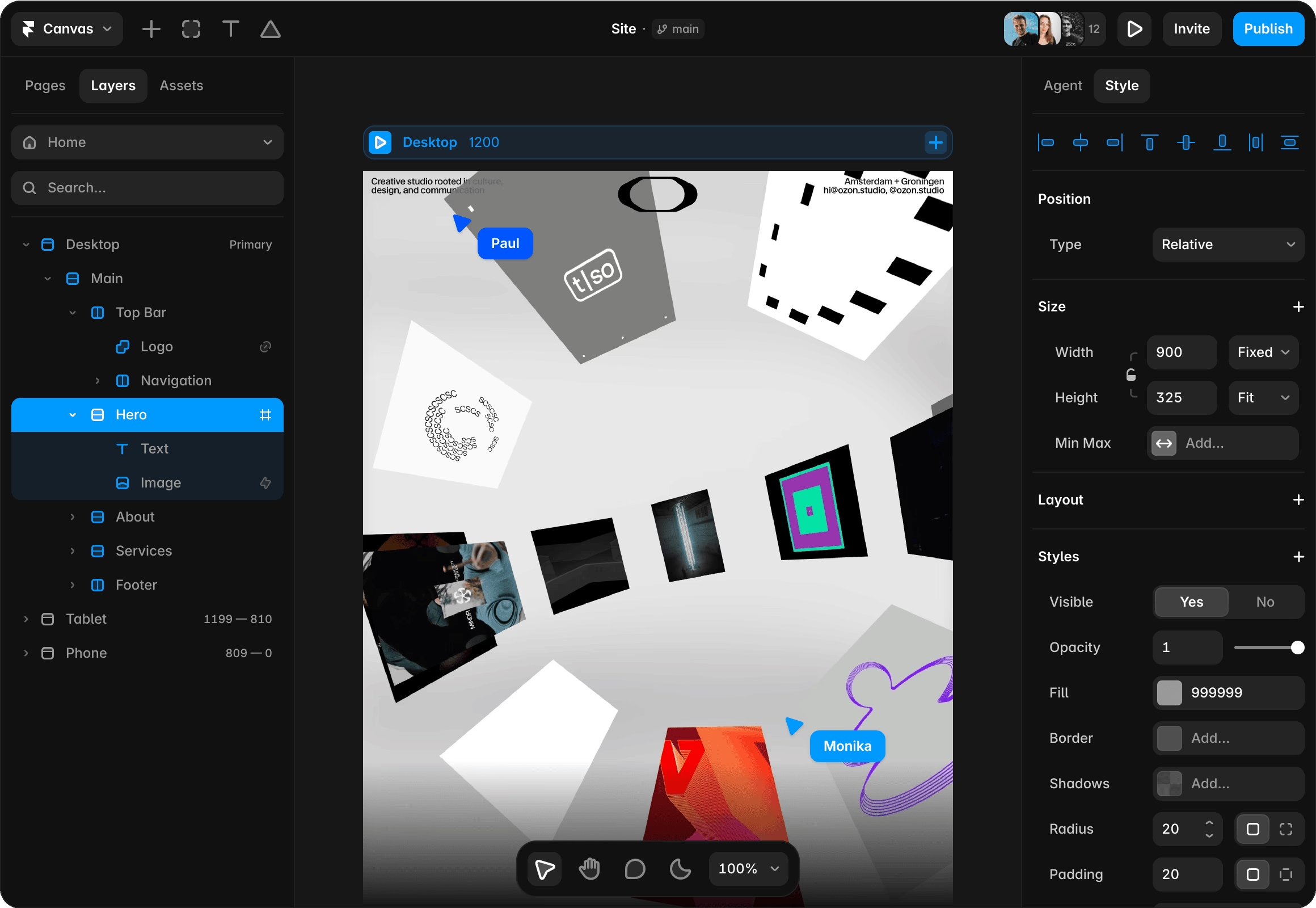
Framer describes itself as a pro website builder where design agents create layouts on a fully editable canvas, with hosting, CMS, analytics, SEO and AEO (answer engine optimization, meaning visibility in AI-generated answers) included at publish (Framer). If you have ever moved boxes around in Figma, the editing model will feel familiar. Designers and marketers can build and publish in one place.
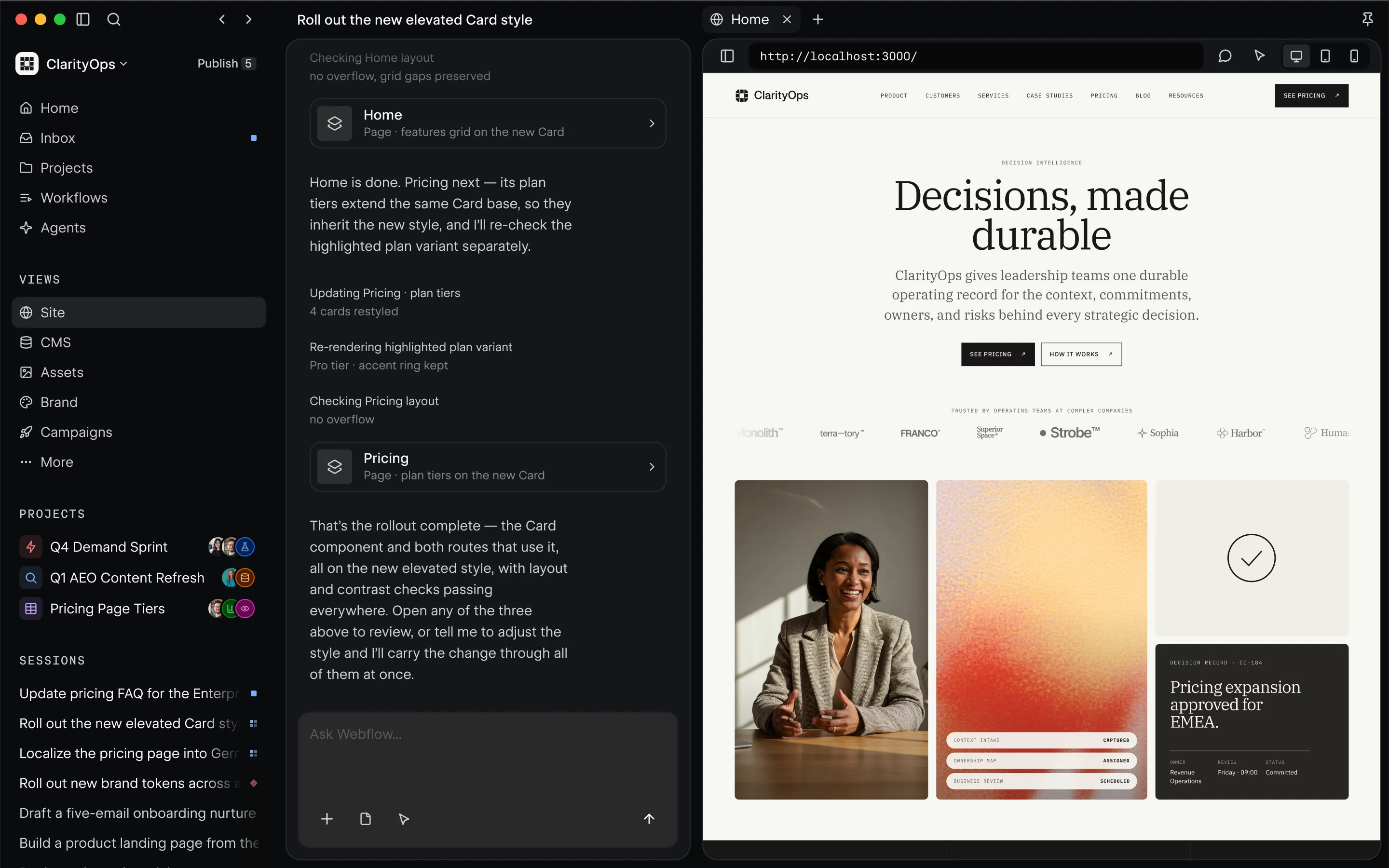
Webflow is an agentic web marketing platform founded in 2013 in San Francisco. It offers a visual builder with full CSS control, CMS, managed hosting with a global CDN and 99.99% uptime, ecommerce, SEO and AEO tools, an AI site builder, code export and Figma import (Webflow). It behaves more like a visual front-end development environment than a canvas.
The difference in one line: Framer can feel more direct to designers who want to refine layouts freely, while Webflow uses a class-based web system that your team has to maintain (Framer comparison). A class is a reusable style rule, like “button-primary”, that you apply across the site. It keeps a large site consistent, and it takes longer to learn.
Framer vs Webflow at a glance
Sources for the table: Framer comparison, Webflow features and a 2026 Australian builder comparison.
Ease of use and design freedom
Framer wins the first hour. You open a canvas, place elements and publish. Framer also offers agents for design, writing, analysis and CMS tasks (Framer comparison), which is useful when a small team has to ship a landing page this week.
Webflow asks more of you up front. You learn how classes, the box model and CMS collections fit together. In return, a well-structured Webflow project gives a larger team a shared system. Webflow also produces clean, W3C-compliant HTML and CSS, and it lets you export HTML, CSS and images as a ZIP file (Webflow features).
That export point is a real strategic difference. The Australian comparison lists Framer as having no code export, with custom code supported, and Webflow as having code export (Merchant Compare). If you expect to move the front end into your own codebase later, that matters now, not later.
On the Framer side, plugins extend what the editor can do. If security is on your checklist, there is a roundup of security plugins for Framer worth skimming before launch.
CMS, SEO and performance
This is where the plans diverge most.
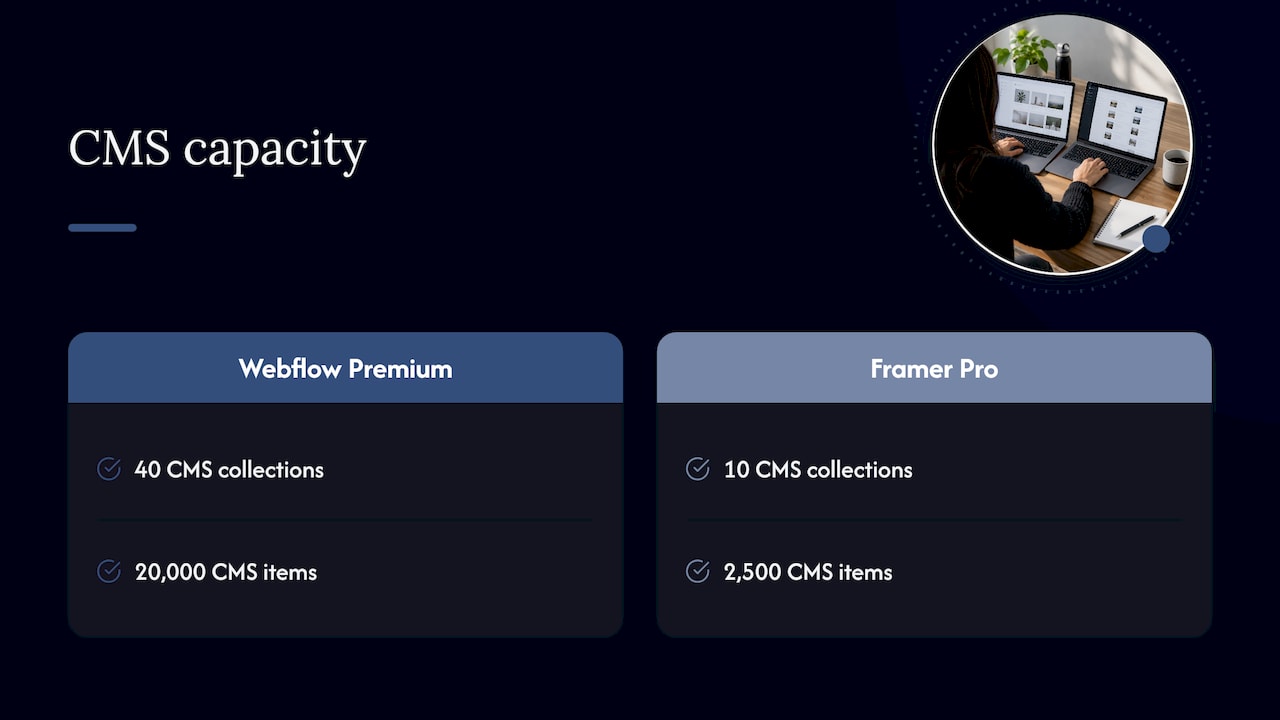
CMS capacity. Webflow Premium includes 40 CMS collections and 20,000 items. Framer Pro includes 10 collections and 2,500 items before add-ons (Framer comparison). A collection is a content type, such as blog posts, case studies or team members. A ten-page brochure site will never touch these ceilings. A site with a large blog, a resource library, location pages and a customer stories section can.
SEO. Both platforms offer SEO controls. Webflow has fine-grained SEO tools and AI audits (Framer comparison), and Framer includes built-in SEO from its Basic plan (Framer pricing). In practice, rankings depend far more on page speed, structure and content than on which builder you pick. If page speed is your concern, our guide to fixing LCP and website speed covers what to measure, and our list of indexing tools helps once the site is live.
Bandwidth. Framer Basic includes 50 GB and Pro 100 GB (Framer pricing). Webflow shows 1 GB on Starter, 10 GB on Basic and 50 GB or more on Premium (Merchant Compare).
Content-heavy sites. If your plan involves hundreds of structured content items, or a headless setup where content lives in a separate system, read our comparison of Sanity, Contentful and Strapi before you commit to a platform’s built-in CMS.
What each platform costs
Prices below are published list prices in US dollars, billed yearly, as shown on each vendor’s page. They change, so treat them as a guide and check the live page. Sales tax is added at checkout based on your location (Framer pricing).
Framer plans
- Free: $0, a free Framer domain, 1 GB bandwidth.
- Basic: $10 per month, a free custom domain, 2 CMS collections, 50 GB bandwidth, built-in SEO.
- Pro: $30 per month, 10 CMS collections, 100 GB bandwidth, site redirects, staging, branching with previews, and an A/B testing add-on.
- Enterprise: custom, with unlimited editors and SSO.
- Extra editors cost $20 per month each.
An Australian review puts yearly-billing prices at about A$13 per month for Basic and about A$40 for Pro (The AI Directory).
Webflow plans
- Starter: free, a webflow.io domain, 2 static pages, limited CMS, 1 GB bandwidth.
- Basic: $15 per month, a custom domain, 300 static pages, 10 GB bandwidth, no CMS.
- Premium: $25 per month, adds the Webflow CMS with bandwidth options from 50 GB up to 2.5 TB.
- Team: $2,500 per month on an annual contract.
- Enterprise: custom.
Source: Webflow pricing.
The cost that is not on the pricing page
The subscription is the small number. Both platforms can add editor seats and add-ons to your total (Framer comparison), and the real expense is the hours your team spends building, fixing and rebuilding. A $30 monthly plan is cheap. A site that took six weeks of founder time and does not convert is not.
Which one fits your stage
Here is how we would frame the decision for the teams we usually talk to.
Early startup validating an idea. You need something live quickly to test demand. Framer’s canvas suits design-led startups that want a polished site and are happy to refine it by hand (Listicler). Keep it small, measure sign-ups, and avoid over-building before you know the message works.
Content-led B2B company. If marketing will publish regularly and plans to scale content, Webflow’s larger CMS limits and class-based structure suit that path (Listicler).
Established business improving engagement or conversion. The platform is rarely the bottleneck here. The bottleneck is knowing which pages lose people and why. A redesign on either tool will disappoint if nobody has looked at the funnel first. Our guide to product analytics tools is a good place to see what you can measure.
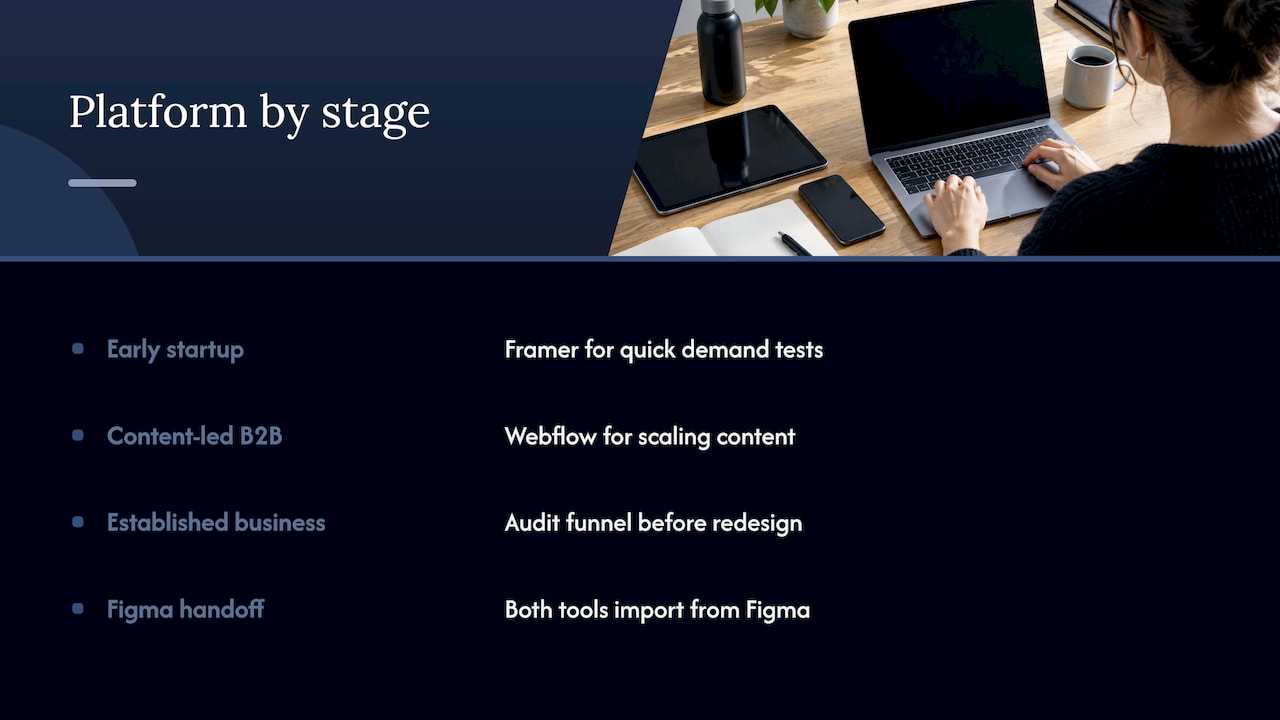
Design handoff in the mix. If your designers live in Figma, both tools import from it. We cover the process in our post on Figma developer handoff, and the newer Figma Sites is worth knowing about as a third option.
Questions to settle before you choose
- Who edits the site every week? Marketers who want to change copy and layout directly lean one way, developers who want structure lean the other.
- How much content will you have in 18 months? Count collections and items, then compare them with the plan limits above.
- Will you ever need the code? If the answer is maybe, check export first.
- How many editors do you need? Seat costs add up on both tools.
- What does the site need to prove? A pitch for investors, a lead engine and a product catalogue each need different things.
A wrong answer to the first or third question is the usual reason teams migrate within two years. That is an expensive lesson, because migration means rebuilding templates, content models and redirects.
Where the real gains come from
Teams often compare builders hoping the right one will lift results. The lift comes from decisions made before anyone opens an editor: who the visitor is, what they need to see first, which objection stops them, and what the next step looks like. User research and a conversion audit answer these questions. A builder then makes the answers real.
Our Full UX/CRO Audit starts from $2,500 as a one-off engagement. It is built for businesses that want to know what to fix before they commit to a rebuild on any platform. You can see the details on our pricing page.
Our perspective
We get asked “Framer or Webflow?” in almost every first conversation, and we understand why. It feels like the decision that unlocks everything else.
It rarely is. The sites that perform well for our clients start with research: who is arriving, what they expect, and where they hesitate. Data-driven design is the heart of how we work, and it is why our frameworks, the Design Sprint and RapidMVP, exist. They compress the uncertain part of a project into days so that the build, on whichever platform fits, is about executing a validated idea.
That is also why we like to see the platform choice as a consequence. Once the goals, the content model and the team are clear, the right tool usually becomes obvious. Before that, it is a guess with a monthly invoice attached.
Our web development, UX and UI design and conversion rate optimisation services work together for this reason. A beautiful layout that nobody tests is a hunch. A tested layout that is built well is a result.
Work with a team that handles the whole path
If you are a startup shaping your brand, a growing company trying to lift engagement, or a business that wants more from the traffic it already has, we can take the research, design and build off your hands. Start with the Full UX/CRO Audit to find the highest-impact fixes, or look at our services for branding, UX and UI design, conversion rate optimisation and web development. Teams that want a standing partner can look at the Design Team plan at $8,400 per month.
If you want to see the work in practice, our Everdure case study walks through an ecommerce build. And if you are weighing agencies, we have compared the field in our top Webflow agencies in Australia guide.