.svg)
.svg)



Choose product analytics around the questions your team needs to answer and the actions it can take. Amplitude, Mixpanel and PostHog are candidates for event analysis; Heap, Pendo and Fullstory add overlapping capture, guidance and experience-analysis workflows. Compare current plans, data controls and a real implementation rather than assuming one tool suits every team.
How we compared these tools
This is an editorial comparison based on current vendor information, not a hands-on benchmark of every product. Start with a short list of decisions and a representative workflow, then assess whether each tool helps the team act on the evidence.
So we looked at five things:
- Depth of analysis: funnels, retention, cohorts, segmentation.
- Setup effort: manual instrumentation or auto-capture.
- Pricing shape: what happens to your bill when usage grows tenfold.
- Data control: cloud only, or self-hosted and warehouse options.
- Fit with your team: who will open this tool on a Tuesday morning, and what will they do next?
The tools at a glance
Check the current Amplitude, Mixpanel, PostHog, Heap, Pendo and Fullstory plans. Event counts, sessions, users, retention and feature allowances are different units; a larger headline allowance is not automatically better value.
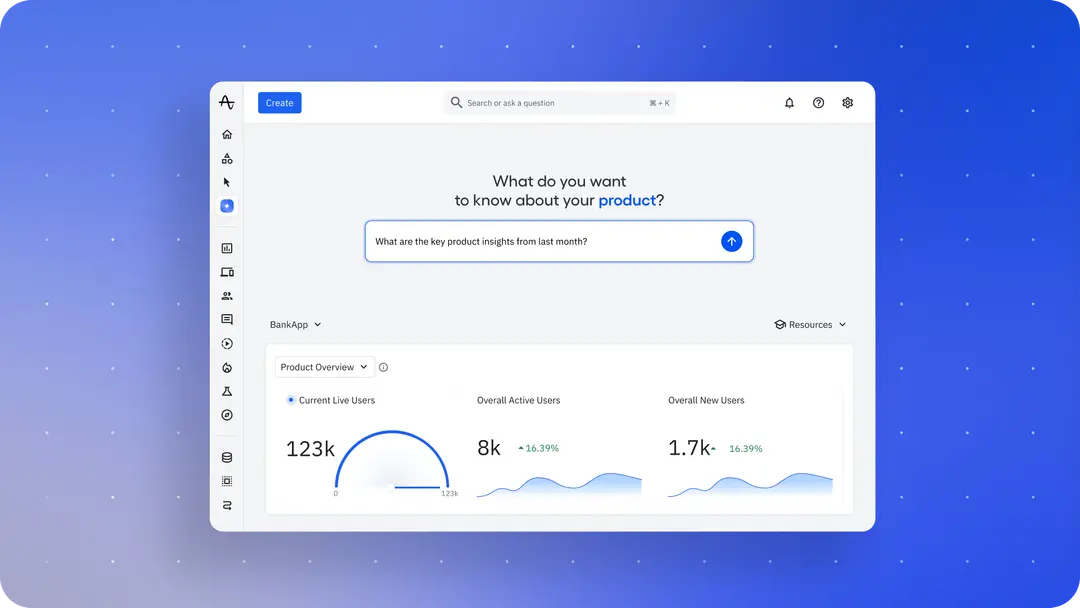
Amplitude
Amplitude offers funnels, retention and cohort analysis. Its current Free plan lists two million events per month. Evaluate the exact segmentation, governance, retention and collaboration features you need on the selected tier; a review score is not a benchmark for your workflow.
Where it shines: segmentation, behavioral cohorts, and governance for larger teams with many people touching the data.
Watch for: the learning curve. Amplitude rewards a team with a proper tracking plan and someone who owns it. Without that owner, it becomes an expensive dashboard graveyard.
.png)
Mixpanel
Mixpanel's current Free plan lists one million events and 10,000 session replays per month, with limited experiment and feature-flag allowances. Its pricing page includes analytics, replay, heatmaps, experiments and flags across plans, subject to allowances. Model the current event rate, commitments, retention and additional usage instead of relying on an older third-party monthly estimate.
Where it shines: getting a product manager from question to chart in minutes. Funnels and retention are clean and quick.
Watch for: event volume creep. Which brings us to the common question.
Mixpanel or Amplitude?
Both Amplitude and Mixpanel support substantial behavioural analysis. Compare the same identity model, funnel definitions, retention questions and access requirements. The following are possible selection priorities, not measured speed or depth rankings:
- Trial Mixpanel when self-service funnel and retention analysis fits your workflow; test usability, governance and total cost with the people who will use it.
- Trial Amplitude when cohort analysis and collaboration are priorities; confirm tier-specific capabilities rather than assuming the competitor cannot do the same analysis.
- If you're unsure, run both free tiers for a month against the same five questions. Whichever one answers them faster wins.
PostHog
PostHog combines analytics, replay, flags and other products. Its cloud pricing lists separate monthly allowances, including one million analytics events, 5,000 recordings and one million flag requests. Separate products have separate usage meters; all-in-one does not mean every workload is unlimited or free.
PostHog's self-hosting documentation describes a hobby deployment and explicitly states that self-hosted deployments are unsupported. Do not treat it as a like-for-like managed production alternative solely because the source is available.
If you evaluate self-hosting, assess support, security updates, backups, recovery, scalability and operational ownership. A memory specification alone does not establish readiness. For production or regulated workloads, compare supported deployment and data-handling options against your actual requirements.
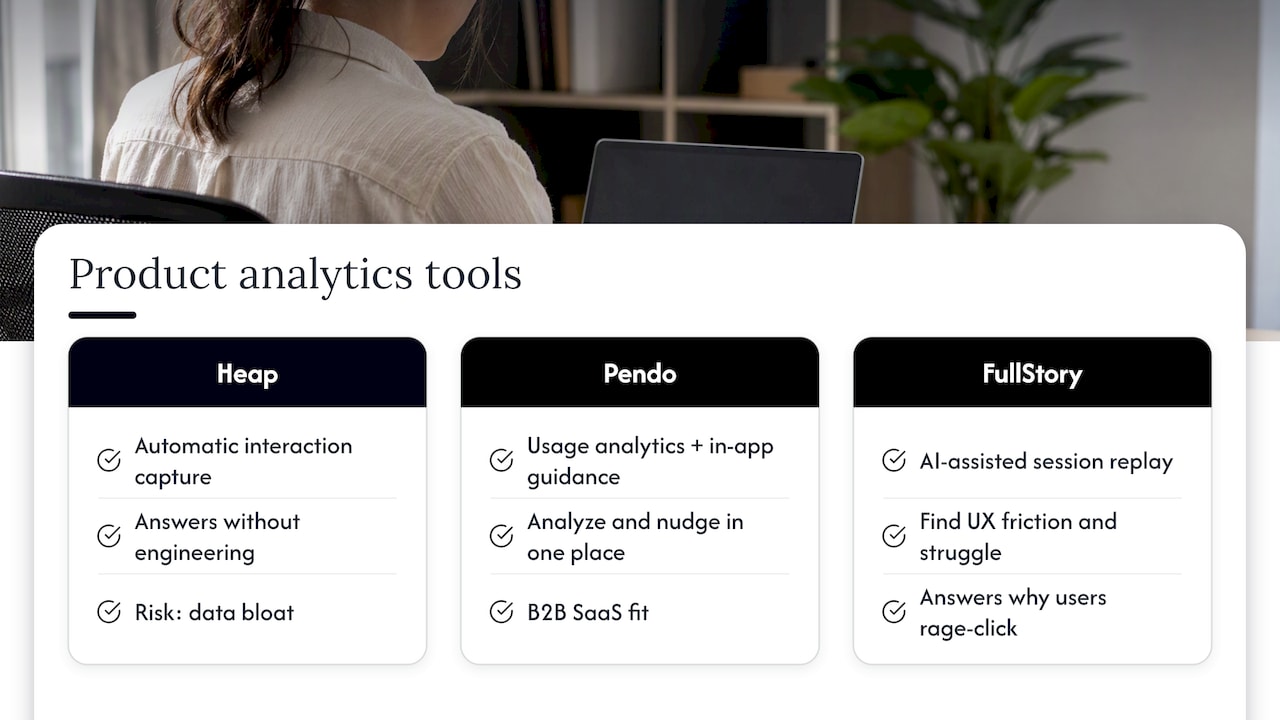
Heap, Pendo and FullStory: three different jobs
These tools overlap with the big three but solve different problems.
Heap offers automatic interaction capture, with a Free plan listing up to 10,000 monthly sessions. Autocapture can reduce event-by-event implementation, but installation, identity, event definitions, permissions and quality assurance still need ownership. It is not exclusive to Heap: Amplitude and Mixpanel also offer autocapture options.
Pendo combines product analytics with in-app guidance. Validate the current plan's analytics, guide targeting, integrations and user-volume pricing. Guidance is useful only when the team also owns message quality and evaluation.
Fullstory combines replay and experience analysis with funnels and conversion analysis. Replay can reveal an interaction sequence, but does not reliably reveal intent. Check whether one platform already meets the quantitative and replay workflow before adding a second capture tool.
Mixpanel alternatives worth considering
If Mixpanel's pricing or feature split is bothering you, there are three sensible directions:
- PostHog Cloud if a shared analytics, replay and flags workflow fits your team. Self-hosting needs a separate support and operations assessment.
- Amplitude if its cohort and governance workflow fits your questions; compare equivalent analyses before migrating.
- Heap if automatic capture and retroactive event definitions fit your work. Engineering and data-quality responsibilities still remain.
If your concern is moving away from Google's tools instead, we've covered that separately in our guide to the best Google Analytics alternatives.
Privacy in Australia: part of the design
This is the section most global comparison lists skip, and it matters if you're building for Australians.
Assess whether your organisation is covered by the Privacy Act and what information the implementation collects. The OAIC tracking-pixel guidance addresses data minimisation, notice, disclosure and security; identifiers and page context can involve personal or sensitive information. It is relevant to analytics design, not a blanket approval for any product configuration.
What that means in practice:
- Exclude unnecessary sensitive capture. Review applicable consent requirements before collection, including sensitive information. Test what leaves the browser, not just the banner text.
- Minimise event and replay data. Remove personal data and secrets from URLs, properties, rendered text and form values. Test masking, exclusions and dynamic content before launch.
- Assess the deployment. Review access, retention, deletion, security, overseas disclosure and processor terms. First-party or self-hosted labels do not by themselves establish compliance or complete ownership.
- Implement the tool's appropriate permission controls. Google Consent Mode is a Google-tag mechanism, not a universal product-analytics standard. Respect refusal and withdrawal; do not assume declined collection can be recovered through modelling.
This isn't legal advice. If your product handles health or financial data, have a privacy lawyer review your tracking setup before launch.
Setting up product analytics without drowning in data
Start with the smallest event set that answers agreed product questions. There is no universal requirement to track 10 to 20 events, and a North Star metric is not the same thing as an event list. Assign definitions, properties, identity rules and an owner before expanding collection.
A simple implementation plan:
- Name your north star metric. For a SaaS product it might be weekly active teams completing a core action, not signups.
- List the necessary events for activation, important feature use and outcomes. Include only events with a defined analytical purpose.
- Write a tracking plan with event names, properties and an owner.
- Choose capture deliberately. Use explicit business events where semantic accuracy matters and selectively configured autocapture where useful. Either method needs validation.
- Set up consent and strip PII before launch.
- Review collection regularly. Retire unused events with documented change control, preserving definitions and dependencies needed for historical analysis.
For which numbers deserve a place on that list, our breakdown of behavioral versus sentiment metrics is a good starting point, and so is how to turn UX metrics into action.
How to choose: a quick decision guide
- Early-stage startup, tight budget, small team: PostHog cloud or Mixpanel free tier.
- A team seeking less manual capture: compare Heap and the autocapture options in other shortlisted products, including implementation and governance work.
- Growth-stage SaaS with analysts: Amplitude.
- Higher-risk journeys: choose a supported architecture and minimise capture after privacy and security assessment. Unsupported self-hosting is not the default recommendation.
- Unexplained conversion problems: inspect permitted replay alongside funnels, then use user research to investigate explanations. Check existing features before installing another tool.
Tools only measure. Somebody still has to decide what to change.
Our perspective: the tool is the easy part
We've sat in plenty of rooms where a team had a beautifully configured analytics stack and no idea what to do with it. The dashboards were green, the charts moved, and the product didn't improve. In our experience, the gap is almost never the software. It's the question behind it.

Here's how we approach it at Raw. We start from a hypothesis, not a dashboard: what do we believe users are struggling with, and what evidence would prove us wrong? Then we choose the smallest set of events that can answer it, validate with user research and testing, and only then scale up measurement. That's the thinking behind our Design Sprint and RapidMVP frameworks: get a validated answer quickly, before committing months of build.
We'd also push back on the idea that more data means better decisions. A clean set of 15 events that everyone trusts beats 400 events nobody can explain. And numbers tell you where users drop off, but rarely why. Pair the quantitative with real conversations and usability testing, and the picture finally makes sense.
Where Raw fits in
Raw Studio helps teams connect measurement to research and design decisions. The Full UX/CRO Audit starts from $3,500 plus GST as a one-off, and the UX/UI Design Team starts from $8,400 per month plus GST. Confirm current scope and pricing, or explore our conversion rate optimisation service and services.
If you're comparing conversion-focused tooling beyond product analytics, our guide to conversion rate optimisation tools goes further.