.svg)
.svg)


Sanity, Contentful and Strapi can all support structured content across websites and applications. Sanity emphasises a customisable Studio and schema-as-code workflow; Contentful offers a managed content platform; Strapi offers self-hosted and managed-hosting options. Choose by your content model, editorial tasks, governance and operational capacity, then test those requirements in the exact plan you would buy.
We design and build websites and digital products, so we sit at the point where a CMS decision meets real users. This guide compares the three on the things that tend to matter after launch: pricing, modelling, editing, workflows and the checks an Australian business should run before signing.
What each platform actually is
The three tools look similar on a feature page. They feel quite different in daily use, because each one starts from a different belief about content.
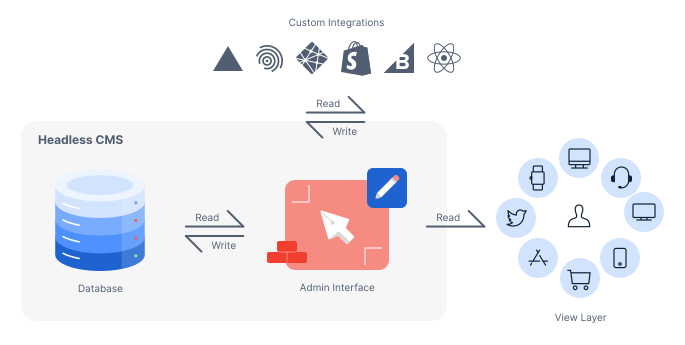
Sanity describes itself as a content operations platform for powering content applications and AI workflows. Its pitch rests on structured content, schema defined as code, customizable editorial workflows, previews and real-time editing. Think of it as a toolkit: you assemble the editing environment that fits your team.
.png)
Contentful positions itself as a content platform for creating and managing content across channels, markets and brands, with built-in personalization and native AI for content creation. It is more of a finished building: rooms already laid out, with clear rules about who goes where.
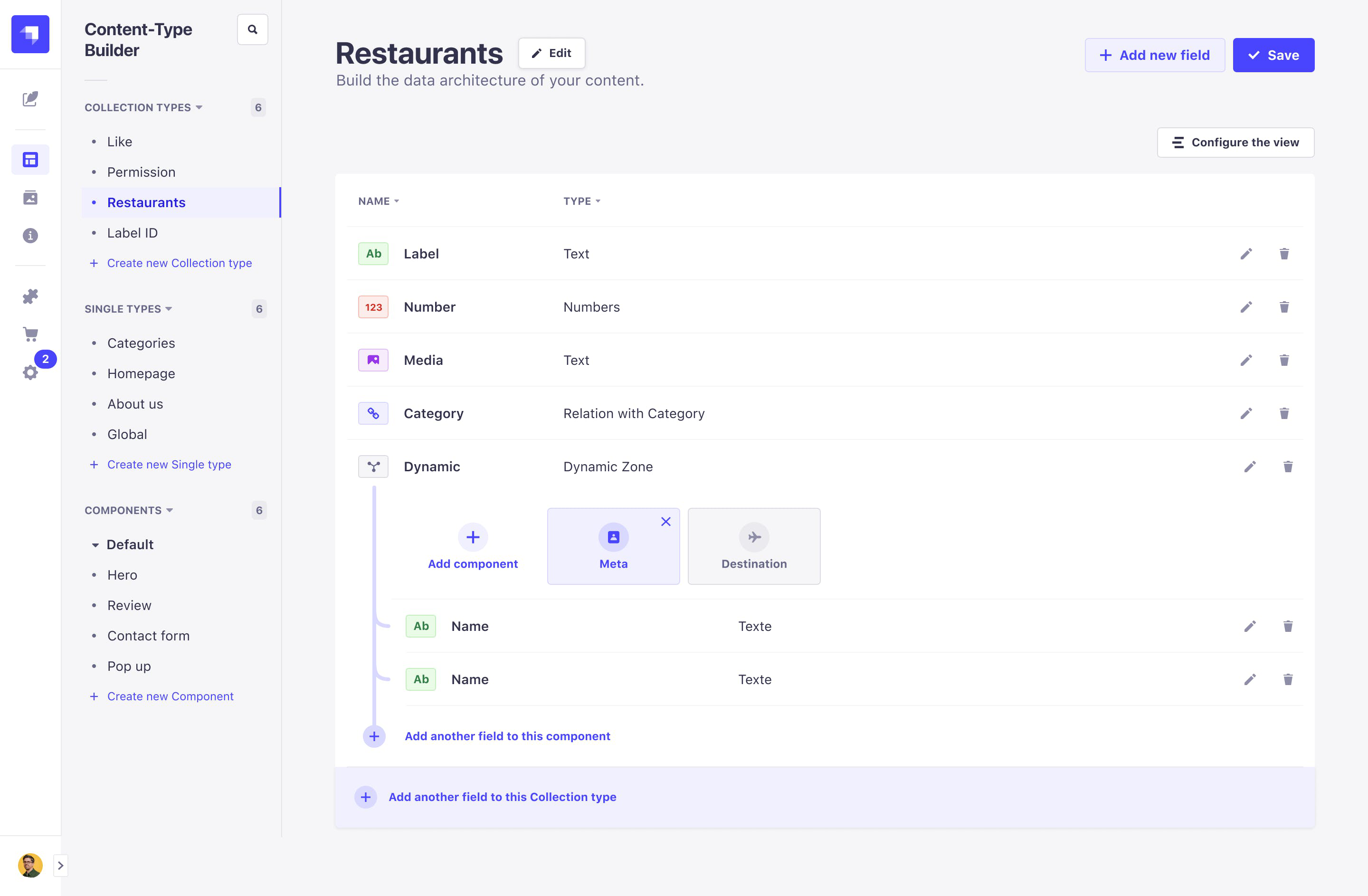
Strapi is an open-source headless CMS built on Node.js and TypeScript, extended through plugins. Its deployment documentation says applications can run on traditional hosting servers or a hosting provider of your choice. If Sanity is a toolkit and Contentful a building, Strapi is the plot of land and the plans: yours entirely, with the plumbing to match.
Pricing compared
Confirm current pricing and limits on the vendor pages before budgeting. The comparison below identifies cost factors; request a dated quote for numerical prices and allowances. Confirm currency, billing term, taxes, feature access and usage charges in writing.
The detail behind those cells matters more than the headline.
Sanity. Review the pricing page for seats, datasets, roles, API and CDN usage, collaboration features and support. Check which capabilities are included and which need add-ons. A seat price alone does not establish the total annual bill.
Contentful. Review current plans for users, spaces, environments, locales, content types, records, bandwidth and API allowances. Confirm workflow, security and support entitlements in your quote; enterprise branding alone does not establish a particular SLA.
Strapi. Compare CMS licensing separately from Cloud hosting. Free software does not eliminate infrastructure, backups, upgrades or staff costs. Check paid governance features, support, environments and hosting allowances for the selected deployment.
Model a realistic year of editors, locales, content, traffic and environments. Include implementation, support and migration. Enterprise quotes are negotiated, so a general claim that one platform is 20-30% cheaper is not a reliable budget assumption.
Content modelling and developer experience
This is where Sanity and Contentful diverge most.
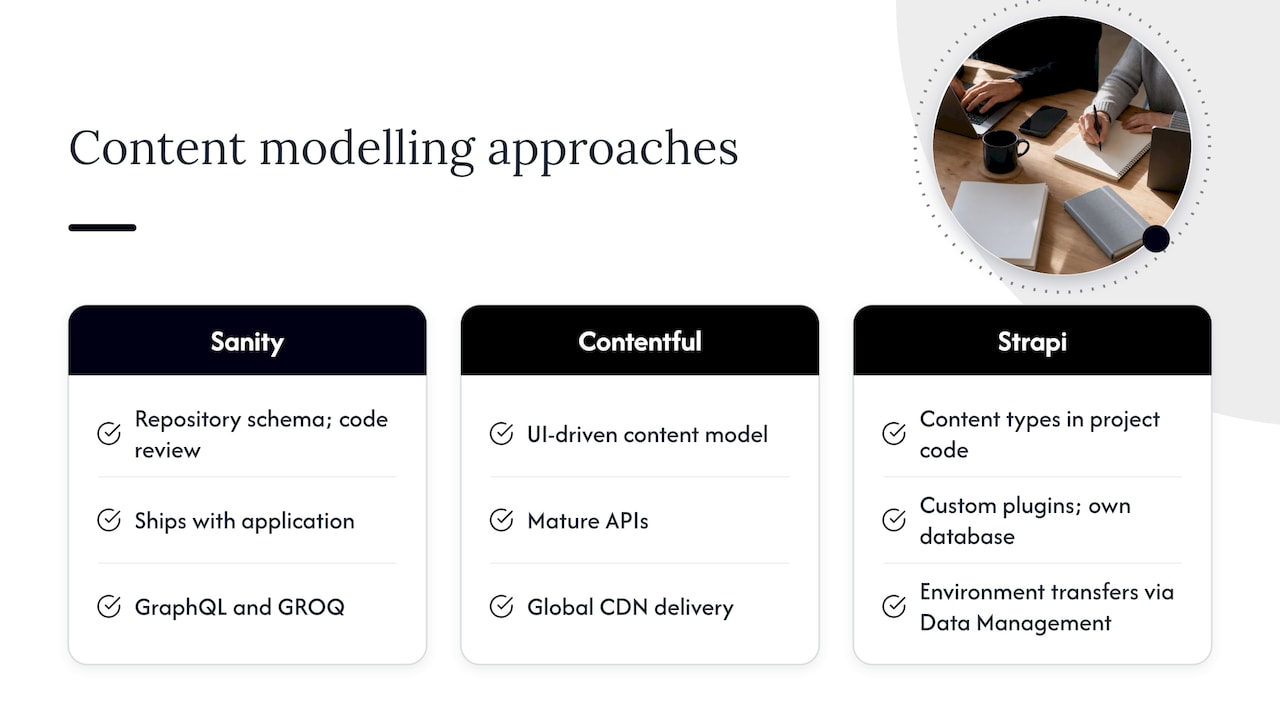
Sanity defines Studio schemas in code, so they can be versioned and reviewed in a repository. Content and schemas have distinct lifecycles; deploying a schema change does not automatically migrate existing records. Test queries, previews and validation against real content before releasing changes.
Contentful gives you a structured, UI-driven content model and a mature set of APIs. Its JavaScript SDKs cover the Delivery, Preview, Management and Sync APIs, with locale support and link resolution, and the Content Delivery API serves content from a global CDN. It is predictable and well documented, which counts for a lot when a team of ten developers has to work consistently.
Strapi puts content types in project code too, and content moves between environments through its Data Management feature. You get deep control, including custom plugins and your own database, at the cost of owning upgrades and operations. If your front end runs on a modern hosting platform, our comparison of Vercel and Netlify is a useful companion decision, since hosting choices shape how previews and builds behave with any headless CMS.
Editor experience and workflows
A CMS that developers love and editors avoid is a failed CMS. So ask who writes the content on a Tuesday afternoon.
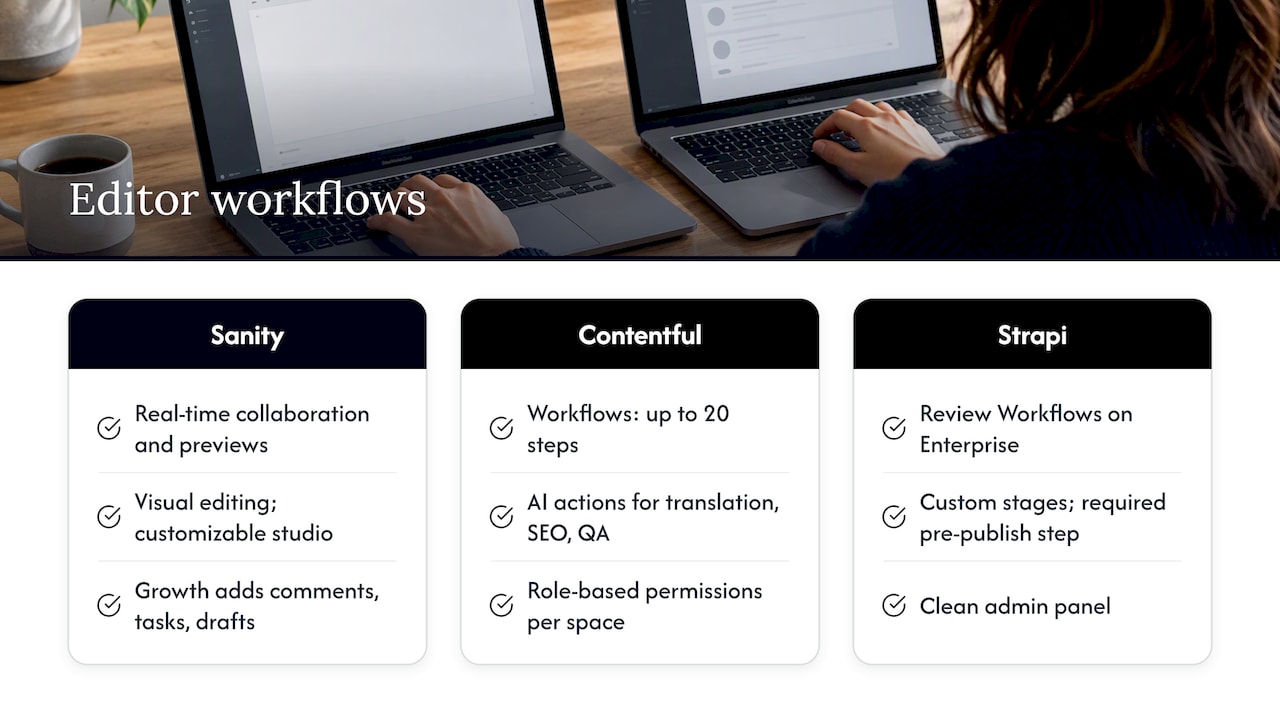
Sanity supports collaborative editing and custom editorial interfaces. Confirm current plan access for comments, tasks and scheduling, and test previews against your front end. Editor experience depends on the implementation; neither a custom Studio nor a default configuration is automatically better for every team.
Contentful provides roles, workflows and automation capabilities that vary by product and plan. Test an actual approval sequence, permissions, notifications and publishing handoff with your editors. AI-assisted writing or checks still need human review; do not treat them as compliance guarantees.
Strapi offers review-workflow and other governance capabilities in relevant paid editions. Confirm the selected version, licence and hosting setup before relying on required stages or audit features. Test whether the configured workflow actually prevents unauthorised publishing.
Strapi vs Contentful: the real trade-off
Many readers arrive wanting only this pairing. The honest summary is a trade between control and convenience.
- Hosting. Contentful is fully managed, with a global CDN. Strapi can be self-hosted or run on Strapi Cloud, which handles the build and deployment pipeline and abstracts infrastructure.
- Customization. Strapi lets you change almost anything, because you own the code. Contentful lets you extend through apps and APIs, but within its platform.
- Governance. Confirm approval, role, audit and support features for each specific plan. All three require thoughtful configuration and an accountable owner.
- Cost shape. Compare licence, usage, hosting, integration and maintenance costs for the same workload. Managed and self-hosted options allocate costs differently; neither guarantees a cheaper result.
- Risk. Self-hosting adds security and uptime responsibilities. Managed platforms retain application and configuration risks, while any platform can create migration work. Test exports, backups and recovery rather than assuming only one model creates lock-in.
If you have a strong engineering team and a reason to own the stack, such as a strict data policy, Strapi is compelling. If you want to buy a platform and focus on the product, Contentful removes work.
Which one fits your team
The table below is our shorthand, based on how the vendors position themselves and what their plans include. It is a starting point, not a verdict.
Two more lenses help. First, think about the next three years, not the next three months. A free tier is generous until your locales, content types or API calls outgrow it. Second, count the editors honestly, because seat-based pricing and role limits show up in the second year, not the first.
What an Australian business should check
These checks are practical rather than regulatory advice. For anything touching privacy law or contracts, ask your legal adviser.
- Data location. Ask each vendor where your content is stored and whether you can choose a region. If your policy requires data to stay in Australia, get the answer in writing before you build.
- Support hours. Confirm response targets, severity definitions, escalation channels and availability during Australian working hours. A support contract is distinct from an uptime SLA.
- Limits that bite. Compare API calls, CDN bandwidth, locales, environments and record counts against your real traffic and content volume, not the average.
- Currency and tax. Confirm the quote's currency, billing commitment, renewal rates and tax treatment. Allow for currency movement where billing is overseas.
- Integrations. List the systems your CMS must talk to: commerce, analytics, CRM, search. Test the hardest one first. Our look at product analytics tools can help with that part of the stack.
- Exit plan. Know how you would export your content and rebuild redirects if you leave. Our CMS migration checklist starts with the redirect map for a reason: it protects the search traffic you have already earned.
Our perspective
A feature-grid comparison only goes so far. Test whether editors can complete their daily tasks and whether the front end handles real content. Assign ownership for the model, publishing workflow and ongoing maintenance.
So we start somewhere unglamorous: the content itself. What types of pages exist? Who writes them? How often do they change? Once that is clear, the choice often makes itself. A team that publishes constantly and wants a flexible studio will lean toward Sanity. A team with layered approvals and a procurement office will feel at home with Contentful. A team that wants to own everything will accept the work that comes with Strapi.
The second thing we push for is testing before committing. Build a small prototype with real content, hand it to an editor, and watch where they hesitate. That ten-minute observation tells you more than any comparison article, including this one. It is the same instinct behind our design sprints: validate the idea cheaply, then invest.
Finally, treat the CMS as part of the user experience, not just the back office. The structure you choose shapes page speed, consistency, personalization and how fast you can experiment on conversion. A good headless setup makes the site easier to improve every month.
Getting the front end right
Choosing a CMS is half the job. The other half is designing and building the experience that sits on top of it, and that is where we come in. We handle web development, UX and UI design and conversion work, and we can validate a new product idea quickly with our Rapid MVP approach before you commit to a full build.
If you want an outside view before replatforming, review our Full UX/CRO Audit and ongoing design-team options on the pricing page. Request a current scope and quote, including GST treatment, rather than relying on an older package name or price.