.svg)
.svg)

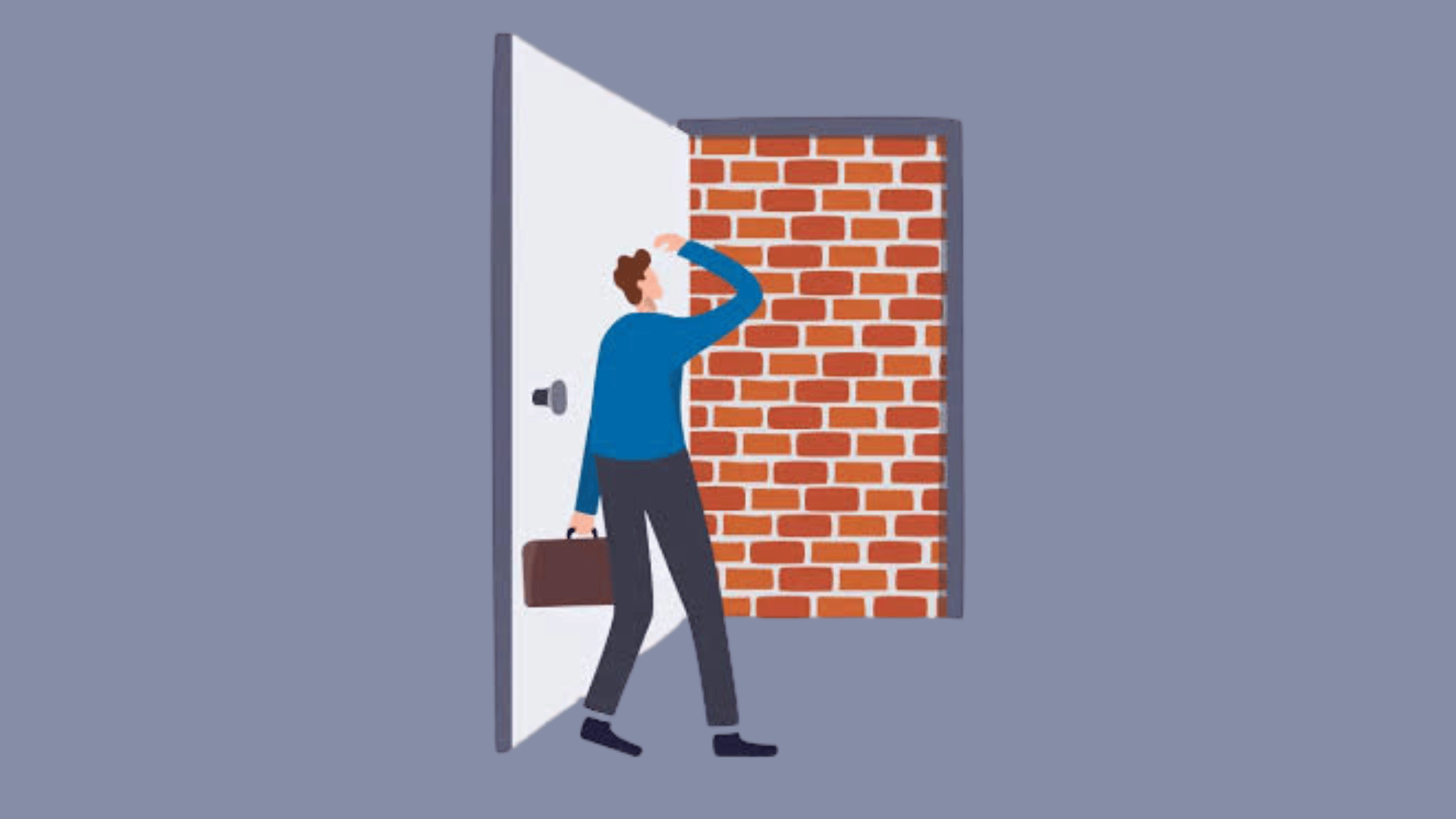

A fake door test exposes an entry for an unbuilt feature to measure real user interest. A click is an interest signal, not proof someone will pay. We use the method to kill weak ideas cheaply or to decide whether an idea deserves a bigger validation budget, like interviews, a pre-sell, or a prototype.

What Counts as a Fake Door Test?
A fake door test, also called a painted door test or a form of pretotyping, places a button, link, or card for something that doesn't exist yet in front of real users. We watch what they do with it. It's a quick way to check curiosity before writing a line of production code, and that's exactly why product teams reach for it so often: the cost of finding out is a fraction of the cost of building.
The door can live almost anywhere: an in-app button, a pricing card advertising a tier that isn't built, a dedicated landing page, or a link dropped into an email campaign. What ties these surfaces together is the moment of truth. The test measures demand at the point someone sees and reacts to the offer, not whether they'd actually hand over a credit card. That distinction matters more than most teams expect going in.
How Does a Fake Door Test Actually Work?
The mechanics are simple, but the details decide whether your data means anything. The door needs to sit exactly where the real feature would eventually appear, styled with the same care you'd give a shipped feature. A sloppy, obviously fake button invites a different kind of click than a convincing one, and that skews your read on genuine interest.
Use clear availability wording before the action and a truthful explanation afterward. Offer an optional waitlist or survey that explains the research and what follow-up people are choosing. A click measures response to the offer under those conditions; it does not prove product value or willingness to pay.
While the test runs, track:
- Views: how many qualified people saw the door.
- Clicks: how many attempted the action.
- Completions: how many finished the follow-up step, like joining a waitlist.
Log the traffic source and audience segment for every event. Without that context, a strong click rate from an unrepresentative group can mislead the whole team.
When Should You Run a Fake Door Test?
Fake door testing answers one specific question well: will people attempt this action when they see it? It answers a different question, like whether they'll pay or stick around, far less reliably. If you need an early read on attention, this is often the fastest route there. If you need proof of willingness to pay, a pre-sell or a paid pilot gives you a sturdier signal.
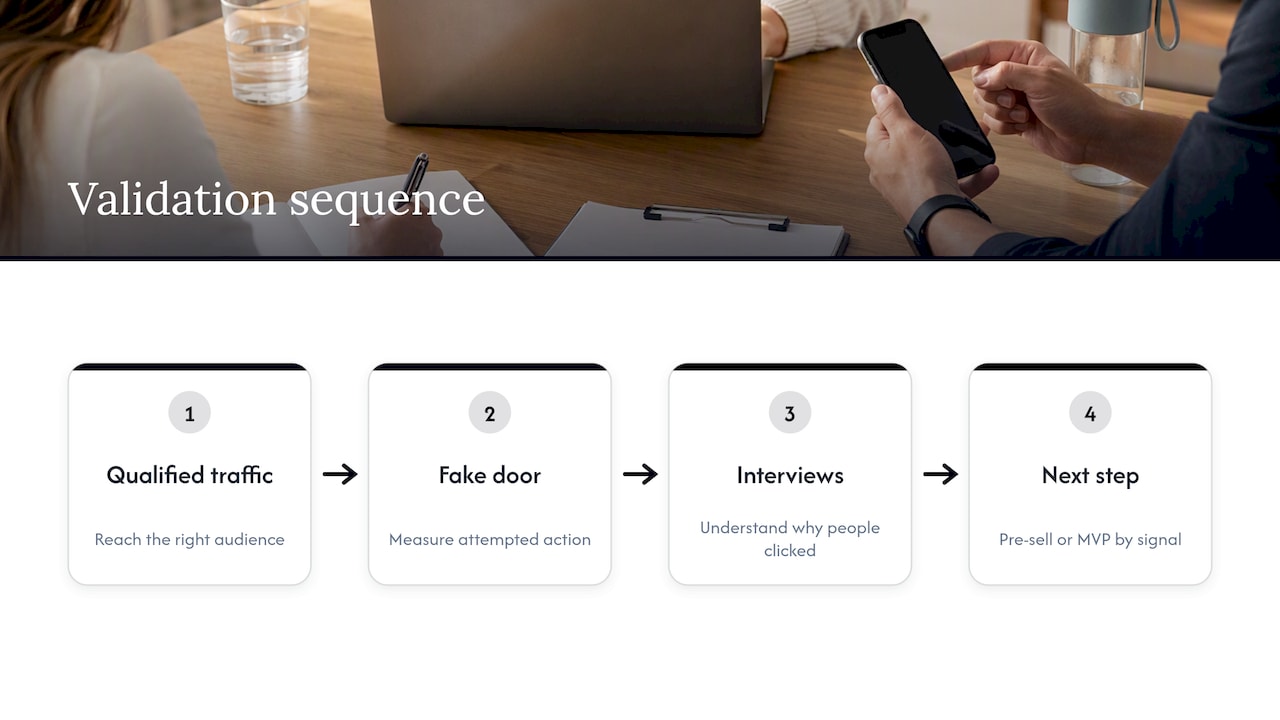
A sensible sequence looks like this: run the fake door first, then follow up with interviews to understand the why behind the clicks, then move to a pre-sell or a minimum viable product depending on how strong the signal turned out to be. Before you commit to any of it, check whether you actually have enough qualified traffic reaching the right audience. A fake door shown to the wrong crowd just produces confident-looking noise.
How Do You Run a Fake Door Test Step by Step?
A good fake door test is really a short, disciplined experiment, not a quick hack you bolt onto a homepage. Here's the sequence we'd put in a brief before touching any design tool:
- Write a single-sentence hypothesis: "We believe [customer] will [action] when exposed to [description]."
- Pick one action to count and one surface to host it. Resist the urge to add a second CTA "just in case."
- Pre-commit to your pass or fail thresholds, your expected sample size, and a timebox before the test goes live.
- Segment traffic by source and, where you can, show the door only to a qualified audience rather than everyone who happens to land on the page.
- Remove the door at the scheduled end date. Invite follow-up only from people who chose to provide contact details and agreed to the relevant communication.
Pro Tip:Write the pass/fail thresholds into the brief itself, not a separate document, so nobody can quietly loosen the bar once results come in.
The fastest way to undermine your own experiment is skipping step three. Once the numbers are on the screen, it's tempting to decide what counts as "good enough" after the fact. Lock the rule in before you know the answer.
How Do You Measure Results and Decide What to Do Next?
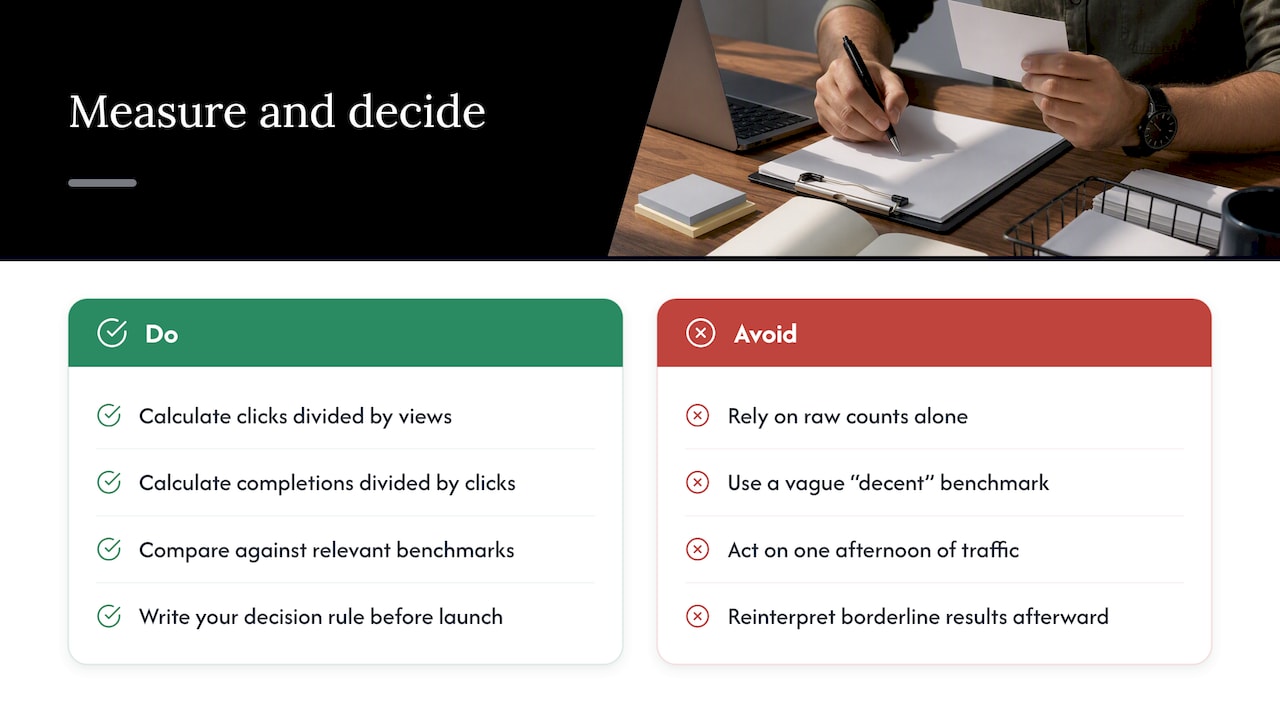
Raw counts tell you almost nothing on their own. Start with your denominator, the number of qualified views, and calculate two rates from there: clicks divided by views, and completions divided by clicks. Those two numbers are your real output.
Comparing against a vague sense of "that sounds decent" is how teams talk themselves into bad decisions. Compare your click rate against the click rate of an adjacent, already-shipped feature, or against a historical benchmark from a prior test on the same audience. That context turns a number into a signal.
Choose sample size around the precision or difference that would affect the decision, not a universal view count. A large sample can still be unrepresentative. Report exposure and click counts, uncertainty, traffic mix, and the planned stopping rule; compare like-for-like audiences rather than treating every benchmark as interchangeable.
What Mistakes Wreck a Fake Door Test?
Most failed fake door tests aren't failures of the method. They're failures of discipline.
- Multiple CTAs or a vague action: readers don't know what you're actually measuring, so fix it by cutting down to one CTA tied to one clear action.
- Novelty bias from viral or unrepresentative traffic: a spike from a newsletter blast or a social share doesn't reflect your real audience, so segment by source and re-run the test on a cleaner sample before trusting the number.
- No follow-up with clickers: a click rate without context leaves you guessing at motivation, so schedule short interviews with people who clicked while the experience is still fresh.
Tight audience targeting, a hard removal date, and an honest post-click message aren't optional extras. They're what separates a useful experiment from a liability.
How Do You Keep a Fake Door Test Ethical and Compliant?
Design the offer so it does not create a false impression that an unavailable feature can be purchased or used now. An explanation after the click does not automatically cure a misleading initial claim. Make availability and the research purpose clear where users decide to act, then provide an honest follow-up. Do not process payment as part of this interest-only test. ACCC guidance on misleading claims
Audit what analytics and advertising tags collect before launch. OAIC guidance says organisations should generally seek express opt-in consent when tracking pixels are likely to collect and disclose sensitive information to third parties. Its 2026 health-provider determinations demonstrate that these risks are real. Minimise collection and assess the applicable obligations for your implementation. OAIC tracking-pixel guidance
Before launch, run through this checklist:
- Capture only the data you actually need to read the result.
- Give clickers a clear, honest notice about what's happening and why.
- Never imply the feature will ship on a timeline you haven't committed to.
- Audit tags and pixels on any journey that touches sensitive categories, and add express opt-in where it's required.
What Tools and Surfaces Work Best for a Fake Door?
You don't need custom engineering to run most fake door tests. A no-code landing page builder can handle ad-driven or email-driven versions quickly. For tests that live inside your product, a feature flag or a lightweight modal tool lets your team show the door to a slice of users without touching the core codebase.
For category-specific tests, app store pre-launch listings and pre-registration pages work well for mobile products, while a "coming soon" pricing card fits neatly into an existing pricing page without disrupting the rest of the funnel.
Our Take: Pair the Signal With Real Follow-Up
A click tells us people noticed. It doesn't tell us why. We treat fake door results as the gate into RapidMVP or a design sprint, never as the finish line on their own. The fastest validated ideas we've seen paired a clean click signal with a handful of honest conversations before anyone touched a prototype. Document the decision, then hand the validated concept to design.
Ready to Turn a Validated Idea Into a Working Prototype?
A fake door test tells you people are curious. Turning that curiosity into something real is where our team comes in. We run UX/CRO audits to review the landing page or in-product surface you used for your test, then move validated concepts straight into a Design Sprint or our Rapid MVP process to get a working prototype in front of users fast.
Once you've got traction, Conversion Rate Optimisation work helps you tighten the funnel steps that convert interest into retained use.
- UX/CRO Audit: a review of your test surface before or after you launch it.
- Rapid MVP: a fast path from validated signal to working prototype.
- Design Sprint: a structured session to scope what you build next.
- Conversion Rate Optimisation: ongoing work to improve the funnel once real users show up.
Check our pricing page for current rates on Design Team retainers and audits, or browse the full range of design and development services we offer.