



For a team starting a product today, Figma is the pick. Adobe has put XD into maintenance mode, so no new features are coming, and Figma runs in the browser on Windows, Mac and Linux with live multiplayer editing. Sketch remains a respected option if everyone on your team uses a Mac. This guide compares the three on what actually matters: platforms, prototyping, collaboration, developer handoff, price and long-term safety. It also covers what a tool can and cannot do for the quality of your product.
The short version: how the three tools differ
The quickest way to see the gap is a side-by-side view. The platform details come from a 2026 comparison by SaaSVersus, and the pricing from each vendor’s own page.
If you only read one row, read the status row. Everything else about XD is a comparison between a tool with a future and a tool without one.
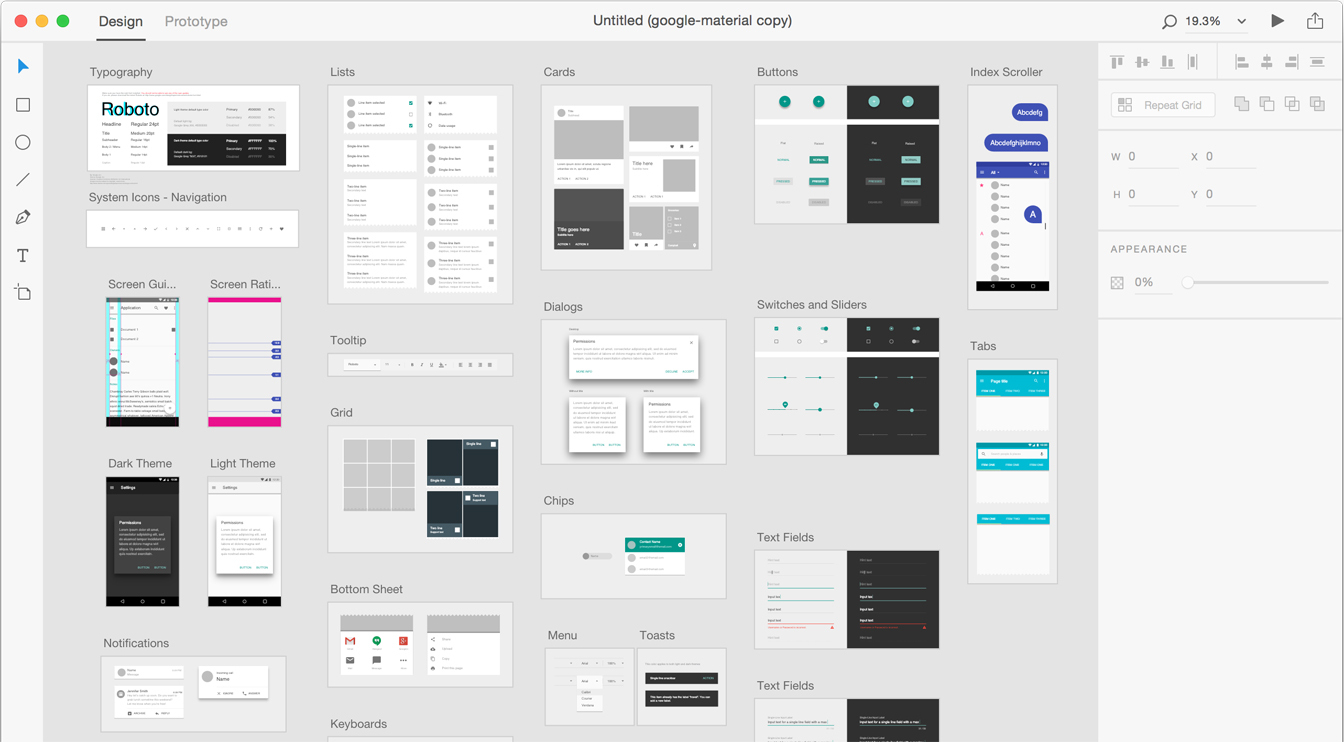
Is Adobe XD still available and supported?
Yes, but only for people who already have it. Adobe’s own XD support page says the product is in maintenance mode: no ongoing development and no new features, with bug fixes and security or privacy updates continuing for existing customers. Adobe also promises a significant notice period before support ends.
That is why the question “is XD being phased out?” keeps showing up in search. Phased out is a fair description of the direction, even if there is no switch-off date. Professional write-ups note that XD is no longer sold as a standalone app and that existing users reach it through Creative Cloud All Apps. They treat it as a tool for maintaining old projects, not for starting new ones.
For a startup, that matters more than any feature table. A design system you build today will live for years. Building it in a tool that no longer ships improvements means a migration later, and migrations cost real design and engineering time.
Platform and access: where your team can work
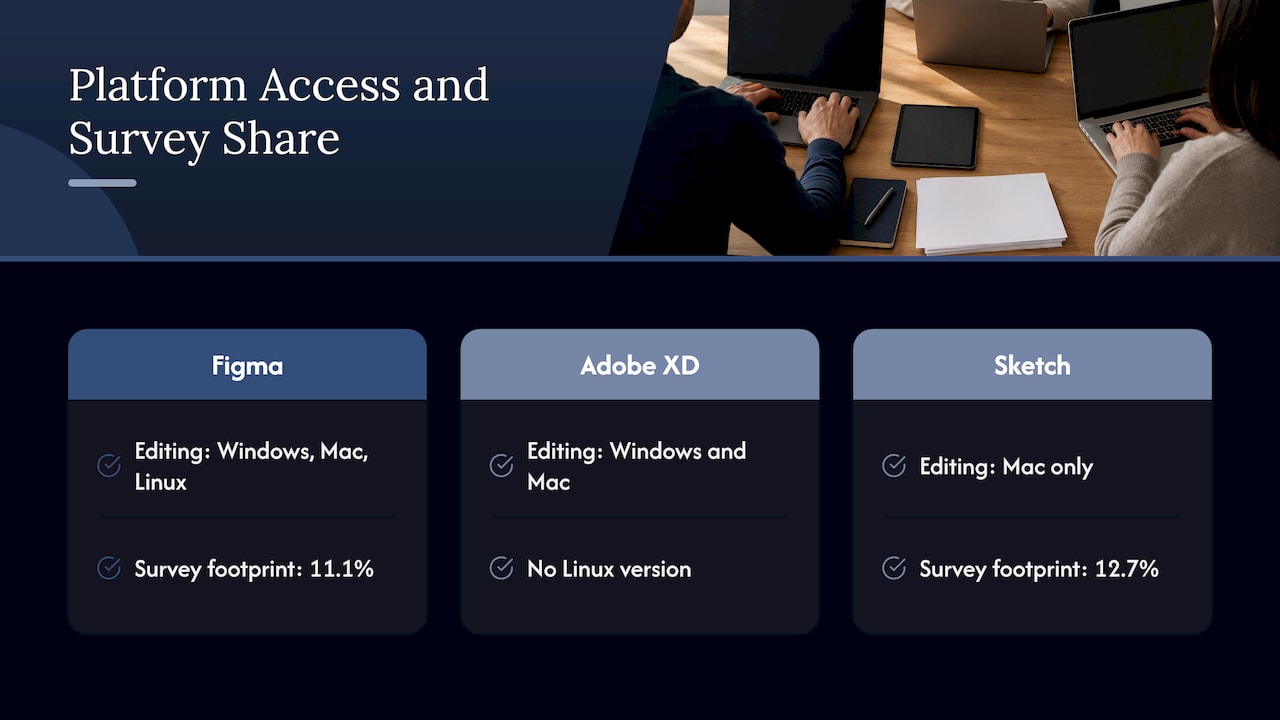
Figma works in modern browsers on Windows, Mac and Linux. Its downloads page also lists desktop apps and mobile apps for iOS, iPadOS and Android. In practice this means a stakeholder can open a link on any machine and comment without installing anything. For agencies and distributed teams working across Sydney, Melbourne and overseas time zones, that is a bigger deal than it sounds.
Adobe XD was designed to work locally as a desktop app, with collaboration features added later. It runs on Windows and Mac only, with no Linux version.
Sketch is the most restrictive here. Its native editor needs a recent version of macOS, though prototypes can be tested in a browser, on an iPhone or on an iPad. If one developer or stakeholder is on Windows, they can view and comment but not edit.
One interesting local data point: a 2026 survey of 85,259 Australian websites puts Sketch at 12.7% and Figma at 11.1% among online collaboration tools. That shows Sketch has a real footprint in Australia. It does not change the platform constraint: Sketch editing still needs a Mac.
Prototyping and interaction design
This is the one area where XD still has bragging rights. Toptal’s comparison points out that XD’s Auto-Animate interpolates property changes between artboards for smooth transitions, and that it has native voice prototyping, which the other two lack. If you were designing a voice-driven interface in 2020, that was a genuine reason to choose XD.
Figma’s prototyping covers the interactions most product teams use every day: interactive flows with transitions, overlays, scroll behavior and component-level interactions. Sketch’s prototyping is functional but basic, built around hotspots and overlays.
For most web and app projects, Figma’s prototyping is enough to test a flow with real users. If your goal is to validate an idea before you commit to development, you rarely need exotic triggers. You need a believable flow that you can put in front of five to eight people and watch. That is a process question more than a tool question, which we come back to below.
Collaboration and handoff
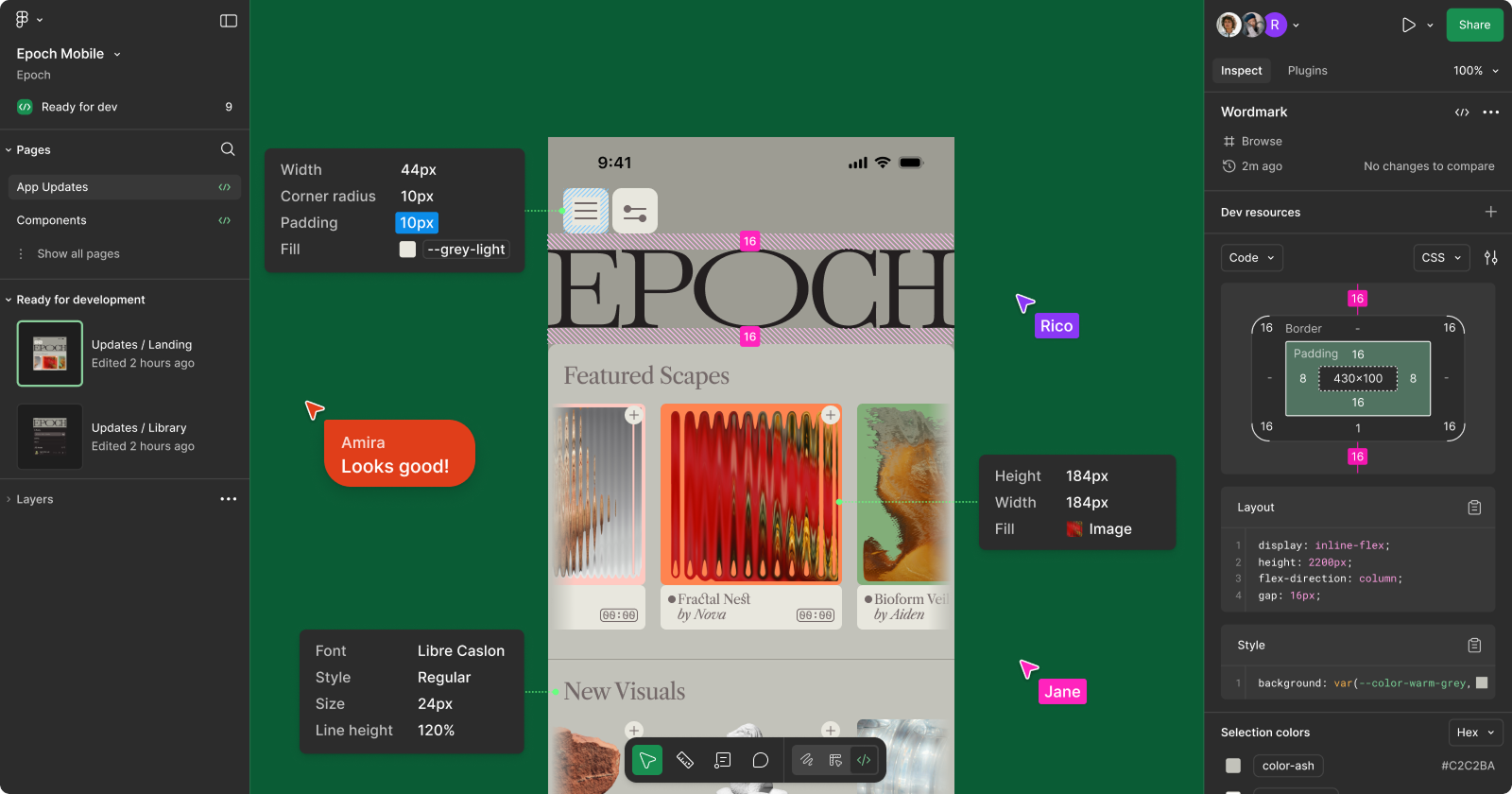
Figma was built around real-time, in-browser collaboration from day one. Designers, product managers and developers can sit in the same file, see each other’s cursors and leave comments in context. XD’s Coediting arrived as a beta in 2019 and was less smooth.
Handoff is where the day-to-day difference shows up. In Figma, Dev Mode gives developers specifications and code values straight from the live file. In XD, designers publish a Share for Development link, and after any update that link has to be regenerated and reshared. Miss that step, and a developer builds from a stale screen.
If you want a deeper look at how tokens and Dev Mode fit into a build workflow, our piece on Figma developer handoff, Dev Mode and tokens walks through it.
Sketch has a good answer here too: its handoff tools are free for developers, who can inspect designs, measure layers, copy CSS values, download assets and export design tokens from the browser.
Ecosystem, plugins and integrations
XD’s strength is its tie to Adobe’s world. It can import work from Photoshop, Illustrator and InDesign, reuse Creative Cloud Libraries assets and share linked assets across Creative Cloud applications. If your brand team lives in Illustrator and you already pay for the suite, that is convenient. It is not a reason to start a new design system in a frozen product.
Figma’s community and integration list is broad, covering tools such as Jira, Slack, Microsoft Teams, Notion, Linear, GitHub, Storybook and VS Code, according to a 2026 comparison. Sketch’s plugin ecosystem is smaller by comparison.
Figma describes itself as a collaborative canvas for design, code and AI. If you are curious about where that is heading, we have written about Figma AI and what it means for design teams and about Figma Sites. The direction is clear: Figma keeps shipping, and that keeps your investment safe.
What each one costs
All prices below are in US dollars, as the vendors publish them. Australian buyers should expect to pay in USD, with currency conversion and any applicable taxes on top.
Figma. On Figma’s pricing page, Starter is free, with unlimited drafts and limited team files. Professional is US$16 a month for a Full seat, US$12 for a Dev seat and US$3 for a Collab seat. Organization is US$55, US$25 and US$5 a month respectively, and Enterprise is US$90, US$35 and US$5. Organization and Enterprise are billed annually. Professional includes unlimited files and projects, team-wide design libraries and advanced Dev Mode inspection.
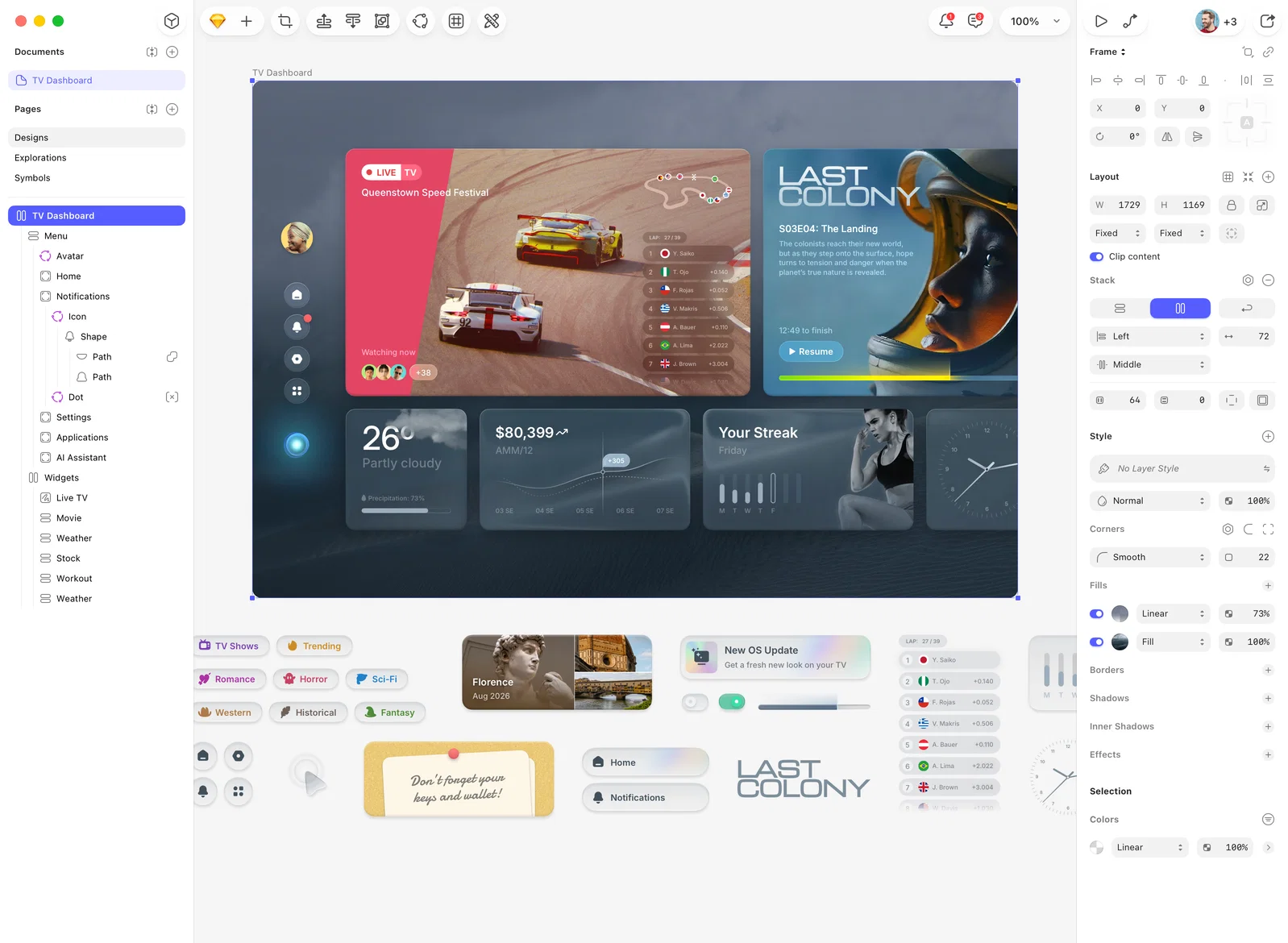
Sketch. Sketch lists Standard at $12, Professional at $24 and Enterprise at $44, with a Mac-only licence at $120 per seat including one year of updates. Prices exclude VAT and other taxes. There is a 30-day free trial with no credit card needed, but no permanent free tier.
Adobe XD. It is no longer sold as a standalone app, so there is no current standalone price to quote. Access comes through a Creative Cloud All Apps subscription.
For a small team, the money difference between Figma and Sketch is modest. The bigger cost is switching later, or paying developers to rebuild specs from outdated files. Agencies weighing new tooling are also looking at AI productivity gains for agencies, which is one more reason to settle the design tool question early and spend your energy on the work itself.
Which tool suits which team?
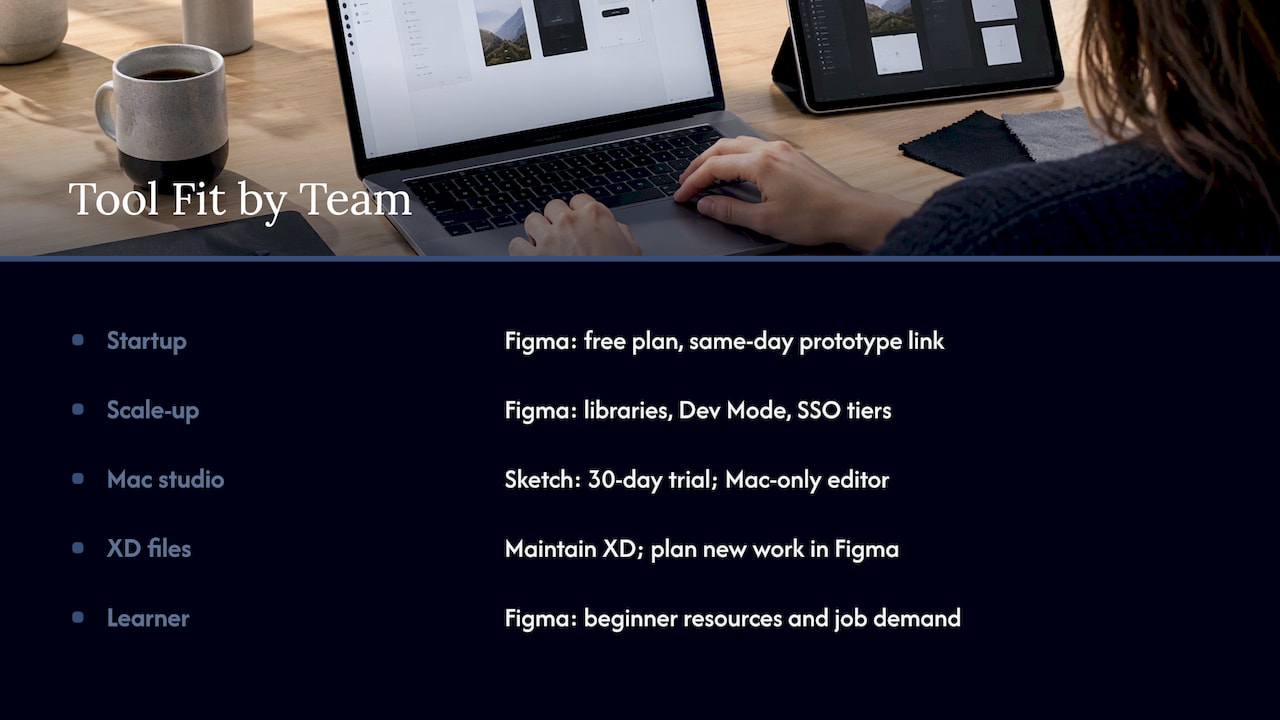
A startup validating an idea. Choose Figma. The free plan lets you start without spending anything, and you can share a clickable prototype by link the same day. Your first goal is learning, not polish.
A scale-up or larger design team. Choose Figma. Shared design libraries, Dev Mode, and on the higher tiers SSO, design system analytics and branching suit teams that need consistency across many designers.
An all-Mac design studio that loves a native app. Sketch is a legitimate choice, and its 30-day trial lets you see whether the workflow fits. Its editor is Mac-only, so mixed-platform teams will feel the limit quickly.
A team with years of XD files. Keep using XD to maintain what you have, and plan the move to Figma for anything new. You are not forced out tomorrow, but you will not get new features either.
Someone learning design. Figma has the most extensive beginner resources, and job postings mention it far more often. Learning a tool with momentum is a safer bet for your career.
Why the tool is only half the story
Here is the thing we keep telling founders. A well-organized Figma file does not make a product convert. Plenty of beautiful prototypes fail in front of real users because nobody checked the assumptions behind them.
The tool gets the screens drawn. A process decides whether they are the right screens. That means user research before you design, testing a clickable prototype before you build, and measuring what happens after launch. If you skip those steps, you will pick the best tool in the world and still ship guesses.
Our take: choose the tool in an afternoon, spend your time on the process
We get asked about Figma versus XD versus Sketch a lot, and our honest answer is that this is the easy decision. XD is in maintenance mode, so for new work it is out. Figma covers the collaboration, handoff and prototyping most teams need. Sketch is a fine fit for all-Mac teams.
What we care about more is what happens next. Our approach at Raw is research-driven: we lean on data, user testing and close collaboration with clients, and we use frameworks like Design Sprint and RapidMVP to get to validated answers quickly instead of debating screens for months.
If you are a founder with an idea, the cheapest mistake is the one you make in a prototype. If you run an established product, the most valuable move is usually finding where users drop off and fixing that first. Either way, the tool should disappear into the work.
Where Raw fits
If you want a team to take the tooling question off your plate, we can help at whatever stage you are in. Our pricing page lists a Design Team plan (Platinum) at $8,400 per month for ongoing design support, and a Full UX/CRO Audit from $2,500 one-off. For idea validation we offer Design Sprint and RapidMVP, and for live products we run conversion rate optimisation work driven by data and research.
If the question is about your brand or website rather than the software, our branding, UI design and web development services cover those, and the Everdure e-commerce case study shows how that work looks in practice.