.svg)
.svg)


Choose design system tools around the work: component design, token management, coded components, documentation and maintenance. Figma, Storybook and a documentation platform can work together, but that stack is a starting option rather than a universal winner. This guide compares roles, costs and ownership so you can choose the smallest toolset your team can maintain.
What a design system toolset actually has to do
Most lists of design system tools throw Figma, Storybook and documentation sites into one pile. That is why they feel confusing. Magic Patterns breaks the work into component design, token management, component development, documentation and prototyping, and representative tools for those jobs are Figma, Style Dictionary, Storybook and zeroheight. Each does a different thing.
So before you compare products, ask which job is currently hurting. If designers rebuild the same button every sprint, you have a component design problem. If developers can't find the spacing rules, you have a documentation problem. If the brand colour is three different hex values in production, you have a token problem.
If you're new to the concept, our founder's guide to design systems covers what a system includes and when it pays off. This article assumes you've decided you need one and want to choose the tools.
The best design system tools compared
Prices are as published at the time of writing and change, so check each vendor's page before budgeting.
Figma
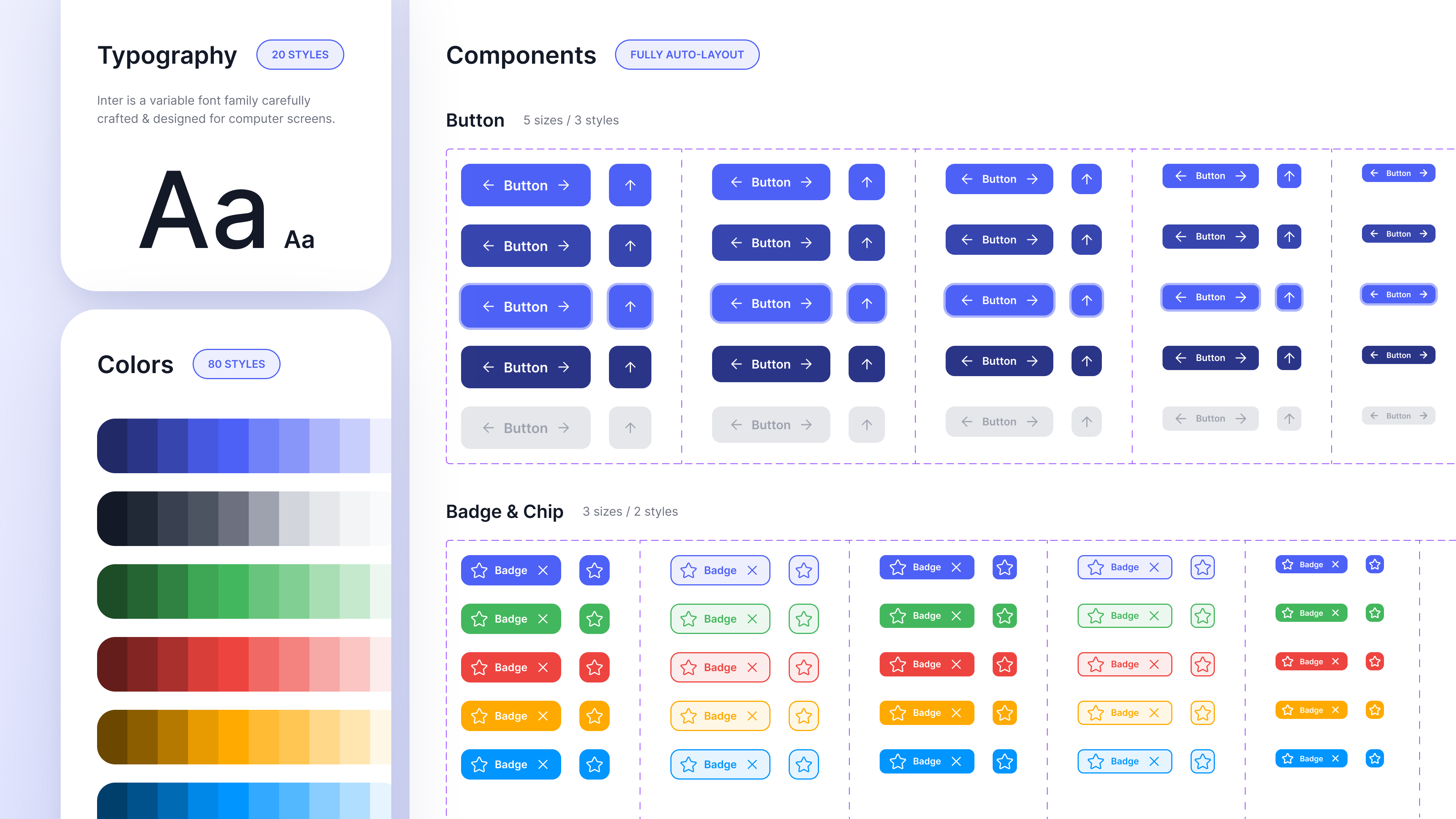
Figma is where most design systems start. Figma describes itself as a collaborative canvas for design, code and AI, and for system work its strengths are variables, shared libraries and Dev Mode. Its token guidance describes primitive, semantic and component layers, and says Dev Mode exposes token names and values while Code Connect links Figma components to coded equivalents.
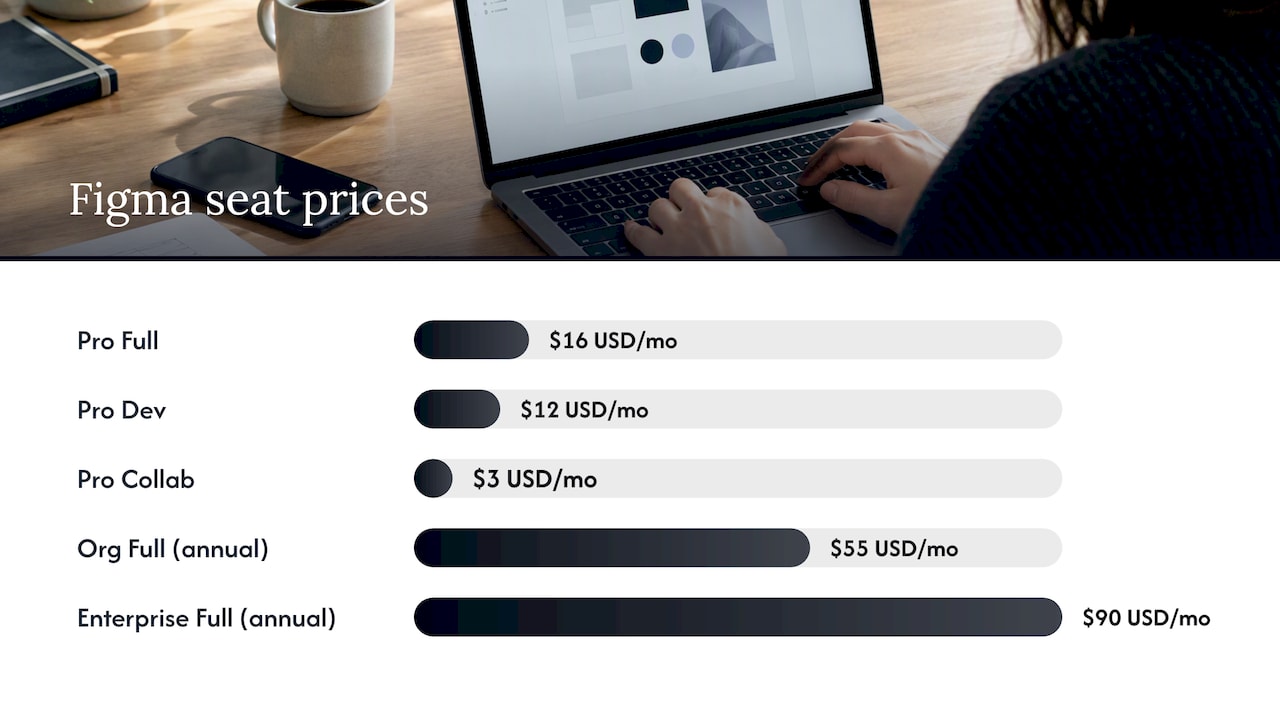
Figma's pricing page, checked on 29 October 2026, displays Professional Full, Dev and Collab seats at US$16, US$12 and US$3 per month. Confirm the selected monthly or annual billing option and feature access before budgeting. Organization and Enterprise use annual billing. Australian costs also depend on currency conversion, taxes and the quote.
The catch: Figma is the source of truth for design, not for what's live. A library can look immaculate while production drifts. That's why it needs a partner on the code side.
We've written separately about Figma developer handoff, Dev Mode and tokens, which is worth a read if handoff is where your system leaks.
Storybook
Storybook is a free, open-source workshop for building components and pages in isolation. It supports documentation and testing workflows through its tooling and integrations. Configure the tests you need; automated accessibility checks do not establish full accessibility, and visual testing or hosted services may add costs.
Generating component reference material from code reduces duplicate maintenance, but documentation can still be incomplete or stale. Stories, examples and descriptions need updates when behaviour changes, and the published build must track the intended release.
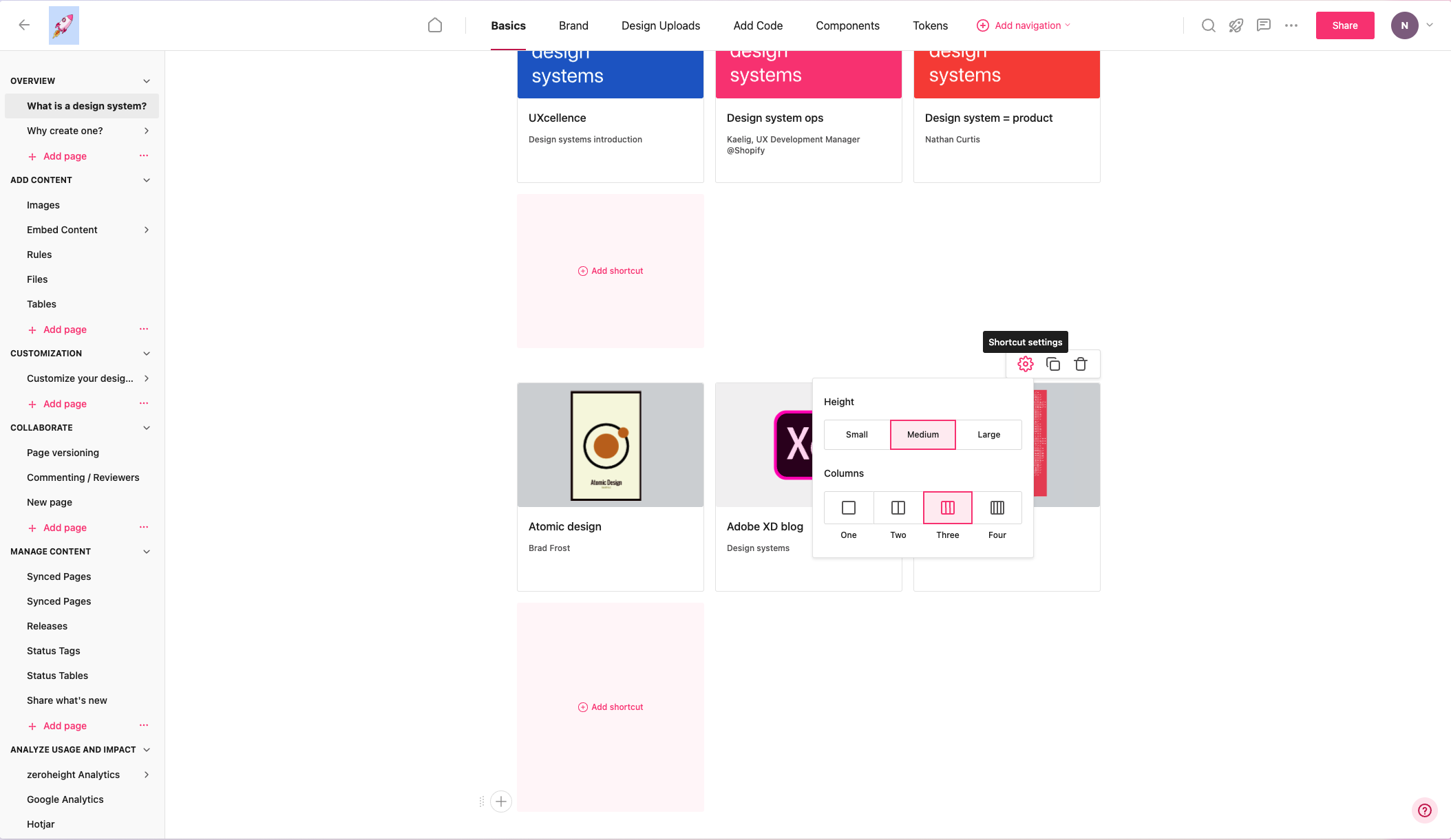
If you want to share it beyond the engineering team, Chromatic publishes Storybook components and documentation in a searchable workspace, and published stories can be embedded in wikis and Markdown.
zeroheight
zeroheight brings a design system together in one platform, with content synced from Figma, Storybook and repositories. It also offers governance, analytics and MCP connections for teams and agents. In practice it's the place where the designer's intent, the developer's component and the written guidance meet.
zeroheight's pricing page, checked on 29 October 2026, lists Free and Starter options. Starter is US$59 per editor on monthly billing or US$588 per editor per year. Compare editor counts, sharing, security, token and MCP limits against the actual plan rather than assuming every feature is included.
zeroheight says its product was built for product teams and prioritises making product development more efficient. That matches what we see: it's strongest when designers and writers own the guidance.
Supernova
Supernova brings design-system data, documentation and automation together. Its current plans include a free Starter with limits, Pro and Enterprise. Check editors, private access, automatic updates, permissions and usage credits for your workflow; "freemium" alone is not enough to budget.
It suits teams where the token pipeline is the pain point, particularly multi-brand products. A good Australian example: Medibank's Helix system is published with Supernova and uses several linked Figma libraries, a foundation library for tokens and styles, separate web and app component libraries, and asset libraries for icons and images. That layered structure is worth copying whatever tool you choose.
Style Dictionary and Tokens Studio
Tokens Studio offers token authoring and management workflows, including Figma-related tooling and its broader platform. Style Dictionary transforms token files into platform-specific outputs. Decide which system owns token values, how changes are reviewed and how generated code is tested.
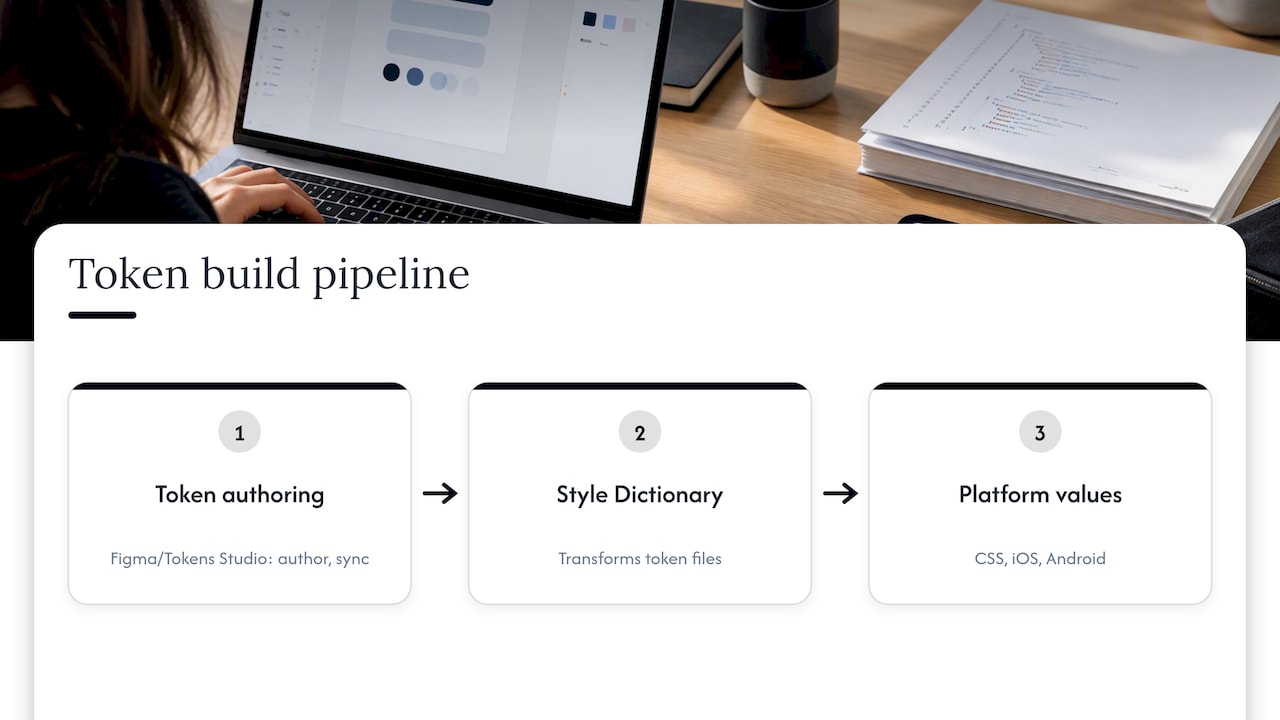
You do not need every token tool on day one. A small web-only system may use a simpler reviewed export. Multiple platforms often benefit from automated transformations, but Style Dictionary is one option rather than a mandatory dependency. Test units, aliases, themes and output formats against your implementation.
Frontify and brand-led platforms
Some organisations treat the design system as one part of wider brand governance. Frontify is primarily used by brand-led organisations where the design system sits inside that broader brand work, rather than as a code-centric developer tool. If your marketing team and your product team share one set of guidelines, that framing may fit better than a developer-first tool. Our piece on the eight parts of a brand identity system shows where that boundary sits.
Custom sites, Knapsack and the open options
Documentation options also include Storybook docs, zeroheight, Supernova, Knapsack and custom sites. Large Australian organisations often go custom. Westpac's GEL system combines a token-driven brand foundation, accessible React 18+ components and patterns, Figma UI kits and a GitHub code repository. That level of investment makes sense for a bank with dozens of teams. It rarely makes sense for a 15-person startup.
Check maintenance status before adopting an existing system. A repository being archived or decommissioned does not by itself establish why the programme ended; assess current support, licensing, accessibility and migration needs rather than inferring the cause.
A ready-made kit such as Practical UI can provide a starting library. Confirm current price, licence, seats and update terms, then adapt components and guidance to your brand, accessibility requirements and coded implementation. A kit is not a maintained design system by itself.
Design system documentation tools: who writes the docs?
This is the question behind most searches for style guide and documentation tools, and it's best answered by people, not products. The Storybook team notes that documentation tools should be chosen based on which layer, designer-facing or developer-facing, a team is strongest in and who is responsible for maintaining the content.
The same source records a consensus worth adopting: component-level reference documentation should be generated from code to prevent staleness, with everything else linking to that primary source. In other words:
- Use Storybook for component reference, examples and configured checks. Keep stories current and supplement automated accessibility testing with manual evaluation.
- Use zeroheight, Supernova or a custom site for the guidance humans write: when to use a component, tone, content rules, do and don't examples.
- Link the two instead of copying between them.
How to choose: four questions
1. How mature is your system?Magic Patterns suggests company size, system maturity and current workflow bottlenecks should set the order of your investments. An early system needs a clean Figma library and a few tokens. A mature one needs analytics and governance.
2. Who maintains it? If one designer and one engineer share the load, Figma plus Storybook with a free zeroheight plan is realistic. If a dedicated team runs it, per-editor pricing and automation start to pay back.
3. Are AI coding agents writing against your system?MCP servers expose design systems to coding agents, and teams may need this when agents write interface code against the system. Both zeroheight and Supernova list MCP features, so check which fits your workflow.
4. Do you know what to retire?Figma library analytics and code usage scans can help teams decide what to migrate, fix or retire. A system that only grows becomes a junk drawer.
A workable stack for a startup and for an enterprise
Small team. Consider Figma for design and Storybook for coded components and documentation when they fit your stack. A separate documentation platform is optional. Budget for seats, hosting, testing and maintenance; headcount alone does not determine the right tools.
Scale-up (multiple products or platforms). Add Tokens Studio or an equivalent, and Style Dictionary for the build step. Move documentation to a paid platform once non-engineers need to edit. Figma recommends keeping token values under version control and automating a check, build, test and publish loop, with manual approval for high-risk changes and notifications when tokens change.
Enterprise or multi-brand. Consider Supernova or a custom site with a dedicated team, plus analytics to see which components teams actually use. Borrow the layered library approach from the Helix and GEL examples above.
Our perspective
We build and tune design systems for clients in tech, education and finance, and the tool is rarely why a system succeeds or fails. The deciding factor is whether the system was shaped by research into how designers and developers really work, then tested the way you'd test any product.
So we start with a short audit of the existing UI, find the repeated patterns that cost the most time, and build the smallest system that removes them. Then we put it in front of the people who'll use it. Documentation nobody opens is just a very polished folder.
Our advice: choose boring, widely supported tools, give the system an owner, and treat adoption as the metric. A system used by every team in Figma and Storybook beats a beautiful platform used by two. For a taste of where this is heading, see how AI-infused design systems are changing UX.
Need a system built, not just a tool list?
Choosing tools is the easy part. Building a system that your team keeps using is the hard part, and it's what we do. Raw Studio is a Sydney agency covering UX design, UI design and web development, so the Figma library and the coded components come from one team.
For a starting point, the Full UX/CRO Audit starts from $3,500 plus GST as a one-off. The UX/UI Design Team starts from $8,400 per month plus GST. Confirm the current scope and inclusions, and review our services for the support you need.