




If your business has a website in Australia and collects names, emails, payment details or analytics data, you probably need a privacy policy. Whether you legally must have one depends on your turnover and what you do with personal information. How well it works depends on design: a policy buried in the footer in 7-point grey legalese satisfies nobody, least of all the customers it is meant to reassure.
This guide covers who the law catches, what the policy has to say, how to build it from your real data practices, and how to present it so it builds trust instead of friction. At Raw Studio we design and optimise websites and products, so we look at the policy as both a legal document and a piece of user experience.
Do you need a privacy policy on your website in Australia?
The Privacy Act 1988 sets 13 Australian Privacy Principles (APPs). The first one, APP 1, says an organisation covered by the Act must have a clearly expressed, up-to-date privacy policy and make it available free of charge in an appropriate form. The OAIC's APP 1 guidance (the OAIC is the Office of the Australian Information Commissioner, the privacy regulator) generally expects that to mean publishing it on your website.
Who is covered? The OAIC explains that the Act applies to organisations with an annual turnover of more than $3 million that operate in Australia, plus some other organisations.

Small businesses are not automatically exempt
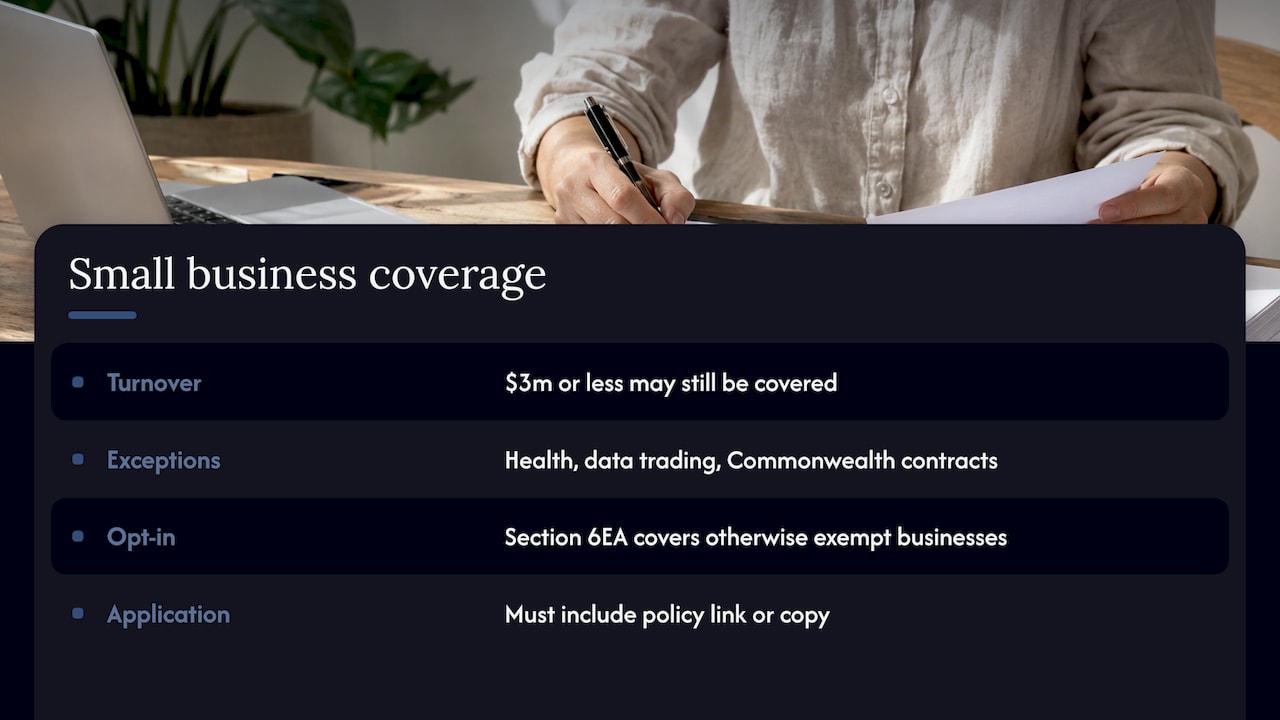
A turnover of $3 million or less does not always take you out of scope. According to the OAIC's small business guidance, the exemption does not apply to a health service provider, a business that trades in personal information, a Commonwealth contracted service provider, and other listed categories. If you are one of those, treat the policy as required.
There is also an opt-in route. A small business that is otherwise outside the Act can choose to be covered under section 6EA. The OAIC says the application must include a link to, or a copy of, your website privacy policy, and an application without one will be declined.
Why publish one even if you are unsure
For a startup selling to larger customers, a policy is often part of getting through procurement or a security questionnaire. For an e-commerce brand, it sits next to the checkout, where people decide whether to trust you with a card number. If you are unsure whether the Act covers you, a privacy lawyer can confirm your position in a short conversation. That is a legal question we leave to them.
What counts as personal information on a website
Personal information is, in the OAIC's words, information or an opinion that could identify an individual. The OAIC's definition page shows how broad it is. On a typical website that goes well beyond a name and email:
- Contact form entries, newsletter sign-ups and account details
- Order, delivery and payment details
- Support chats and recordings
- Identifiers collected through cookies, analytics tools and advertising pixels, where they can be linked to a person
- Job applications and CVs
Sensitive information, such as health details, gets stricter treatment, and the OAIC recommends spelling out those practices in more detail. If you run a health-tech product, that is the part of the policy to write most carefully.
What an Australian website privacy policy must include
The OAIC's APP 1 guidance sets out the minimum. Your policy should describe:
On access and correction, you can explain a preferred process, but you cannot require people to use only that process. Give a contact person and more than one way to reach them.
The overseas question is easy to get wrong
Most modern sites send data abroad without anyone deciding to. A hosting provider, an email platform, a CRM, a chat widget and a payment gateway may each process information offshore. List the countries where you can. Your developer or the tool's own documentation usually tells you where servers sit.
New from 10 December 2026: automated decisions
The OAIC's guidance, updated 30 September 2026, says that from 10 December 2026 qualifying organisations must disclose information about certain consequential decisions made with the help of computer programs. If your product scores applicants, sets prices or approves or declines users automatically, ask your legal adviser whether you qualify, then reflect it in the policy.
How to build a policy that matches what your site really does
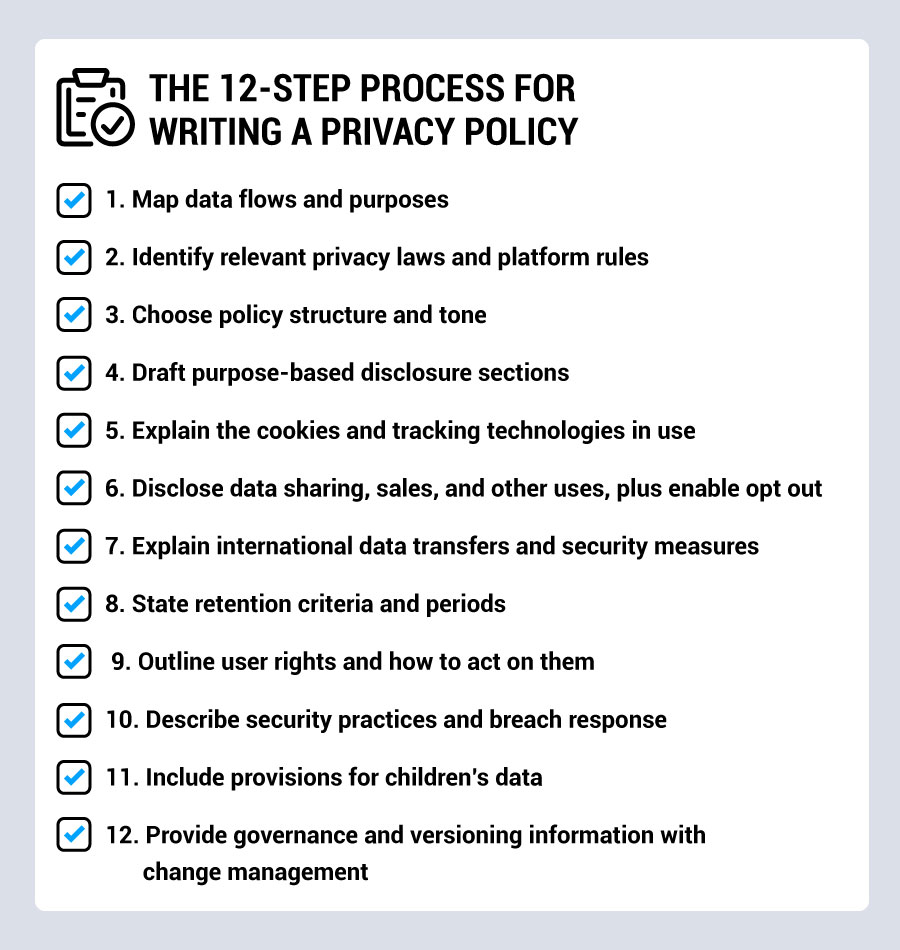
The OAIC's guide to developing an APP privacy policy lays out a sensible sequence. Here it is adapted for a website team.
1. Map your data
List every place personal information enters or leaves your product: forms, checkout, accounts, support tools, analytics, ad pixels, email platforms, and every third party that touches them. This is the step people skip, and it is where policies go wrong. A generic document cannot describe flows nobody has written down.
A product designer, a developer and whoever runs marketing should do this together. Designers know every form and prompt, developers know the integrations, and marketers know which pixels are firing.
2. Write specifically, in plain language
The OAIC advises specific, plain-language drafting and more detail wherever you handle sensitive information, get data from unexpected sources, use tracking, or share information in ways people may not expect. It cautions against vague, unqualified uses of words like "may". "We may share your information with trusted partners" tells a reader nothing. "We share your email with our email platform so we can send your order confirmation" does.
3. Add a short summary on top
The guide suggests an online summary that links to the full policy. This is where design earns its keep. A short, scannable overview with expandable detail lets people find an answer in seconds, while the complete text stays available for regulators and lawyers. The technique is called progressive disclosure, and we cover how to test it in validating progressive disclosure in two sprints.
4. Make it easy to find and download
Link it from the footer of every page, from sign-up and checkout forms, and from your app store listings if you have an app. Offer a downloadable version. The OAIC treats accessibility as part of the requirement, not a courtesy.
5. Review it when practices change
The OAIC says to update and publicise the policy when your information-handling practices change. Add a line to your launch checklist: new tool, new form or new integration means a policy check. Put a "last updated" date at the top.
Tracking pixels, analytics and consent
Marketing tags are the most common gap between a policy and reality. The OAIC's tracking pixel guidance, published in November 2024, says the Privacy Act does not prohibit pixels. It expects businesses that use third-party pixels to do due diligence on the provider, collect only what they need, and be clear about it in their policy and collection notices.
Transparency alone is not the whole job. The same guidance stresses minimising the data a pixel sends and making sure any use or disclosure complies with the APPs. In practice, ask of every tag: do we need it, what does it send, and who receives it?
If you are choosing a cookie banner or consent tool, our overview of consent platforms for Australian businesses walks through the options.
A policy does not replace collection notices
The OAIC is explicit that a policy does not replace APP 5 notifications. You need to take reasonable steps to tell people the relevant collection details at or before the moment you collect their information, or as soon as practicable afterwards. In design terms, that means a short line beside the form field, not a link to a 4,000-word page. The sign-up form is where people decide, so the plain-language notice belongs there.
What happens if you get it wrong
The Act has real teeth. The OAIC's regulatory guide explains that for a serious or repeated interference with privacy, the Federal Court can order penalties. For a company the maximum is the greater of $50 million or further measures set out in the Act, and for an individual it is $2.5 million. Most businesses will never get near that. The more common cost is quieter: abandoned sign-ups, failed security reviews and customers who decide you are hiding something.
An example structure you can follow
This outline reflects the minimum elements above. Your own data map decides the content, and a lawyer should review the final wording.
- Who we are and how to contact us. Business name, a named privacy contact, an email address and a postal or web-form option.
- What we collect. Grouped by type: account details, orders and payments, support messages, device and usage data.
- How we collect it. Directly from you, automatically through cookies and pixels, from third parties.
- Why we collect it and how we use it. One purpose per data type, in a sentence each.
- Who we share it with. Named categories of providers, such as payment processors, email platforms and analytics tools.
- Overseas disclosure. Countries where you can name them.
- Access and correction. How to ask, who handles it, and what to expect.
- Complaints. Your process, plus where a person can escalate.
- Changes. How you announce updates, and the date of the last revision.
Notice what this does not contain: wall-to-wall legal boilerplate. Each heading answers a question a real visitor would ask.
Making the policy part of your user experience
Most privacy policies are written once, filed away and never looked at again. The ones that help conversion are designed. A few patterns we see work in product design generally:
- Layered layout. A summary at the top, with each section expanding on demand.
- Headings that match questions. "What we collect" beats "Clause 3".
- Contextual reminders. A single sentence near the email field, linked to the relevant section.
- Consistent tone. If your brand speaks in plain English everywhere else, the policy should too.
We go deeper in 5 privacy policy UX fixes for one sprint, and our piece on transparency-first UX principles at Wise shows how a fintech makes sensitive information feel understandable. Security and privacy also go hand in hand, which is why our one-page web app security checklist is worth running alongside your policy review.
Where Raw Studio fits
We are a Sydney digital agency covering branding, UX/UI design, conversion rate optimisation and web development, with research and data behind the work. A privacy policy touches all of those: the forms that collect data, the banner that asks for consent, the page that explains it all and the checkout that depends on trust.
Our Full UX/CRO Audit starts from $2,500 one-off and looks at where your site loses people, which often includes consent prompts, forms and policy pages. You can see it and our other options on the pricing page. If you are earlier in the process, our Conversion Rate Optimisation service is the place to start.

Our perspective
Most founders treat the privacy policy as a legal chore: paste something in, hide it in the footer, move on. We think that wastes one of the few pages where a visitor is actively asking whether they can trust you.
When we work on a product, we start from research and data about what people do and what confuses them. Privacy is no different. People do not read policies, but they do notice when a form asks for too much, when a consent banner blocks the page, or when a brand sounds evasive. Fixing those moments is design work, and it moves real numbers.
Our approach is to treat the policy as part of the experience: a clear summary, honest language, notices right where data is collected, and a layout people can navigate. The legal text still needs a lawyer's eye. The way it is presented, tested and connected to the rest of your product is where we can help.
Sources
- OAIC: Chapter 1, APP 1 Open and transparent management of personal information
- OAIC: What is a privacy policy?
- OAIC: Small business
- OAIC: Opting in to the Privacy Act
- OAIC: What is personal information?
- OAIC: Guide to developing an APP privacy policy
- OAIC: Tracking pixels and privacy obligations
- OAIC: Chapter 7, Civil penalties
Recommended