
How Slack Uses 4 Onboarding UX Tactics to Drive Activation and Conversion

Slack UX shows that onboarding is not just a setup phase but the most critical moment where users decide whether a product is worth their time. Most products lose users before they even get started, not because the product lacks value, but because that value is not experienced quickly enough.
You can spend thousands on ads, optimize landing pages, and polish your messaging, but if your onboarding experience fails, none of it matters. The moment a user signs up is not the finish line. It is the starting point of your most critical conversion phase.
Onboarding is where curiosity turns into commitment.
This is where users decide whether your product is worth their time, attention, and eventually, their money. And few companies understand this better than Slack.
Slack did not just build a communication tool. It engineered an onboarding experience that reduces friction, accelerates understanding, and pushes users toward meaningful action almost immediately. Instead of overwhelming users with features, Slack UX focuses on guiding behavior, helping users reach their first meaningful interaction as quickly as possible.
This case study breaks down the four onboarding UX tactics behind Slack UX and why they work so effectively. More importantly, it shows how you can apply these principles to your own product.
Table of Contents
The 4 Strategies Behind Slack UX
Slack onboarding is not complicated. That is exactly why it works. Instead of overwhelming users with options, it carefully guides them through a structured path toward value.
Guided Setup
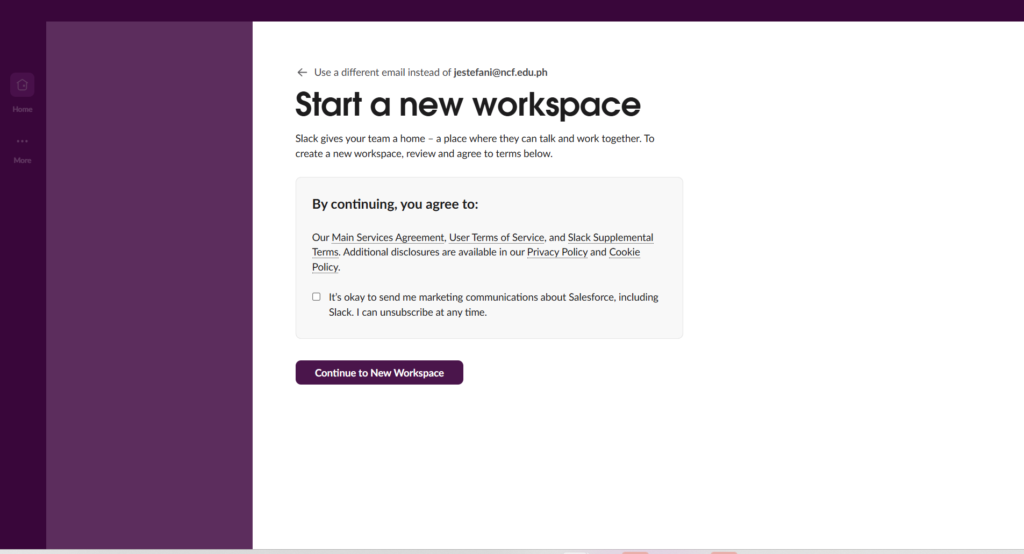
Slack does not drop users into a blank interface and expect them to figure things out. Instead, it walks them through a step-by-step setup process.
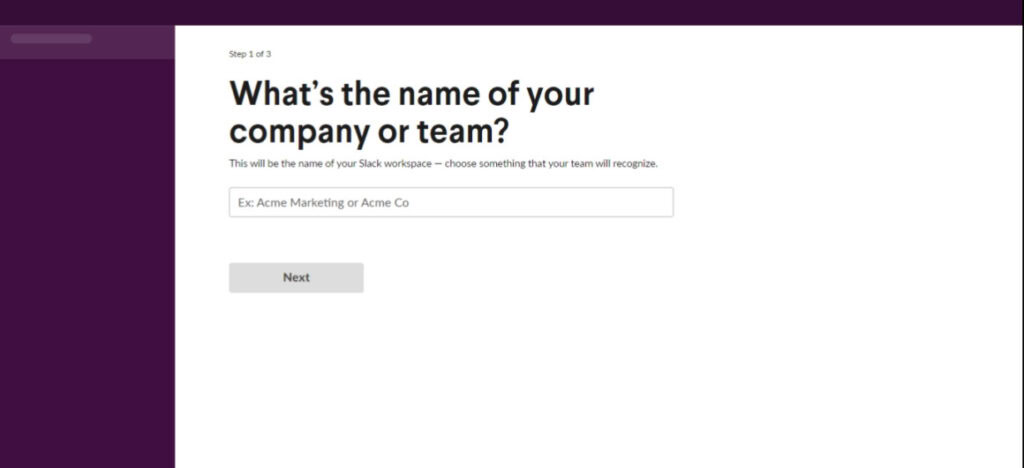
From the moment you create a workspace, Slack asks simple, focused questions:
- What is your team working on?
- Who do you want to invite?
- What channels should you create?
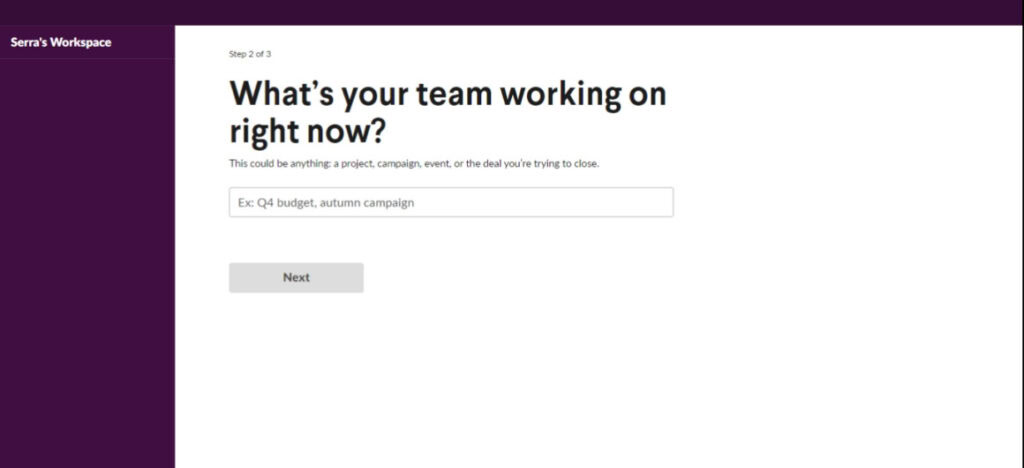
Each step builds on the previous one.
This guided setup serves two key purposes:
- It reduces decision fatigue
- It gives users a sense of progress
Rather than facing a complex tool, users feel like they are completing a simple checklist. That psychological shift is powerful. It transforms onboarding from a burden into a guided experience.
Immediate Product Value
Slack does not wait to explain its value. It demonstrates it.
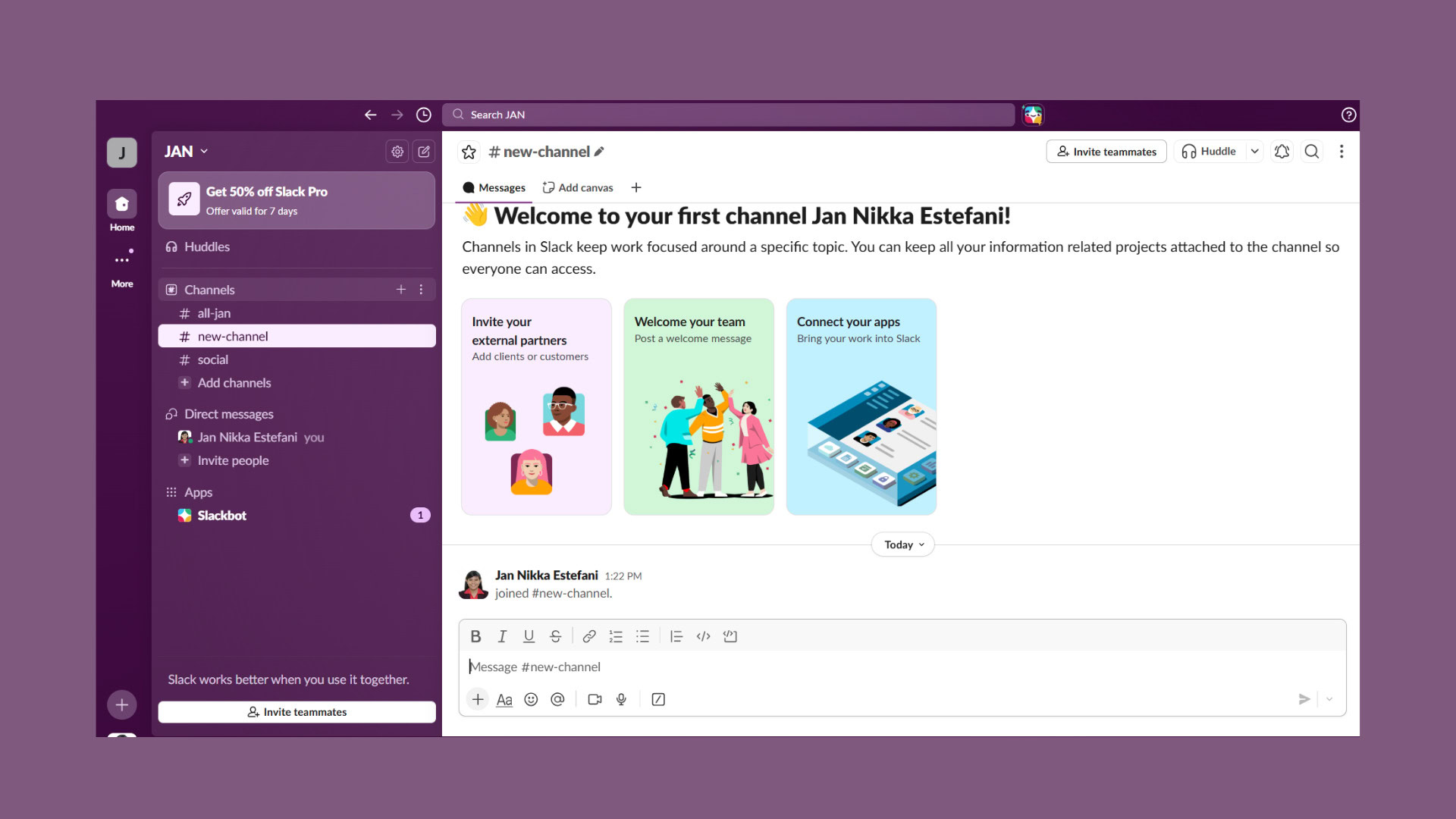
As soon as onboarding begins, users are placed inside an environment that feels active and functional. Channels exist, interactions are encouraged, and the interface invites participation. Even without teammates, Slack nudges users toward actions that simulate real usage, such as sending a message or exploring conversations.
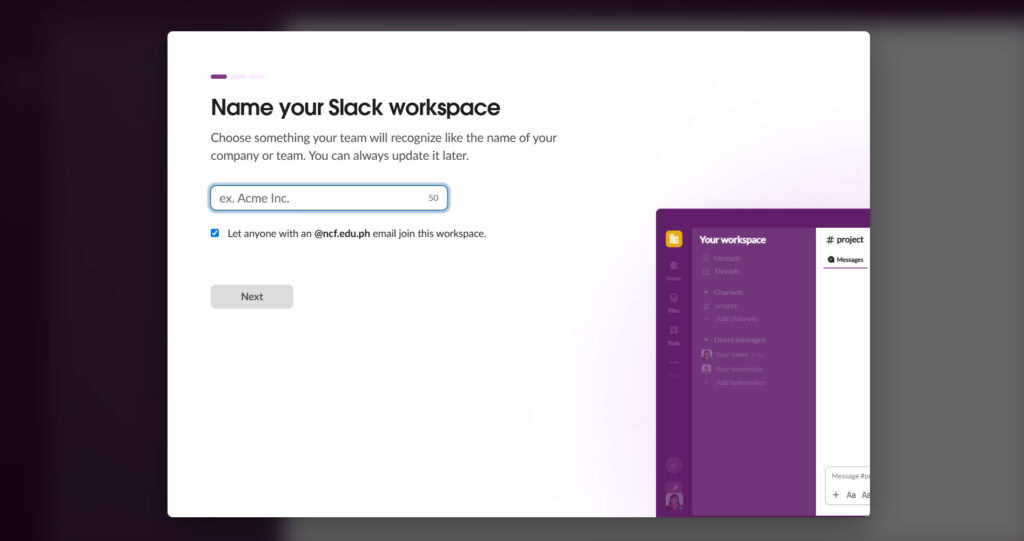
This approach is powerful because users do not evaluate products based on features alone. They evaluate based on outcomes. Slack UX is designed to shorten the gap between signup and that first meaningful outcome, ensuring users quickly understand what the product enables them to do.
By prioritizing experience over explanation, Slack removes the need for lengthy tutorials. Users learn by interacting, and that interaction reinforces the product’s value far more effectively than any description could.
Team Invitations
Slack is inherently collaborative, and its value increases as more people join. Slack UX reflects this by encouraging users to invite teammates early in the onboarding process, positioning it as a natural next step rather than an optional action.
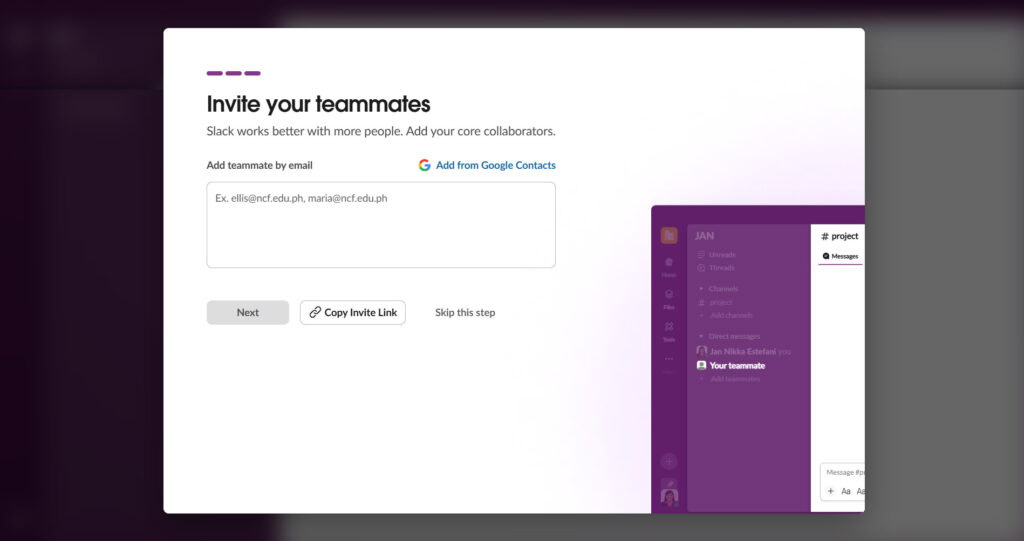
This early emphasis on collaboration changes how users perceive the product. Instead of evaluating it in isolation, they begin to imagine how it fits into their team’s workflow. Inviting others also creates a sense of commitment. Once users bring colleagues into the platform, they are more likely to continue using it because they have invested effort and introduced others to the experience.
At the same time, Slack reduces friction around this step. Invitations are easy to send, and users are not forced to complete them immediately. This balance between encouragement and flexibility ensures that users feel guided rather than pressured.
Contextual Prompts
Slack does not overwhelm users with instructions upfront.
Instead, it introduces guidance exactly when it is needed.
For example:
- When you hover over a feature, you get a quick explanation
- When you enter a channel, prompts suggest what to do next
- When you type a message, subtle hints improve usability
These contextual prompts ensure that users learn by doing.
This is a key principle of effective UX design. Users retain more when they interact rather than read.
Slack UX delivers information in small, relevant doses, making the learning curve feel almost invisible.
UX Details That Make the Difference
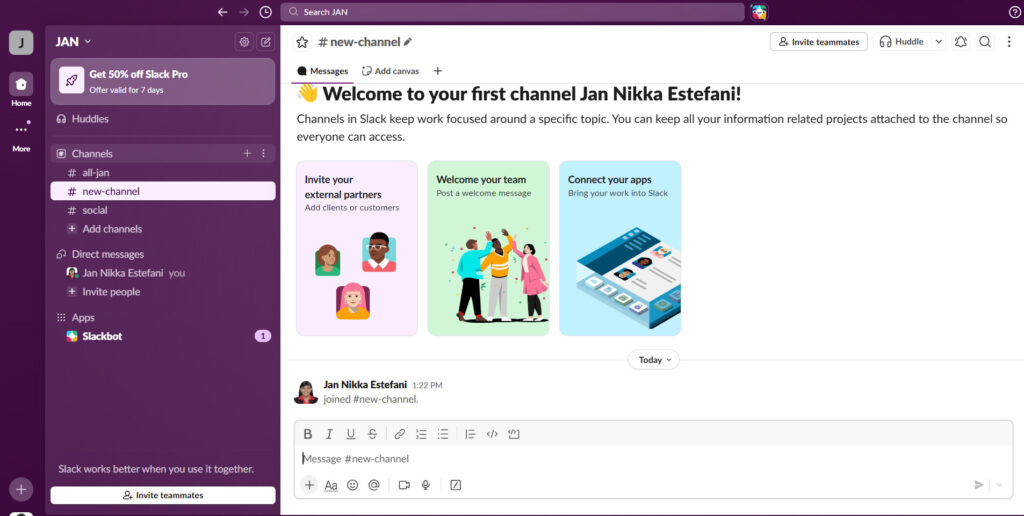
Behind these broader strategies are smaller design decisions that quietly shape user behavior. These details may seem subtle, but they play a crucial role in maintaining momentum and reducing friction.
Tooltips
Tooltips in Slack are designed to support, not interrupt. They appear at moments when users might hesitate, offering just enough information to guide the next step without breaking the flow.
Instead of directing users to external documentation, Slack integrates guidance directly into the interface. This creates a continuous experience where learning and doing happen simultaneously. As a result, users feel more confident navigating the product, which reduces the likelihood of abandonment.
Progress Indicators
Slack subtly reinforces progress throughout onboarding. Even when not explicitly displayed as a checklist, users can sense that they are moving forward as they complete setup steps and interact with the platform.
This sense of progression is important because it taps into a natural desire to finish what has been started. When users feel that they are making steady progress, they are more likely to continue until they reach a meaningful milestone. Slack UX uses this to maintain engagement and guide users toward activation without making the process feel forced.
Smart Defaults
One of the most effective ways Slack reduces friction is through smart defaults. Instead of requiring users to configure every detail, it provides a ready-to-use environment from the start.
Channels are pre-created, settings are optimized, and suggestions are provided where needed. This allows users to begin interacting with the product immediately rather than spending time on setup. Customization remains available, but it is deferred until users are more familiar with the platform.
By minimizing unnecessary decisions, Slack UX ensures that users focus on experiencing value rather than configuring the system.
Why Slack UX Works
Slack onboarding works because it aligns with how users naturally think and behave. It does not attempt to impress with complexity or overwhelm with features. Instead, it focuses on helping users achieve something meaningful as quickly as possible.
Every element of Slack UX contributes to reducing the time between signup and value. The guided setup removes uncertainty, the immediate experience demonstrates usefulness, the emphasis on collaboration increases engagement, and the contextual prompts support learning without interruption.
Together, these elements create a flow where users move forward almost effortlessly. They are not forced to think about what to do next because the interface continuously guides them. This sense of momentum keeps users engaged long enough to experience the product’s core value.
Once that value is clear, retention and conversion become much easier.
How to Apply These Lessons to Your Product
You do not need Slack’s resources to implement these principles. What you need is a shift in mindset.
Here are three practical ways to apply Slack UX tactics to your own product.
1. Shorten Time-to-Value
Ask yourself one question: how quickly can users experience your core benefit?
Then remove everything that slows that down.
This might mean:
- Reducing the number of steps in onboarding
- Eliminating unnecessary form fields
- Providing sample data or pre-built content
The goal is simple. Get users to their “aha” moment as fast as possible.
If users do not see value quickly, they will leave.
2. Guide Users Step-by-Step
Do not assume users will explore your product on their own.
Guide them.
Break onboarding into small, manageable steps. Provide clear instructions and make the next action obvious.
Think in terms of a journey:
- What is the first thing users should do?
- What comes next?
- What action leads to value?
Structure your onboarding around these answers.
A guided experience reduces friction and increases completion rates.
3. Remove Setup Friction
Every decision you ask users to make is a potential drop-off point.
Minimize them.
Use:
- Smart defaults
- Pre-filled inputs
- Recommended actions
Let users customize later.
During onboarding, your priority is not flexibility. It is simplicity.
The easier it is to get started, the more users will stick around.
Conclusion: The Real Power of Slack UX
Slack did not grow because it had better features. It grew because users could understand and experience its value almost instantly.
That is the real power of Slack UX.
It removes friction, builds momentum, and guides users toward meaningful action without overwhelming them.
If you want to improve your activation and conversion rates, start by rethinking your onboarding experience.
Focus on clarity, speed, and guidance, and design every interaction to move users closer to value.
Because onboarding is not just a step in your funnel.
It is the moment where users decide whether your product matters.
And if you get that moment right, everything else becomes easier.
Want to Apply These Strategies to Your Product?
If you’re serious about improving your onboarding, activation, and conversion rates, you don’t need guesswork. You need a clear strategy tailored to your product.
That’s exactly what Raw Studio helps with.
Get a UX & CRO Expert’s Eyes on Your Website. Book a free 30-minute UX Teardown and get actionable insights on what’s costing you conversions — no fluff, just fixes you can implement right away.
Book a Free UX Audit

Related posts
The UX Hack That Helps AI Capture User Intent
The dreaded blank-screen issue is one of the most frequent annoyances encountered when interacting with AI-powered tools. Whether it’s a […]
Why Menus Are Disappearing in Modern UX
Have you ever opened a new app or website and thought, “Wait… where’s the menu?” You’re not alone. Many users […]

One Page Web App Security Checklist for Product Teams
Require a one-page security alignment document before you sign off on any build, and attach evidence for these items: MFA […]
Creative product design that gets results
Take your company to the next level with world class user experience and interface design.
get a free strategy session
