.svg)
.svg)



If your SaaS product isn’t converting, the problem is rarely your main idea or features. Most of the time, it’s about how users experience your product before they decide to sign up. Conversion depends on whether your UX feels easy, trustworthy, and smooth.
People don’t leave products for no reason. They leave when something is confusing, overwhelming, or harder than it needs to be.
Let’s look at 12 common UX mistakes that hurt SaaS conversion, along with real examples and practical redesign tips you can use.
1. Long Signup Forms
Asking for too much information right away is a quick way to lose potential users. When someone first visits your product, they’re still deciding if it’s worth their time. A long signup form makes them hesitate because it asks for effort before showing value.
Many enterprise SaaS platforms still make this mistake. For example, older versions of Salesforce asked for lots of details just to get started. Even now, some B2B SaaS landing pages want company size, job title, phone number, and more before letting you in. This makes users question why so much information is needed.
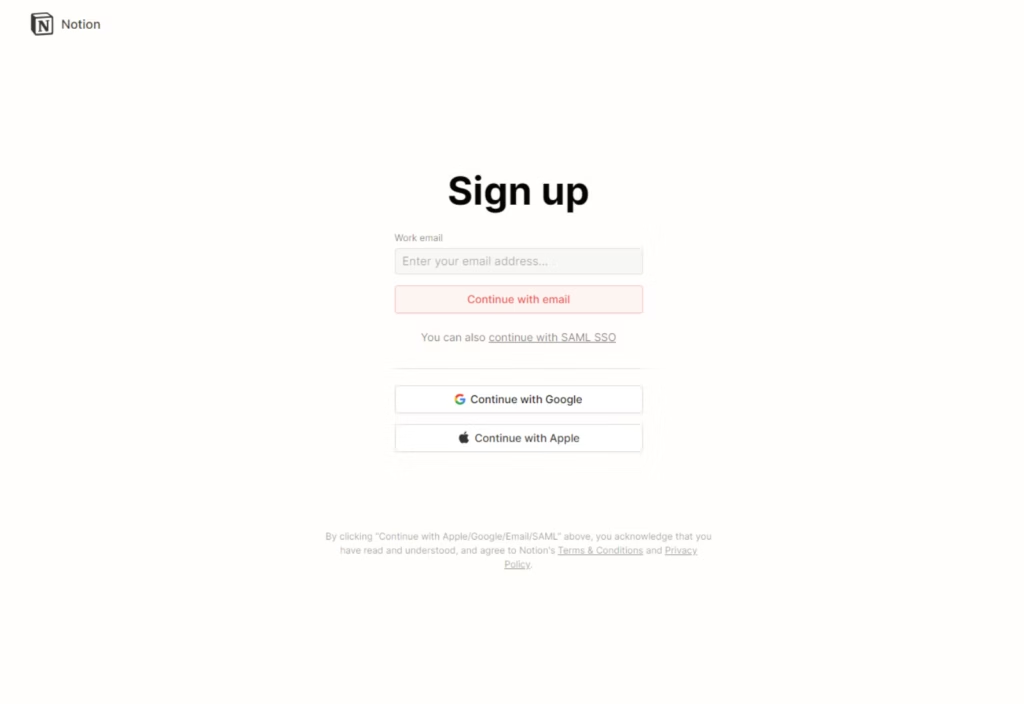
Notion does the opposite. Their signup is simple, usually just an email or Google account. Users get into the product in seconds and can start exploring right away. Slack also focuses on quick access instead of collecting lots of data.
The key isn’t just removing fields, but asking for information at the right time. You can collect more details later, after users are engaged. Progressive profiling asking for more info after users see value works well. Reducing friction at the start makes conversion much more likely.
2. Confusing Navigation
Users usually don’t notice navigation until it goes wrong. When it does, they get frustrated fast. If they can’t quickly figure out where to go or how to do something, they lose interest.
This is a common problem in feature-heavy SaaS tools. For example, older versions of HubSpot’s dashboard had lots of menus, nested options, and unclear labels. Terms like “Workflows,” “Sequences,” and “Pipelines” made sense to experienced users but confused beginners.
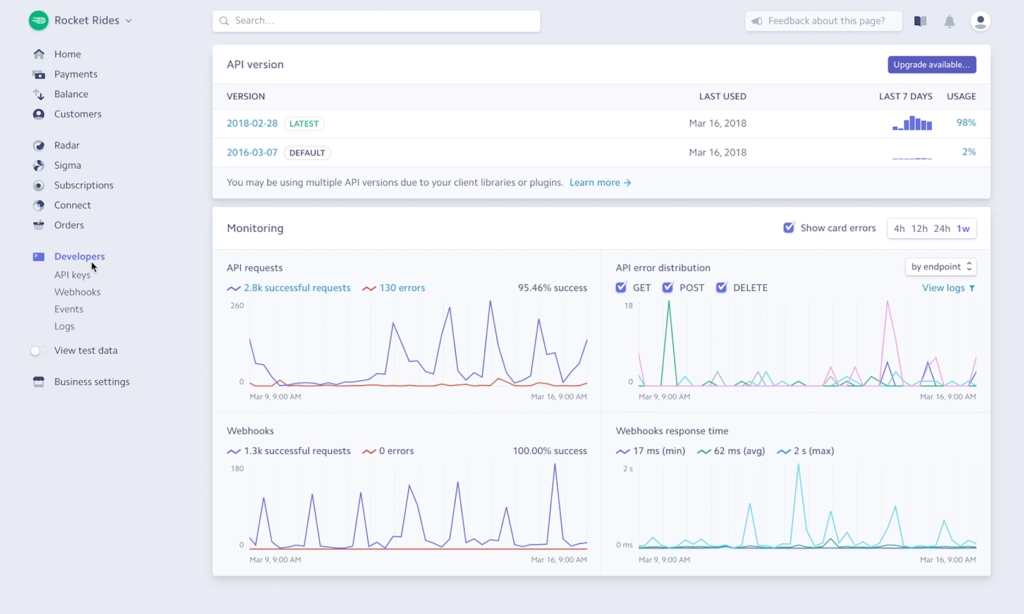
Stripe’s dashboard is different. It offers complex features but keeps things clean and organized. Navigation is grouped logically, labels are clear, and users can find what they need without guessing.
Improving navigation doesn’t mean making your product simpler. It means making the structure clear. Use clear labels, group things logically, and keep items in predictable places. When users don’t have to think about where to go, they can focus on what they want to do.
3. Weak Onboarding
Even a great product can fail if users don’t know how to use it. Onboarding is where conversion really starts, because it decides if users see value quickly or get confused.
A common onboarding mistake is dropping users into an empty dashboard with no guidance. Many early project management tools did this. Users would sign up, see a blank screen, and not know whether to create a task, start a project, or invite teammates.
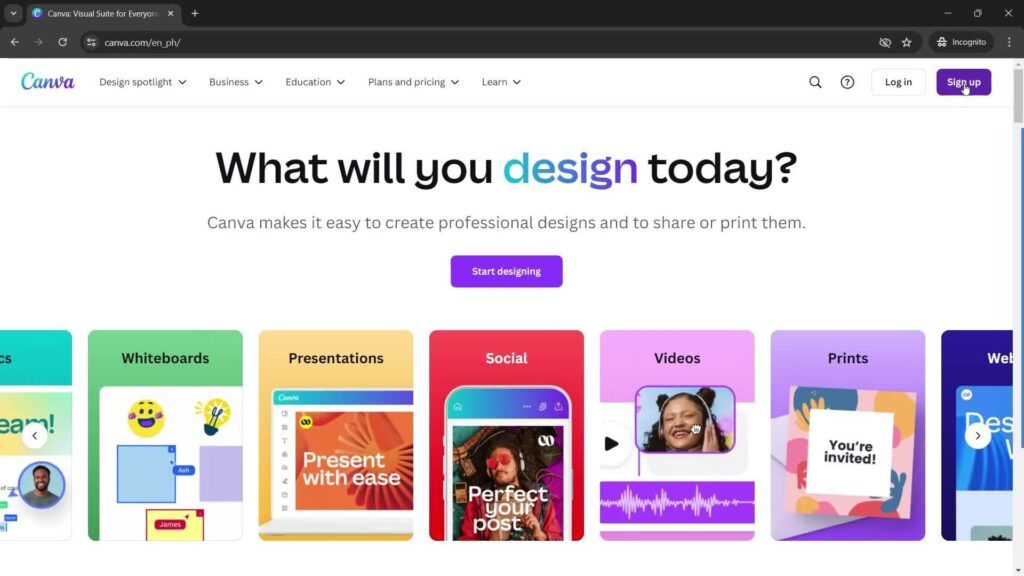
Canva does it differently. As soon as you start, Canva guides you with templates, prompts, and suggestions. You don’t have to figure things out alone. The platform encourages you to create something right away, giving you a quick win.
Good onboarding builds momentum. Rather than explaining every feature, it guides users to take one meaningful action that shows value. A checklist, helpful prompts, or a simple walkthrough can help a lot. When users succeed early, they’re much more likely to convert.
4. Unclear Pricing
Many conversions are lost on pricing pages. If users don’t know what they’re paying for, they hesitate and that often leads them to leave.
Some SaaS companies try to be clever with pricing tiers, using vague names like “Growth,” “Scale,” or “Pro+.” These don’t explain the real differences, so users are left guessing what each plan includes.
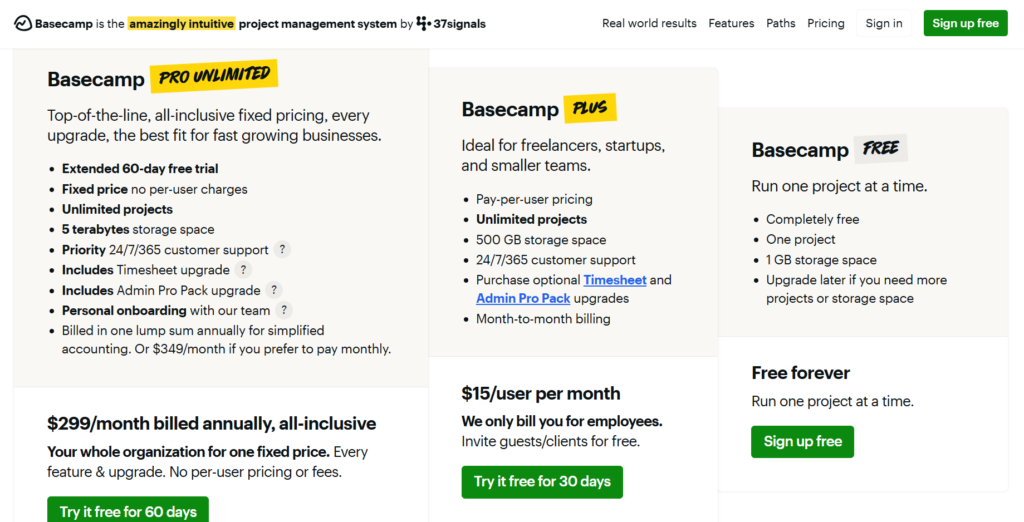
Basecamp is a strong counterexample. Their pricing is famously simple. They offer a flat rate with clear explanations of what’s included. There’s no confusion, no hidden complexity. This clarity builds trust and makes the decision easier.
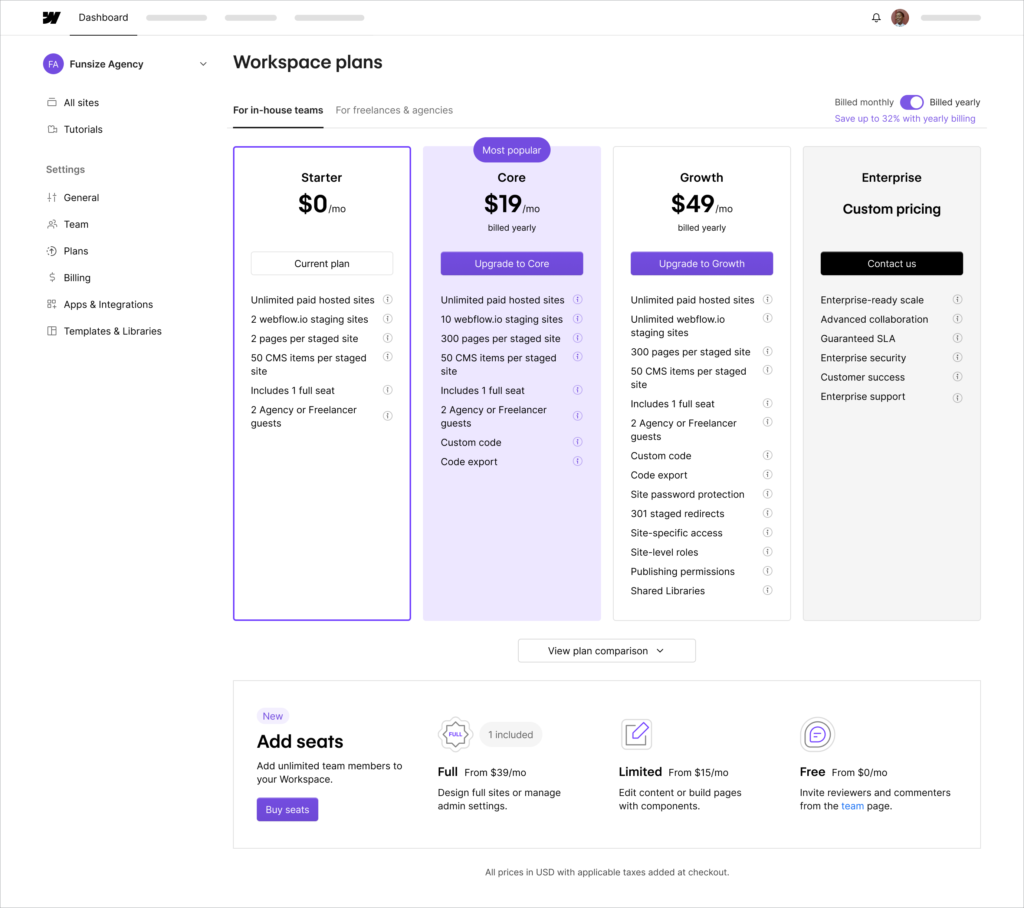
Webflow is another good example. They clearly separate site plans from workspace plans. Even though it’s a bit more complex, they give enough context and explanation to help users choose what they need.
Improving pricing UX isn’t about lowering prices. It’s about making things clear. Use simple comparisons, clear language, and show the value so users feel confident in their choice.
5. Slow Load Times
Speed isn’t just a technical detail, it affects how reliable your product feels. If your product is slow, users may think it’s inefficient or unstable.
Amazon found that even small delays in load time can hurt revenue. The same goes for SaaS. If your dashboard takes a few seconds to load, users may wonder if the tool is worth using.
Google Analytics, for example, has been criticized for slow load times, especially with complex reports. This slows users down and can hurt long-term retention and perceived value.
Modern SaaS tools like Linear make speed a priority. Everything feels fast, from navigation to interactions. This smooth, efficient experience is something users notice and appreciate.
To improve speed, focus on both real performance and how fast your product feels. Use loading states, skeleton screens, and instant feedback to make your product seem faster, even when things are happening in the background.
6. Lack of Trust Signals
Trust is key for conversion, especially with new users. If your product seems unknown or unproven, people hesitate to sign up.
A landing page without testimonials, customer logos, or case studies feels unfinished. Users want to know that others have used and benefited from your product.
Shopify does this exceptionally well. Their homepage features real success stories, recognizable brands, and clear data points that reinforce credibility. This reduces perceived risk.
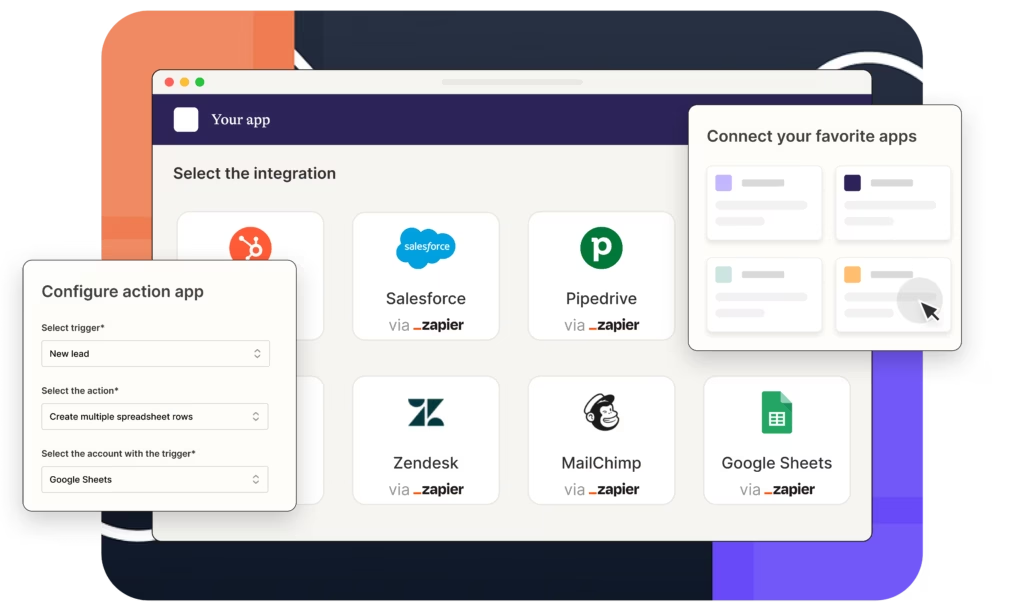
Similarly, tools like Zapier highlight integrations with well-known platforms, which indirectly builds trust. If a product works with Google, Slack, or Salesforce, users feel more confident using it.
Adding trust signals is not about decoration. It’s about reducing doubt. Real testimonials, data-driven results, and recognizable associations all contribute to a stronger sense of reliability.
7. Overwhelming UI
When users are presented with too much information at once, they feel overwhelmed. This often leads to inaction.
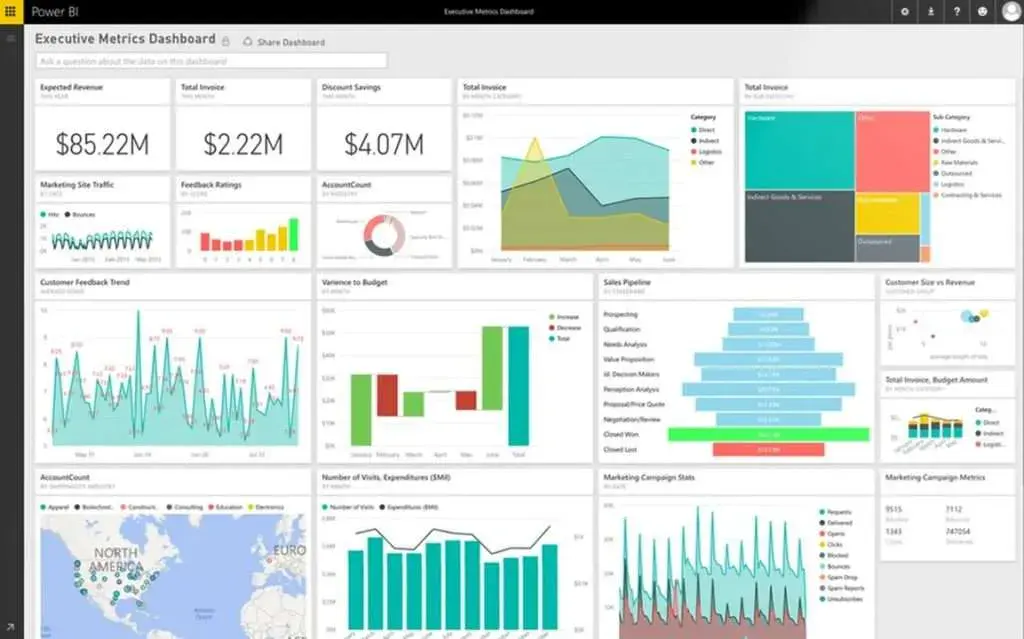
Advanced tools like Tableau or older versions of Microsoft Power BI can be intimidating for new users. Too many charts, filters, and options make the learning curve steep.
On the other hand, tools like Figma manage complexity through progressive disclosure. At first glance, the interface feels clean and approachable. Advanced features are available, but they don’t overwhelm the initial experience.
The key is not removing functionality, but controlling how it’s introduced. A clean starting point allows users to build confidence before exploring deeper features. When users feel in control, they’re more likely to engage and convert.
8. Poor Call-to-Action (CTA)
A call-to-action is more than just a button. It’s a decision point. If it’s unclear or uninspiring, users hesitate.
Many SaaS websites still use generic CTAs like “Submit” or “Learn More.” These don’t communicate value or outcome.
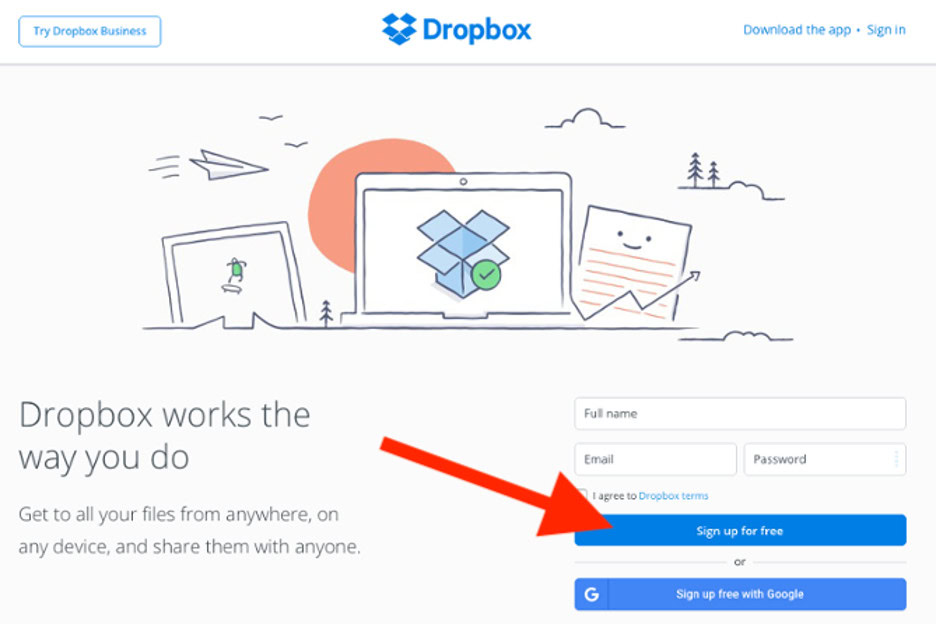
Dropbox does it better, using clear CTAs like “Sign up for free.” This tells users exactly what to expect. Notion uses “Get started for free,” which also makes the action and benefit clear.
A strong CTA answers one question: what happens next? When users know the outcome, they feel more confident clicking.
9. No Clear Value Proposition
If users don’t get what your product does in a few seconds, they won’t stick around to learn more.
Many SaaS websites use vague, buzzword-heavy language. Phrases like “empowering digital transformation” sound fancy but aren’t clear.
Stripe is a great example of clarity done right. Their messaging focuses on what they actually do: “Payments infrastructure for the internet.” It’s simple, direct, and easy to understand.
Your value proposition should focus on outcomes, not jargon. When users immediately understand how your product helps them, they’re far more likely to continue exploring.
10. Friction in Free Trials
Free trials are meant to reduce barriers, but many SaaS companies unintentionally add friction instead.
Requiring credit card details upfront is one of the biggest conversion killers. It introduces risk before users have experienced value.
Netflix, while not a SaaS in the traditional sense, popularized the no-risk trial model. Users could explore freely before committing. This approach builds trust and encourages engagement.
In SaaS, companies like Airtable let users try core features without asking for payment right away. This makes it easier for users to convert.
The key is to let users see value first. Once they notice the benefits, they’re much more likely to pay.
11. Ignoring Mobile Experience
Mobile traffic keeps growing, but many SaaS products still don’t prioritize mobile experience.
A website that looks good on desktop but doesn’t work well on mobile creates instant friction. Buttons are hard to tap, forms are frustrating, and navigation feels clunky.
Webflow and Stripe both maintain strong mobile experiences, ensuring that their sites remain usable and visually clear across devices.
Designing for mobile forces you to keep things simple. It helps you focus on what’s essential and cut out clutter. This often makes the experience better for everyone, even on desktop.
12. No Feedback or Error Handling
When users use your product, they expect feedback. Without it, they feel unsure.
A vague error message like “Something went wrong” is frustrating because it doesn’t help users fix the problem. This often makes them give up.
Google Forms handles this well by providing clear, specific feedback when inputs are incorrect. Users know exactly what to fix and how to proceed.
Good UX always communicates. Whether it’s confirming success or helping users fix an error, feedback builds confidence and keeps users moving.
Final Thoughts
Fixing these 12 UX mistakes isn’t about huge redesigns. It’s about understanding your users and removing the small points of friction that add up.
Conversion rates go up when users feel:
- confident
- guided
- in control
Every interaction either builds trust or breaks it. The less confusion and friction you have, the easier it is for users to say yes.
If you look closely at high-performing SaaS products, you’ll notice a pattern. They don’t just offer great features. They make those features easy to discover, understand, and use.
And that’s ultimately what drives conversion.
Ready to Improve Your SaaS Conversion?
If you’re serious about fixing these UX gaps and turning more visitors into paying users, sometimes an outside perspective makes all the difference.
At Raw Studio, we help SaaS founders identify hidden friction points, redesign critical flows, and improve conversion without guesswork.
You can get a free strategy session here.
No fluff, no generic advice, just actionable insights tailored to your product.