.svg)
.svg)


A website can look modern, polished, and visually appealing, yet still fail at its most important job: supporting growth. In many cases, teams assume that if a site looks good, it must be working. But growth rarely stalls because of aesthetics alone. More often, it stalls because the experience does not help users understand, decide, or act.
This is where design red flags come into play. These are not obvious visual flaws or broken layouts. They are subtle experience problems that quietly reduce engagement, trust, and conversion. Many teams overlook them because nothing appears “wrong” on the surface.
In reality, a website is not a brand poster. It is a decision-making environment. Visitors arrive with intent, questions, and constraints. If the design does not guide them clearly, friction builds, and growth suffers.
In this article, we will explore common design red flags that signal when a website is holding a product or business back. We will look at usability, performance, messaging, trust, and behavior through real examples and research-backed insights. The goal is not to criticize design choices, but to help teams see where experience quietly undermines outcomes.
It Seems Usable at First, But Feels Hard to Navigate
One of the most common design red flags is an experience that looks usable but feels strangely difficult. Users may not be able to articulate what is wrong, but they hesitate, backtrack, or abandon tasks altogether.
This happens when navigation structures are technically functional but cognitively demanding. Menus may contain too many options. Labels may sound clever but lack clarity. Pages may require users to interpret rather than recognize.
Usability research consistently shows that people prefer recognition over recall. According to Nielsen Norman Group, interfaces that force users to remember where things are or what labels mean significantly increase cognitive load. Even small moments of uncertainty compound over time.
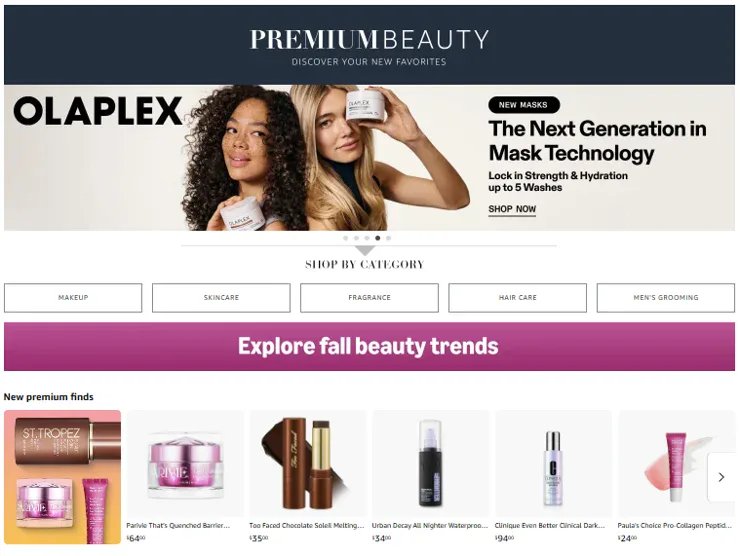
A good example of clarity done well is Amazon. Despite its vast catalog, Amazon prioritizes predictable navigation and clear category hierarchies. The experience is not minimal, but it is legible. Users rarely feel lost, even in complex flows.
When navigation feels hard, users often blame themselves at first. Eventually, they blame the site and leave. That is a silent but costly design red flag.
High Traffic, Low Engagement
Another major design red flag appears in analytics rather than mockups. High traffic paired with low engagement often signals experience issues, not marketing or content failures.
Metrics such as high bounce rates, short session durations, and low scroll depth suggest that visitors do not understand where to go or why they should stay. This is frequently caused by unclear page hierarchy or weak visual guidance.
Research from the Nielsen Norman Group shows that users typically spend less than 10 seconds deciding whether to stay on a page. During that time, they scan headings, key visuals, and calls to action. If the structure does not quickly communicate relevance, they exit.
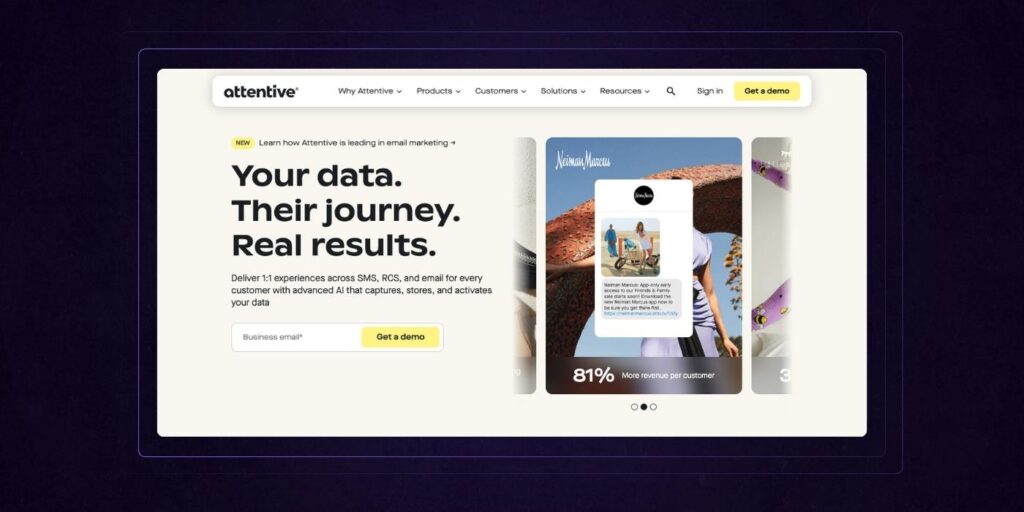
A real-world example can be seen in early versions of many SaaS marketing sites that leaned heavily on abstract messaging. Over time, companies like Slack refined their landing pages to emphasize concrete use cases, clearer headlines, and immediate value statements. Engagement improved not because the content changed dramatically, but because the structure supported faster understanding.
Low engagement is rarely about attention spans. It is about direction.
Poor Experience on Mobile Devices
Mobile experience is no longer a secondary concern. As of 2024, mobile traffic accounts for over 55 percent of global web usage according to Statista. In many industries, mobile also drives a majority of conversions.
Yet poor mobile UX remains one of the most overlooked design red flags. Common issues include text that is too small, buttons placed too close together, forms that are painful to complete, and layouts that feel compressed rather than considered.
Google research shows that 53 percent of mobile users abandon sites that take longer than three seconds to load. Beyond speed, interaction design matters just as much. Thumb reach, visual hierarchy, and simplified flows are critical.
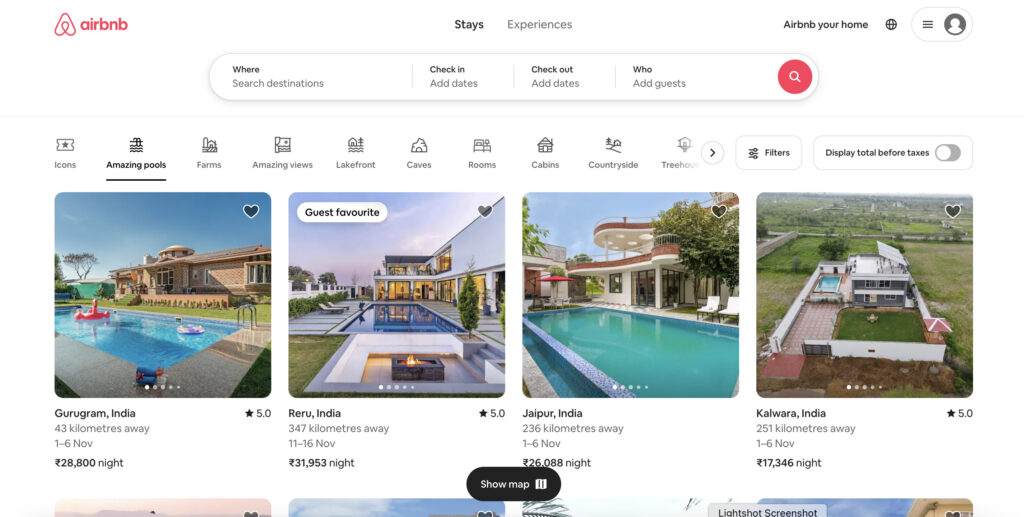
A strong mobile-first example is Airbnb. Airbnb’s mobile experience prioritizes browsing, filtering, and decision-making with minimal friction. Actions are reachable, content is scannable, and key decisions are supported at the right moments.
If your desktop site works but your mobile experience feels like a scaled-down afterthought, growth is likely leaking through that gap.
Slow Loading Pages Affect Perceived Reliability
Performance is not just a technical metric. It is a trust signal. Slow-loading pages subtly tell users that a site is unreliable, outdated, or poorly maintained.
Research from Google indicates that as page load time increases from one second to three seconds, the probability of bounce increases by 32 percent. At five seconds, it increases by 90 percent.
Common causes include oversized images, unnecessary animations, third-party scripts, and poorly optimized fonts. These issues often go unnoticed internally because teams view the site on fast devices and connections.
Users, however, experience reality. On slower networks or older phones, delays feel magnified. Even half-second pauses can break momentum.
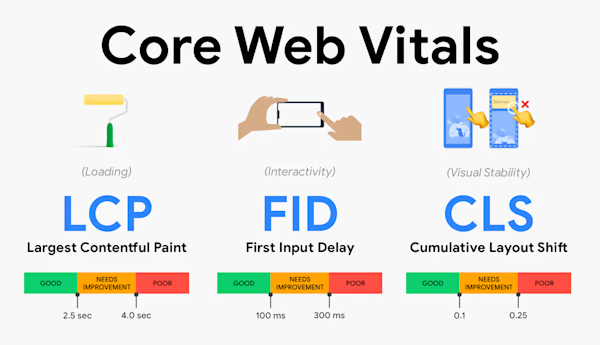
Tools like Lighthouse, WebPageTest, and Core Web Vitals provide objective signals, but the deeper issue is experiential. Speed affects how professional and trustworthy a product feels before any content is read.
Slow performance is one of the clearest design red flags because it directly undermines credibility.
Navigation Confuses Rather Than Guides
Navigation exists to reduce decision-making effort. When it does the opposite, it becomes a liability.
Confusing navigation often includes too many menu items, overlapping categories, or labels that reflect internal language rather than user intent. Visitors should not need to decode what “Solutions,” “Platform,” or “Ecosystem” means.
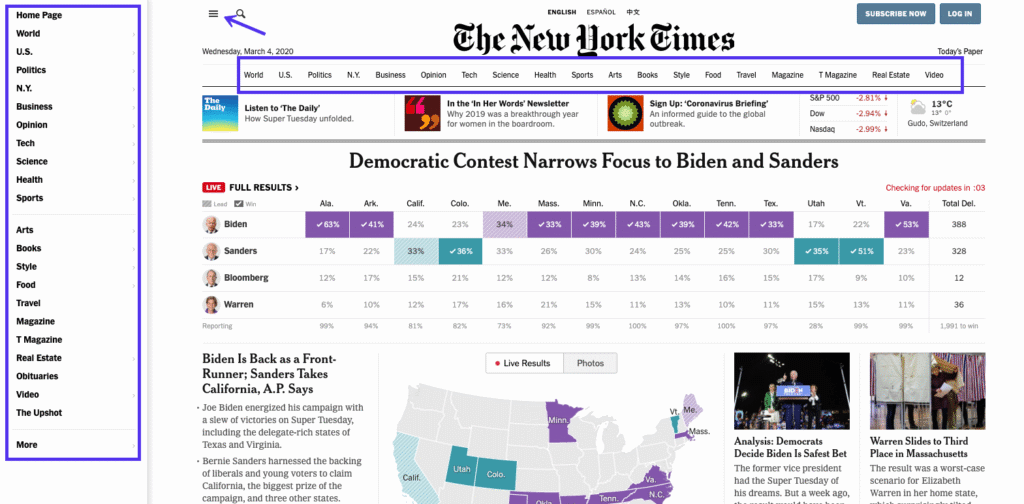
Usability studies show that users expect to find key information within one or two clicks. If they cannot, frustration builds quickly.
A positive example of guided navigation is Stripe. Stripe organizes complex products into clear categories based on user needs rather than internal teams. Navigation supports exploration without overwhelming.
An effective audit technique is to ask first-time users to complete simple tasks while observing where they hesitate. Confusion is often visible long before it appears in metrics.
Calls to Action Are Hard to Spot
If users do not know what to do next, they usually do nothing. Hidden or weak calls to action are one of the most expensive design red flags because they directly affect conversion.
CTAs fail when they blend into the layout, lack context, or appear too late in the journey. In some cases, there are too many competing CTAs, creating decision paralysis.
Research from HubSpot has shown that reducing the number of CTAs on a page can increase conversion rates by up to 20 percent. Clarity beats abundance.
A strong CTA does three things. It stands out visually. It makes sense in context. It aligns with user intent at that moment.
Companies like Notion use clear, action-oriented CTAs that evolve as users scroll, moving from exploration to commitment naturally.
If your CTAs require explanation, they are likely not doing their job.
Design Fails to Build Trust
Trust is built through consistency, clarity, and attention to detail. When design feels outdated, inconsistent, or sloppy, users question the credibility of the product behind it.
Trust-related design red flags include mismatched typography, inconsistent spacing, broken links, outdated imagery, and unclear brand identity. Individually, these seem minor. Collectively, they signal neglect.
A Stanford study on web credibility found that 75 percent of users judge a company’s credibility based on its website design. Visual coherence and professionalism matter because they act as proxies for reliability.
Financial products illustrate this clearly. Apps like Revolut invest heavily in consistent, clean design because trust is central to adoption. Every detail reinforces legitimacy.
Design that undermines trust does not just reduce conversion. It increases perceived risk.
Messaging Is Not Clear What You Do
One of the most damaging design red flags has nothing to do with layout or color. It is unclear messaging.
If visitors cannot quickly understand what a product does, who it is for, and why it matters, they will leave. Creativity that sacrifices clarity often backfires on key pages.
Studies on user attention show that people form an initial impression of a website in under 50 milliseconds. That impression is shaped largely by layout and headline clarity.
Strong sites prioritize plain language over cleverness. They explain value before features. They answer user questions before selling.
Many successful SaaS companies have simplified their messaging over time. Clear beats impressive, especially on homepages and landing pages.
Hidden from User Behavior and Needs
Perhaps the most fundamental design red flag is designing without real user insight. Websites built on assumptions rather than behavior often feel misaligned, even if they look polished.
This happens when teams rely solely on internal opinions, trends, or competitor mimicry. Without user testing, analytics, and feedback loops, blind spots grow.
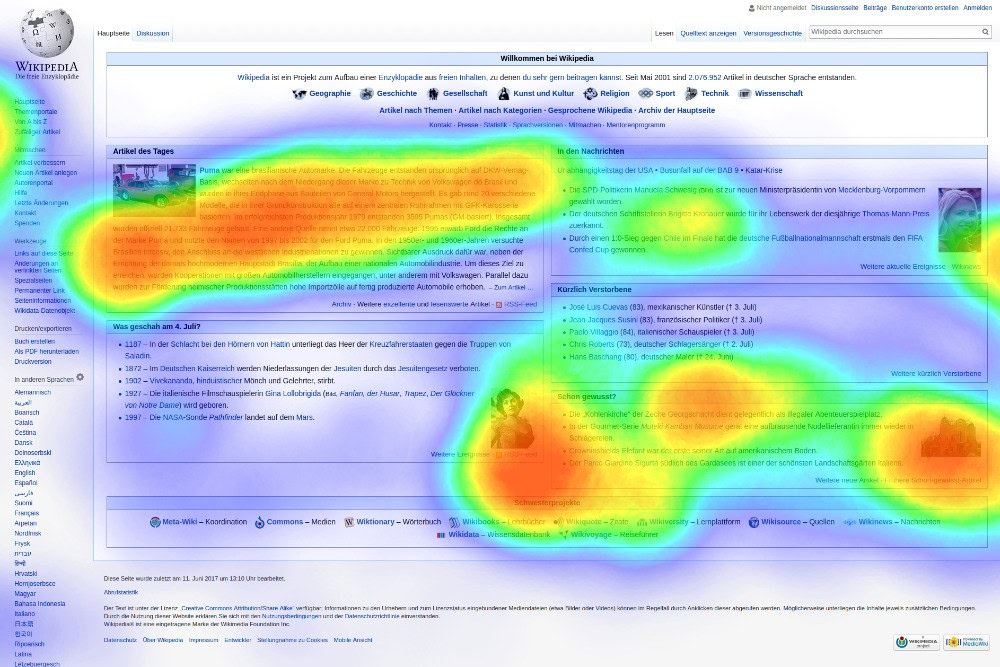
Behavioral data reveals what users actually do, not what they say. Heatmaps, session recordings, and usability tests often uncover friction that teams never anticipated.
For example, many ecommerce sites discover through testing that users ignore carousel banners entirely, despite heavy investment in them.
Design that ignores behavior inevitably drifts away from usefulness.
What These Red Flags Mean for Product Work
Design red flags are rarely isolated issues. They are symptoms of deeper misalignment between product, user needs, and business goals.
When a website fails to support growth, it is often because it does not reflect how users think, decide, and act. Good UX is not about making things look better. It is about making behavior easier.
Products that succeed treat websites as tools for progress. They help users complete tasks, reduce uncertainty, and move forward confidently.
Ignoring design red flags means accepting friction as normal. Addressing them means unlocking momentum.
How Raw Studio Thinks About Design and Product Growth
At Raw Studio, design is treated as a strategic discipline rooted in user behavior, not decoration. The goal is not to produce prettier screens, but to help teams make better product decisions.
The approach emphasizes understanding real user behavior early, aligning design work with business goals, and validating assumptions through prototypes and testing. Data and feedback guide iteration, reducing risk before major investment.
By acknowledging design red flags early, teams can shift from reactive redesigns to intentional product evolution. Small changes, when grounded in insight, often deliver outsized impact.
This perspective helps organizations move beyond surface fixes and toward sustainable growth.
Conclusion
Websites rarely fail because of one big mistake. More often, growth stalls due to a collection of small, overlooked design red flags that quietly increase friction.
The good news is that small improvements can create meaningful change. Clearer navigation, faster load times, better mobile experiences, and sharper messaging all compound over time.
Evaluating a website through the lens of user behavior and business outcomes reveals opportunities that aesthetics alone cannot. When design supports how people actually think and act, growth becomes easier.
The real question is not whether your site looks good, but whether it is truly helping users move forward.