
Top 5 CRO Tools That Help Improve UX and UI Design

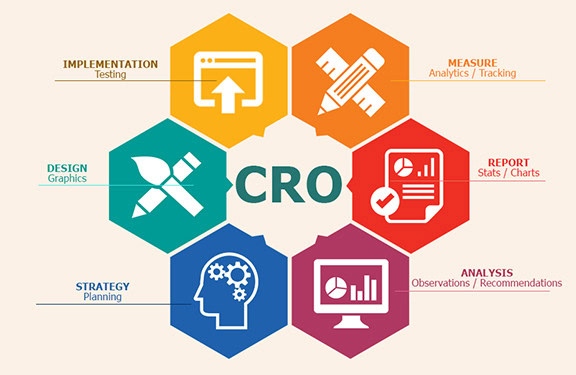
Conversion rate optimization is no longer just about changing button colors or testing a new headline.
In the AI search era, users arrive on websites with more context, stronger intent, and less patience. They may have already compared your brand through Google, ChatGPT, Reddit, YouTube, review platforms, or a competitor’s website before they ever land on your page.
That means your website has a smaller window to create trust.
Good UX and UI design now need to do more than look polished. They need to confirm the user’s decision, reduce friction, answer objections, and make the next action feel obvious. But to do that properly, teams need the right CRO tools.
The best CRO tools help you understand what users are doing, where they hesitate, what they ignore, and which pages are quietly losing conversions. They turn design decisions into measurable improvements.
Below are five of the best CRO tools for improving user experience, interface design, and website conversion performance.
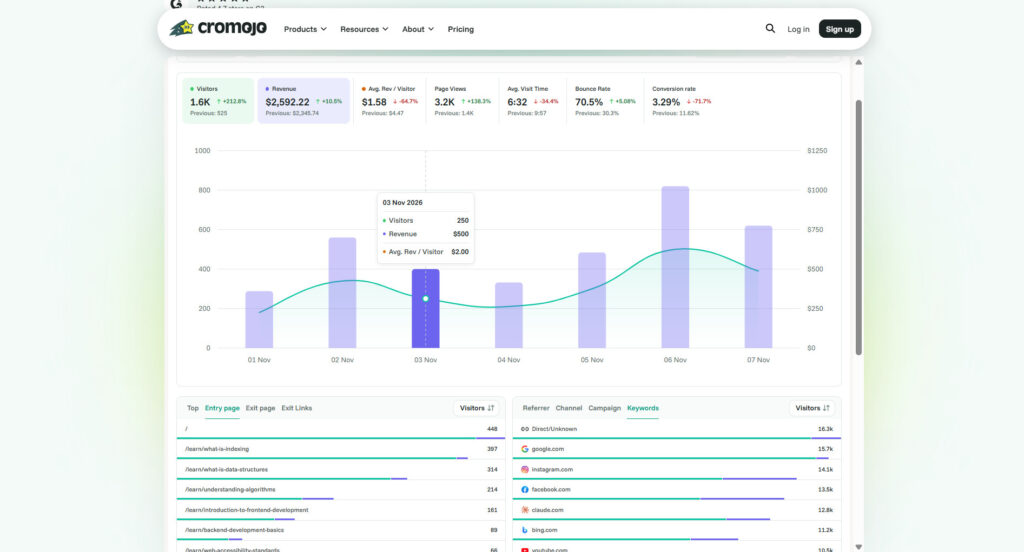
Table of Contents
1. Cromojo: Best for Real-Time Analytics, Monitoring, and Revenue Insights
Cromojo is a strong CRO tool for teams that want to connect website performance, analytics, monitoring, and conversion insights in one place.
Most businesses have data scattered across multiple tools. Google Analytics shows traffic. Search Console shows search performance. Shopify or Stripe shows revenue. Monitoring tools show technical issues. But these signals are often disconnected, which makes it difficult to understand what is actually affecting conversions.
Cromojo helps solve that problem by bringing visibility into how your website is performing, where users are engaging, and which issues may be affecting growth.
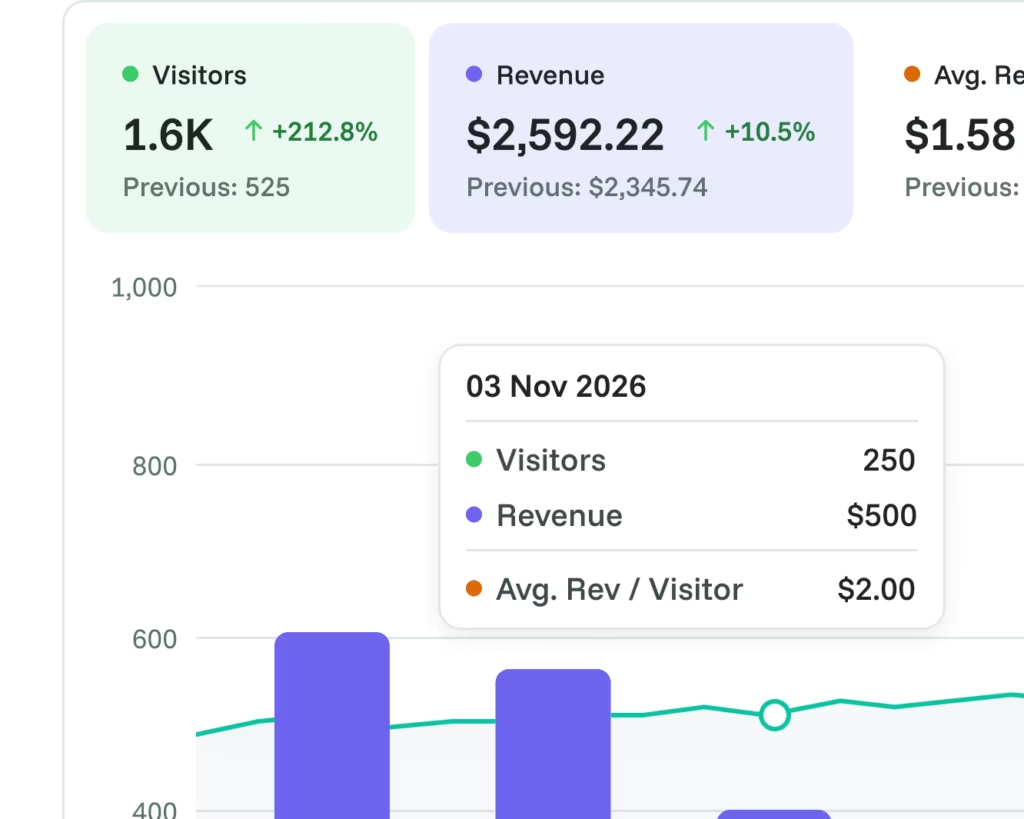
From a UX and UI perspective, this matters because conversion problems are not always caused by the design alone. A product page might have a strong layout, clear copy, and a good CTA, but if it loads slowly, breaks on mobile, loses traffic from indexing issues, or sends visitors through a weak funnel, conversions will still drop.
Cromojo is especially useful for teams that want to monitor page-level performance, understand conversion funnels, and spot issues before they become major revenue problems. It supports better UX/UI decisions because it helps teams move from assumption to evidence.
For example, if a high-intent product page is getting traffic but not converting, Cromojo can help teams ask better questions. Is the page attracting the wrong traffic? Are users dropping off before the CTA? Is there a performance issue? Is the page visible in search? Are technical problems damaging the experience?
This connects directly with RAW Studio’s Conversion Rate Optimisation approach, where UX, UI, and performance work together to improve the percentage of visitors who take meaningful action.
Cromojo is not just about seeing pageviews. It helps teams understand what is happening across the website so they can make smarter optimization decisions.
2. Hotjar: Best for Understanding What Users Actually Do
Hotjar is one of the most popular CRO tools for understanding user behavior visually.
Its heatmaps and session recordings help teams see where users click, scroll, pause, get stuck, or abandon a page. This makes it especially useful for UX and UI design because it reveals the gap between what a team expected users to do and what users actually do.
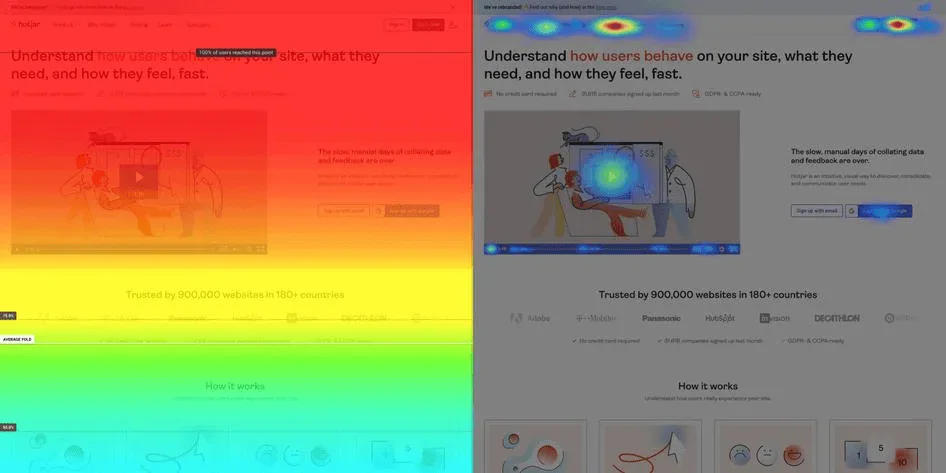
A designer may assume that the primary CTA is obvious, but a heatmap may show that people are ignoring it. A marketing team may believe users are reading the pricing section, but scroll data may show that most visitors never reach it. A founder may think a form is simple, but session recordings may reveal hesitation, backtracking, or rage clicks.
This kind of insight is valuable because conversion problems often hide inside small UX details.
Maybe the button looks clickable but does not stand out enough. Maybe the page hierarchy is wrong. Maybe the product image attracts attention but the value proposition gets ignored. Maybe users are trying to click an element that is not interactive.
Hotjar helps teams identify these moments.
It is especially useful during UX audits, landing page reviews, ecommerce optimization, and form improvement projects. If you are working on a redesign, Hotjar can show which existing behaviors need to be protected and which friction points need to be fixed.
This aligns well with RAW Studio’s UX Design work, where understanding user motivations and behaviors is the foundation for creating better digital experiences.
3. Microsoft Clarity: Best Free Tool for Heatmaps and Session Recordings
Microsoft Clarity is a strong option for teams that want a free CRO tool to understand user behavior through heatmaps and session recordings.
For startups, small businesses, and early-stage teams, Clarity can be a practical starting point. It gives you visual insight into how users interact with your website without needing a large analytics budget.
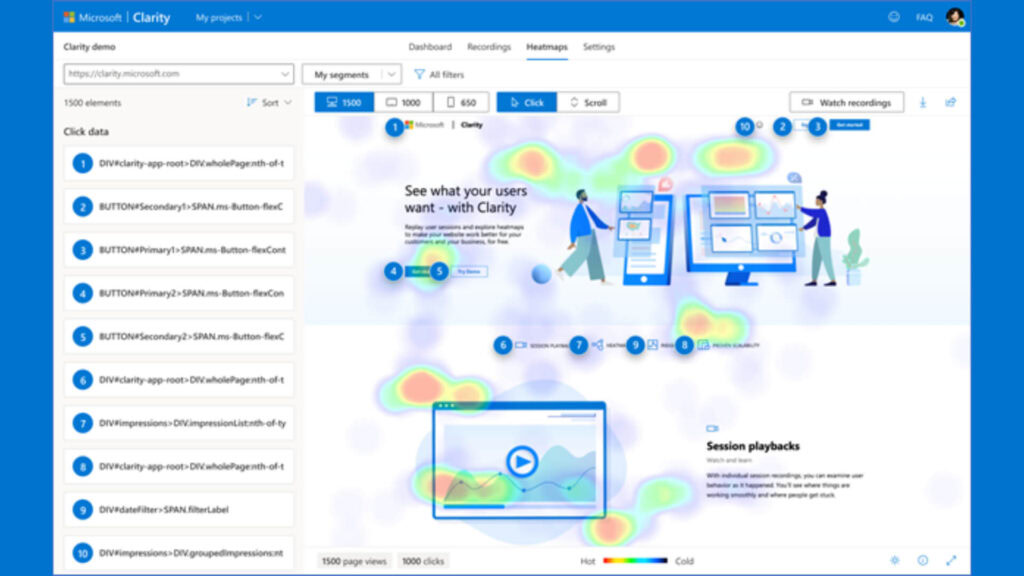
From a UX/UI perspective, Clarity is helpful because it highlights interaction patterns that standard analytics tools often miss. You can see where users scroll, what they click, where they get frustrated, and how they move through a page.
This is especially useful when improving above-the-fold sections. In the AI search era, users often arrive already informed. They do not want to work hard to understand your offer. If the first screen does not communicate value quickly, they may leave.
Clarity can help you see whether users engage with your hero section, scroll past key messaging, ignore trust indicators, or hesitate before clicking a CTA.
It also helps teams compare desktop and mobile behavior. A page that feels clear on desktop may feel crowded on mobile. A CTA that is visible on a large screen may be buried below the fold on a phone. These small interface issues can create significant conversion friction.
RAW Studio’s UI Design service focuses on making complex interfaces feel simple. Tools like Clarity help reveal whether an interface actually feels simple to users, not just to the team that designed it.
4. VWO: Best for Testing UX and UI Changes
VWO is a CRO platform built for experimentation, behavior analytics, and optimization. It is useful for teams that want to test design changes instead of relying only on opinions.
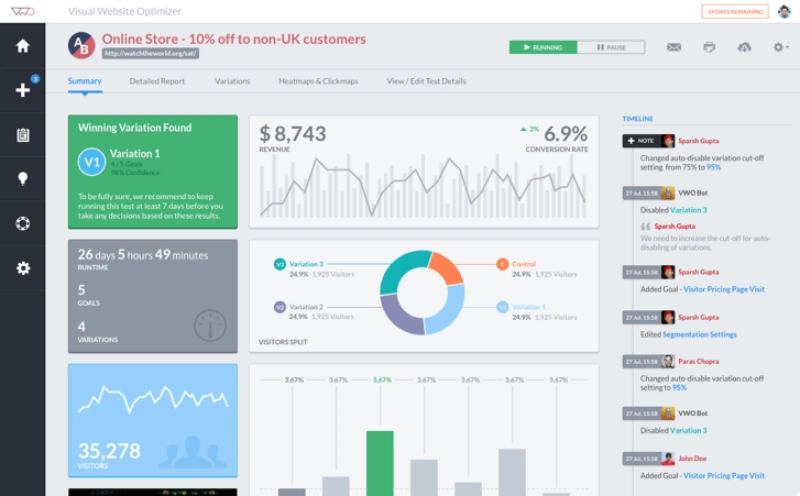
This is important because CRO and UX/UI decisions can be subjective. One stakeholder may prefer a short page. Another may want more proof. A designer may recommend a new layout. A marketer may want stronger copy. Without testing, these debates often come down to preference.
VWO helps teams turn those debates into experiments.
You can test different headlines, CTA placements, layouts, forms, pricing sections, product page structures, and onboarding flows. You can also use behavior insights like heatmaps, session recordings, surveys, funnels, and form analytics to identify what should be tested in the first place.
From a UX/UI perspective, VWO is useful because it supports a structured optimization process. You can observe friction, form a hypothesis, test a design variation, and measure the outcome.
For example, if users are dropping off before reaching a product comparison section, you might test moving that section higher on the page. If users hesitate around pricing, you might test adding FAQs, guarantees, or clearer plan explanations nearby. If users ignore the CTA, you might test a stronger visual hierarchy.
This connects with RAW Studio’s article on how Amazon uses UX principles to increase conversions. High-converting experiences are rarely built from one big change. They are usually the result of many small UX decisions working together.
VWO helps teams test those decisions before rolling them out fully.
5. Optimizely: Best for Larger Experimentation and Personalization Programs
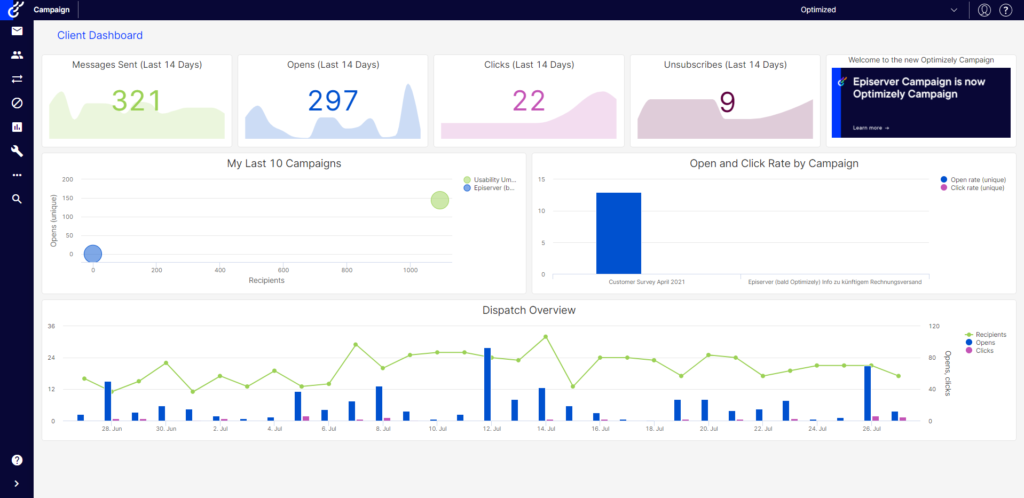
Optimizely is a powerful CRO and experimentation platform for larger teams that want to test, personalize, and optimize digital experiences at scale.
While smaller teams may start with tools like Clarity or Hotjar, larger businesses often need more advanced experimentation workflows. They may want to test different experiences across audiences, personalize pages based on behavior, or run more complex experiments across websites, products, and campaigns.
Optimizely is useful when CRO becomes part of a broader digital experience strategy.
From a UX/UI perspective, this matters because not every user needs the same experience. A first-time visitor may need more education and trust. A returning user may need a direct path to pricing. A high-intent visitor from search may need comparison proof. A user arriving from an ad may need message consistency.
Personalization helps teams adapt the interface to different user contexts.
This is especially important now that users arrive from many different paths. Some come through AI recommendations. Some come through paid campaigns. Some come through social proof. Some arrive directly on product pages. A single static funnel may not serve all of them well.
Optimizely helps larger teams create, test, and optimize those different journeys.
RAW Studio’s article on how Etsy uses social proof UX elements to increase conversions is a good example of why context matters. Social proof works because it gives users confidence at the moment they need reassurance. The right CRO tool helps teams understand where those moments happen and how to improve them.
CRO Tools Are Only Useful When Connected to UX and UI
The biggest mistake businesses make with CRO tools is treating them as dashboards instead of decision-making systems.
A heatmap is not useful unless it leads to a design improvement. A session recording is not useful unless it reveals friction. An A/B test is not useful unless it tests a meaningful hypothesis. Analytics are not useful unless they help teams prioritize what to fix.
CRO tools should help answer UX and UI questions like:
Is the page clear enough within the first few seconds?
Do users trust the page before they see the CTA?
Are visitors noticing the most important content?
Where does the interface create friction?
Which pages help users move closer to conversion?
What should we test next?
This is where CRO becomes more than marketing. It becomes a design discipline.
Final Thoughts
The best CRO tools do not replace good UX and UI design. They make good design more informed.
Cromojo helps teams connect website performance, analytics, and conversion insights. Hotjar shows how users behave visually. Microsoft Clarity gives teams a free way to uncover friction. VWO helps test design hypotheses. Optimizely supports larger experimentation and personalization programs.
Together, these tools help teams understand how people experience a website, not just how many people visit it.
In the AI search era, users arrive faster, smarter, and more ready to decide. Your website needs to give them clarity, credibility, confidence, and convenience as quickly as possible.
That requires more than good-looking pages.
It requires UX strategy, UI clarity, real-time insight, and continuous optimization.
If you want to improve your website conversions, start by understanding where the experience is helping users move forward and where it is making them hesitate.
Want help turning CRO insights into better UX and UI decisions? Request a free UX audit and proposal from RAW Studio and discover what is stopping more visitors from converting.
Get a UX & CRO Expert’s Eyes on Your Website. Book a free 30-minute UX Teardown and get actionable insights on what’s costing you conversions — no fluff, just fixes you can implement right away.
Book a Free UX Audit
Related posts
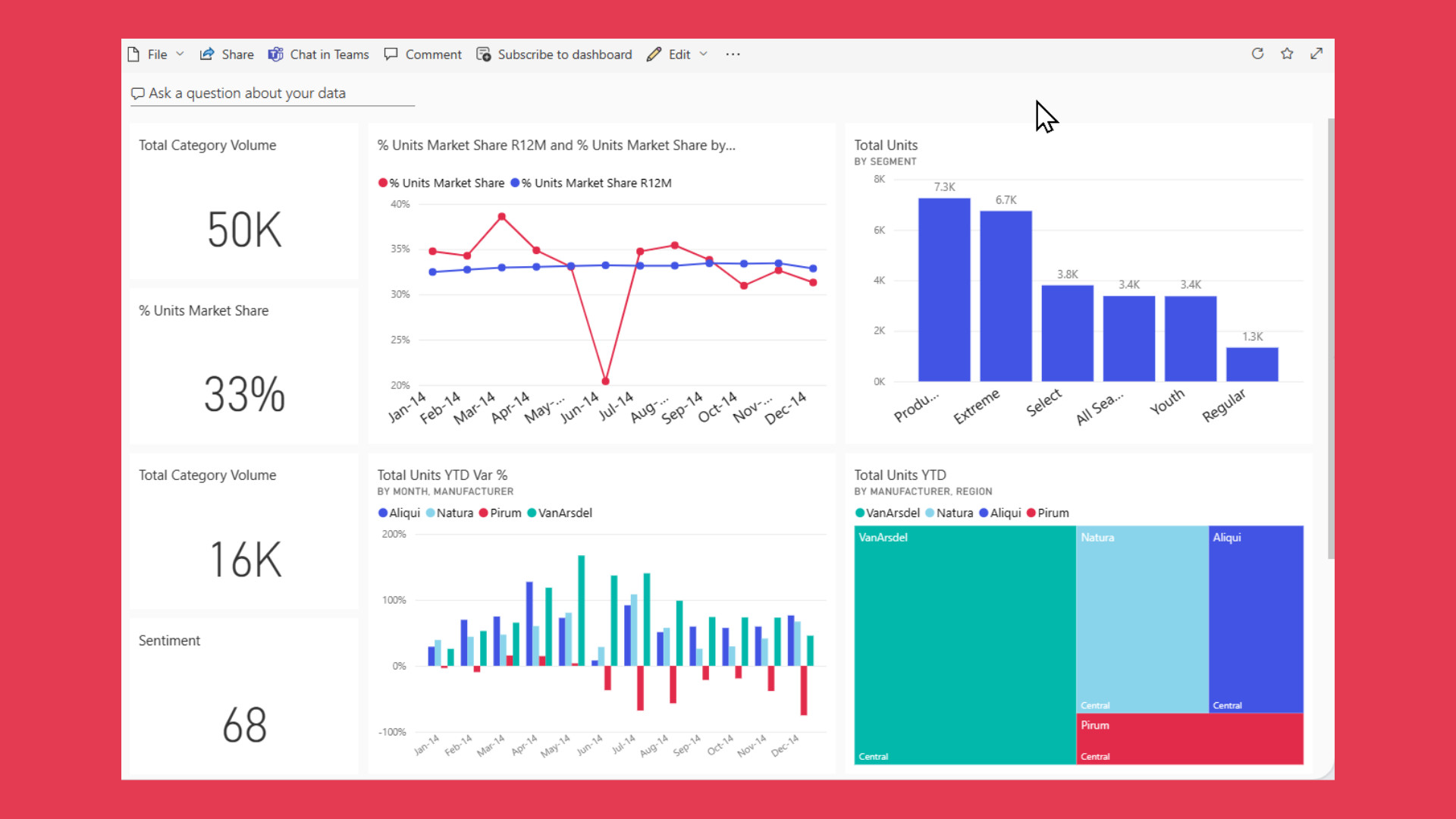
UX Rules for Real-Time Performance Dashboards
Real time dashboards have become the nerve centers of modern organizations, transforming how businesses monitor performance and make strategic decisions. […]
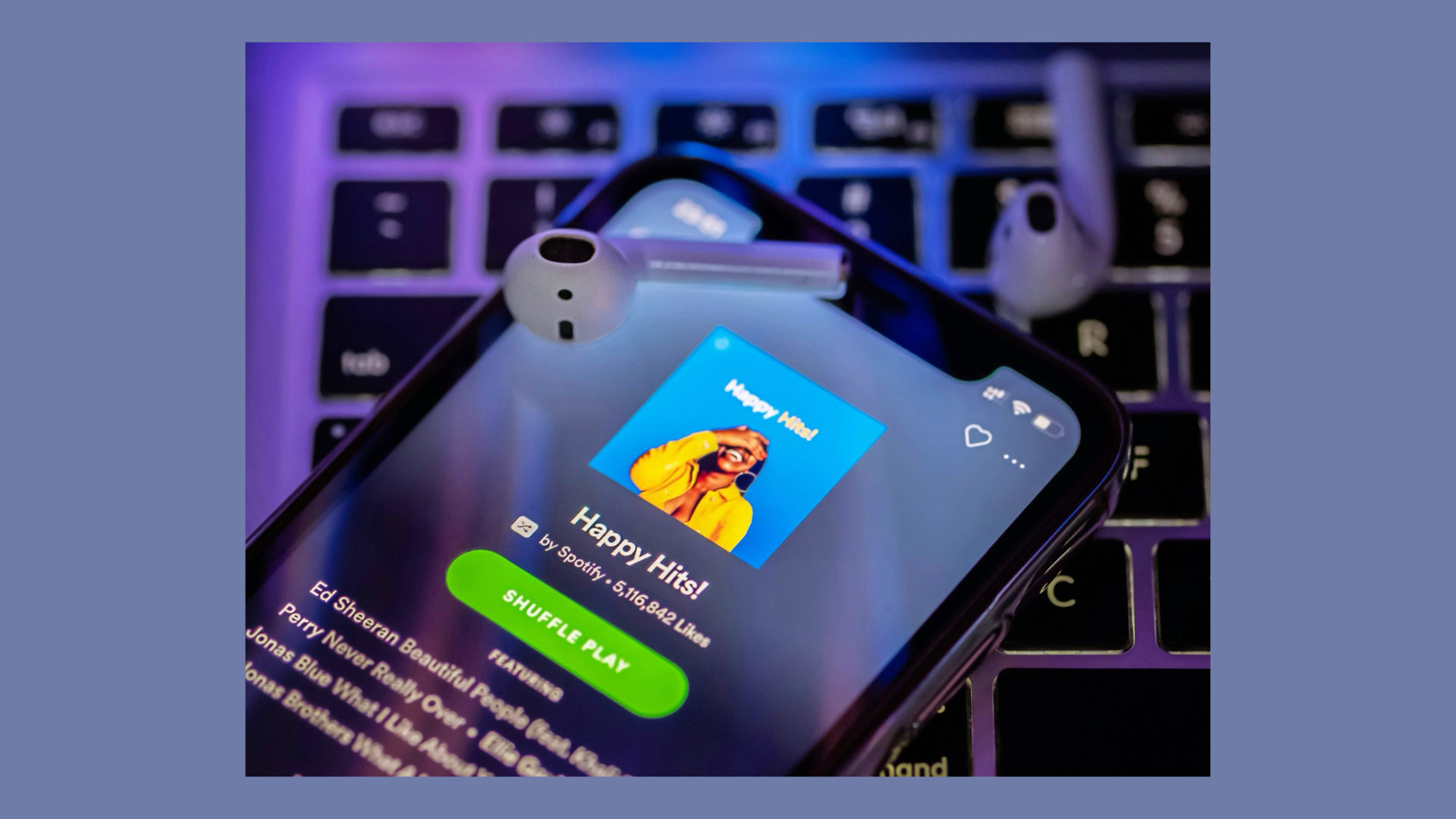
How Spotify Converts Free Users by 40% with 4 Freemium UX Strategies
UX strategies are the real reason most freemium products fail quietly. They grow fast at the top of the funnel, […]

How PayPal Increased Conversions with 3 Trust-Building UX Elements
Paypal UX shows how trust can turn hesitation into action, especially when money, personal details, and payment decisions are involved. […]
Creative product design that gets results
Take your company to the next level with world class user experience and interface design.
get a free strategy session
