
How PayPal Increased Conversions with 3 Trust-Building UX Elements

Paypal UX shows how trust can turn hesitation into action, especially when money, personal details, and payment decisions are involved.
In online payments, trust is not optional. It is the foundation of the entire experience. A customer can love a product, understand the offer, and feel ready to buy, but if the payment experience feels confusing or unsafe, they may stop at the final step.
That moment is critical.
Checkout is where interest becomes revenue. It is also where doubt becomes abandonment. A small concern about security, a confusing screen, or an unfamiliar payment flow can be enough to make someone pause, leave, or choose another option.
PayPal has become one of the most recognized names in online payments because it solves a basic but powerful problem: it helps people feel safer when paying online.
The product is not just a payment tool. It is a trust layer. For millions of users, seeing PayPal at checkout reduces uncertainty. It signals familiarity, security, and convenience at the exact moment when buyers need confidence.
This is why PayPal’s user experience is worth studying. It shows how trust-building UX can improve conversions by reducing fear, simplifying decisions, and making payment feel familiar.
For brands, ecommerce teams, and SaaS companies, the lesson is clear. A smoother checkout is not only about fewer steps. It is also about helping users feel confident enough to complete the action.
Table of Contents
Why Trust Matters So Much in Payment UX
Every payment experience carries some level of risk in the user’s mind.
Customers may wonder if their card details are safe. They may worry about being charged incorrectly. They may be unsure whether they can get help if something goes wrong. They may not fully trust the website they are buying from, especially if it is their first visit.
These concerns are normal.
Research from Baymard Institute has shown that ecommerce cart abandonment remains a major issue, with the average documented cart abandonment rate sitting above 70%. Baymard’s research also highlights that trust, checkout friction, extra costs, account creation, and payment concerns are common reasons people leave before completing a purchase.
That means checkout design is not just a usability problem. It is a confidence problem.
A buyer does not only ask, “Can I complete this payment?”
They also ask, “Do I feel safe doing this here?”
This is where PayPal has an advantage. Because users already recognize the brand, the PayPal option can reduce the mental work required to trust an unfamiliar store. Instead of entering card details directly into a website they may not know, users can choose a payment method they already understand.
That simple shift can make the experience feel safer.
RAW Studio’s article on reducing checkout abandonment through micro UX explains how small interface details can influence whether users complete or abandon a purchase. Payment UX works the same way. Small trust signals, familiar layouts, and clear security cues can have a large impact when users are close to converting.
The 3 Trust-Building UX Elements PayPal Uses
PayPal’s conversion strength does not come from one design decision. It comes from several trust-building elements working together.
The three most important are security indicators, familiar UI patterns, and brand recognition.
Each one reduces a different kind of hesitation.
Security indicators reduce fear.
Familiar UI patterns reduce confusion.
Brand recognition reduces uncertainty.
When these three elements appear together, the payment experience feels safer, easier, and more reliable.
1. Security Indicators
Security is one of the most important parts of payment UX because users are sharing sensitive information.
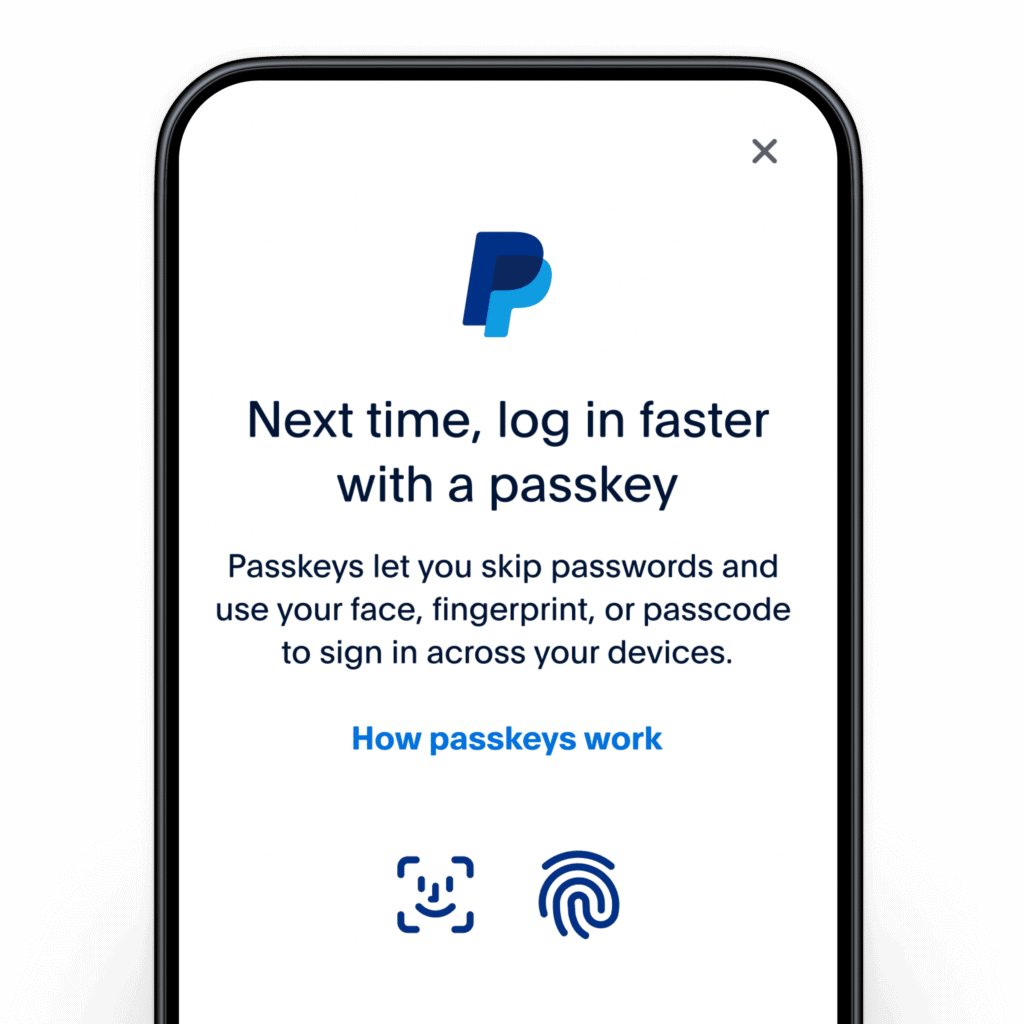
This includes card details, account information, billing addresses, contact details, and sometimes bank connections. When people enter this information, they need reassurance that the system is secure.
PayPal uses security indicators in several ways.
The brand often emphasizes buyer protection, secure checkout, encrypted transactions, and account-based payments. It also keeps the user inside a controlled, recognizable payment flow. The interface is designed to feel official, stable, and separate from less familiar merchant environments.
That separation matters.
When a user clicks PayPal at checkout, they are not only choosing a payment method. They are moving into a payment environment they may already trust. This reduces the perceived risk of sharing payment details with a new or unfamiliar website.
Security indicators work because they answer an unspoken question: “Is this safe?”
The answer needs to be immediate.
If users have to search for security information, read long policies, or guess whether payment details are protected, the experience has already created doubt. The best security UX is visible, clear, and placed near the moment of action.
For example, ecommerce websites can build trust by showing secure payment labels, accepted payment methods, refund information, privacy reassurance, and support access near checkout. These signals should not overwhelm the user, but they should be easy to notice.
Security messaging should also be specific.
A vague phrase like “secure checkout” can help, but stronger copy may explain what is protected, what payment options are available, or how customer support handles payment issues. The goal is not to fill the checkout with legal language. The goal is to give users enough reassurance to move forward.
This is especially important for lesser-known brands. A major retailer may already have built-in trust, but a smaller ecommerce brand or SaaS company needs to work harder to earn confidence at checkout.
2. Familiar UI Patterns
Trust is not only created by what users see. It is also created by what users recognize
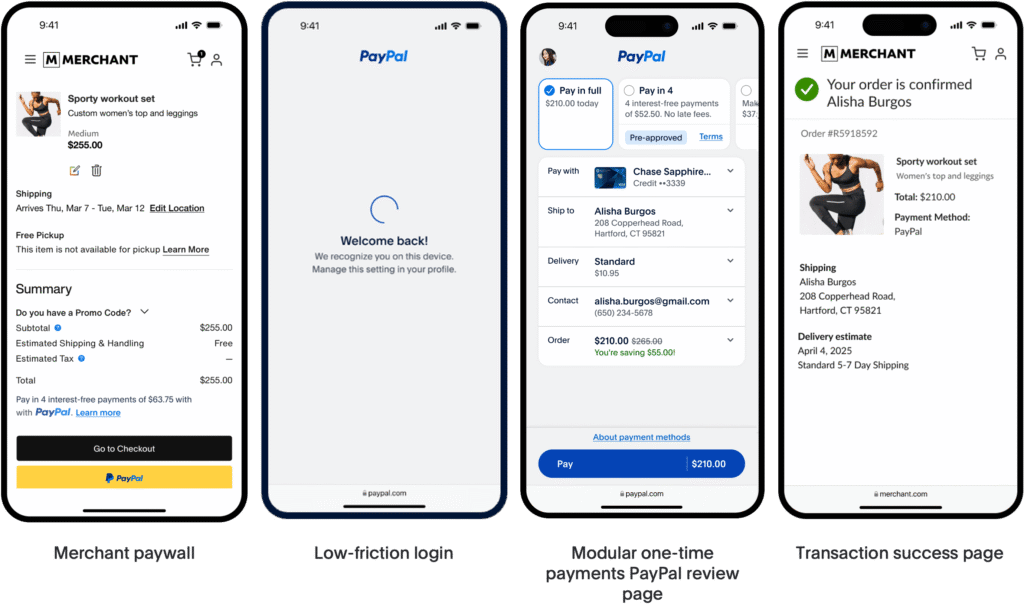
Familiar UI patterns make an experience feel easier because users do not have to relearn how it works. They understand where to click, what will happen next, and how to complete the task.
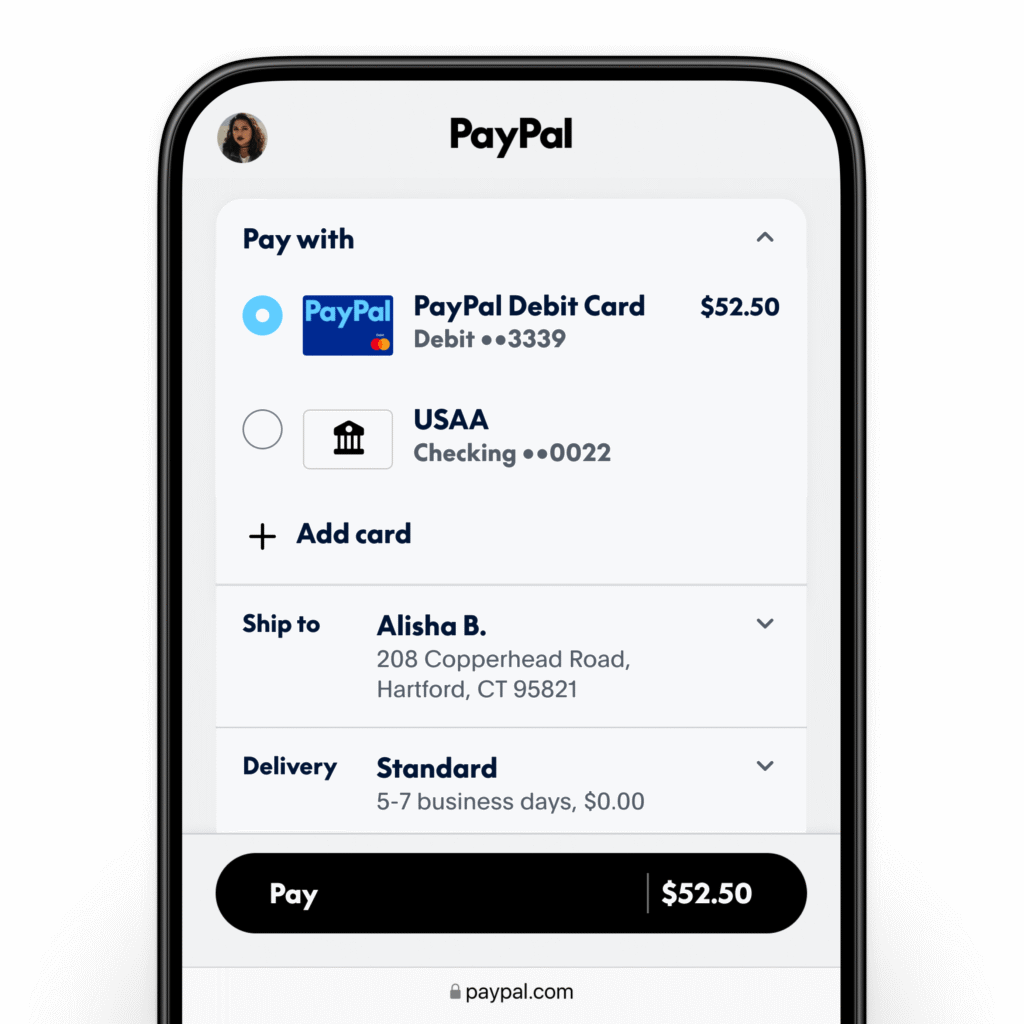
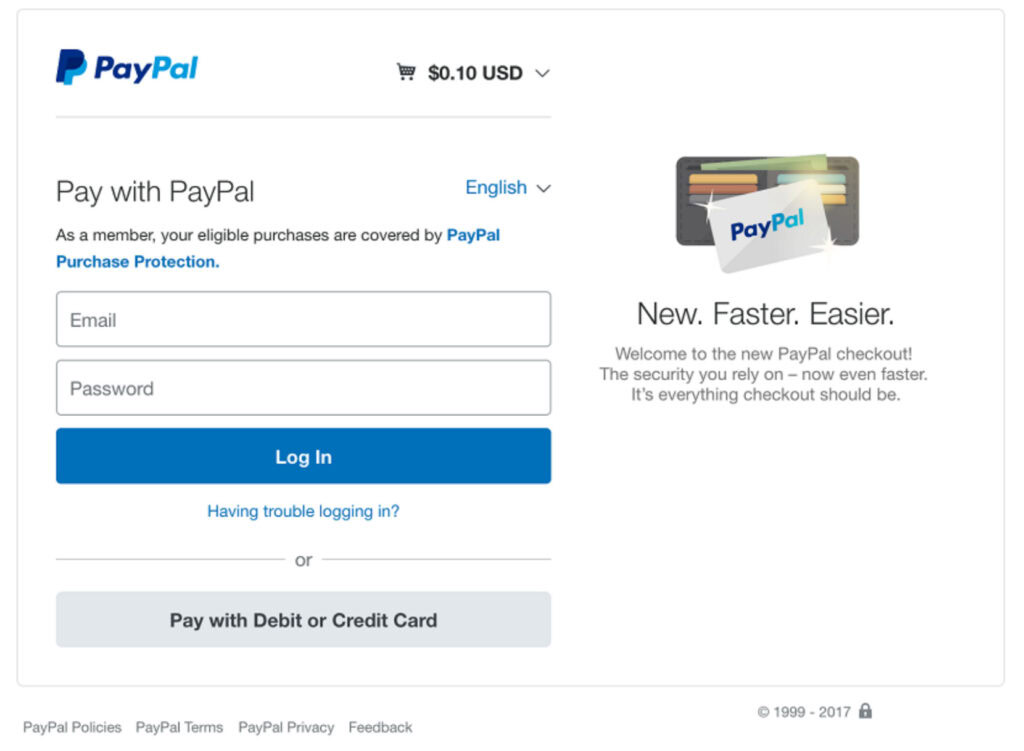
PayPal benefits from familiarity because many users have already used it before. The login flow, payment confirmation screen, account selection, and final approval process feel recognizable. Users know what to expect.
That expectation reduces friction.
A completely new payment interface can create hesitation, even if it is technically well designed. Users may wonder if they are in the right place. They may worry that clicking the wrong button will charge them too early. They may get confused if the flow looks too different from what they expected.
PayPal avoids much of that because its interface follows familiar payment patterns.
The user chooses PayPal, signs in if needed, reviews the payment details, confirms the purchase, and returns to the merchant. The flow is clear and predictable.
Predictability builds trust.
In UX, familiarity is powerful because it reduces cognitive load. Users do not need to think as hard. They can focus on completing the task instead of interpreting the interface.
This does not mean every website should copy PayPal’s design. It means brands should be careful when redesigning checkout, pricing pages, forms, and payment flows. Creativity is useful in brand storytelling, but checkout is not the place to make users guess.
RAW Studio’s article on 7 UX tips for ecommerce to increase conversions makes a similar point about simplicity, intuitive navigation, clear CTAs, reviews, and mobile-friendly design. These principles matter because users convert more easily when the path feels obvious.
For payment UX, familiar patterns can include standard button placement, clear form labels, recognizable payment logos, progress indicators, simple confirmation screens, and direct error messages.
The experience should feel calm and expected.
If the payment flow surprises users too much, it may create doubt instead of delight.
3. Brand Recognition
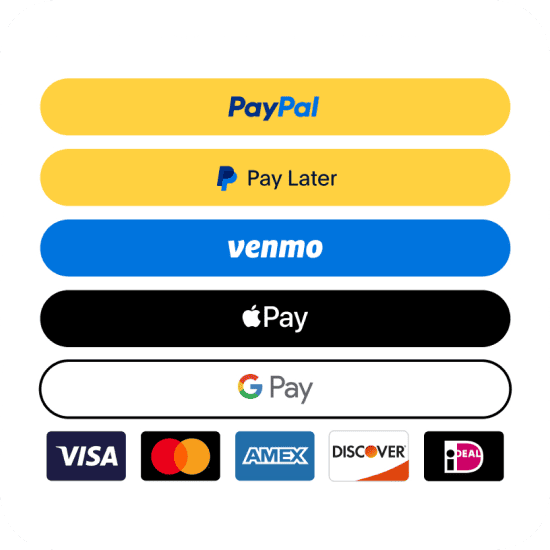
Brand recognition is one of PayPal’s biggest conversion advantages.
When users see the PayPal logo at checkout, they are not seeing a random payment option. They are seeing a brand they may already associate with online shopping, security, refunds, and buyer protection.
That recognition carries weight.
For unfamiliar stores, PayPal can act as a borrowed trust signal. A user may not fully trust the merchant yet, but they may trust PayPal enough to complete the payment.
This is especially valuable for first-time purchases.
When someone buys from a brand they already know, the checkout decision is easier. When they buy from a brand they have never used before, the risk feels higher. In that situation, a recognized payment option can make the decision feel safer.
Brand recognition also reduces decision fatigue. Instead of evaluating every part of the checkout experience from scratch, users can rely on a known payment brand as a shortcut.
That shortcut can increase confidence.
This is why payment logos, trust badges, recognizable platforms, customer reviews, and third-party verification can all support conversion. They help users understand that the business is legitimate and that the transaction is protected by systems they recognize.
However, brand recognition must be used carefully.
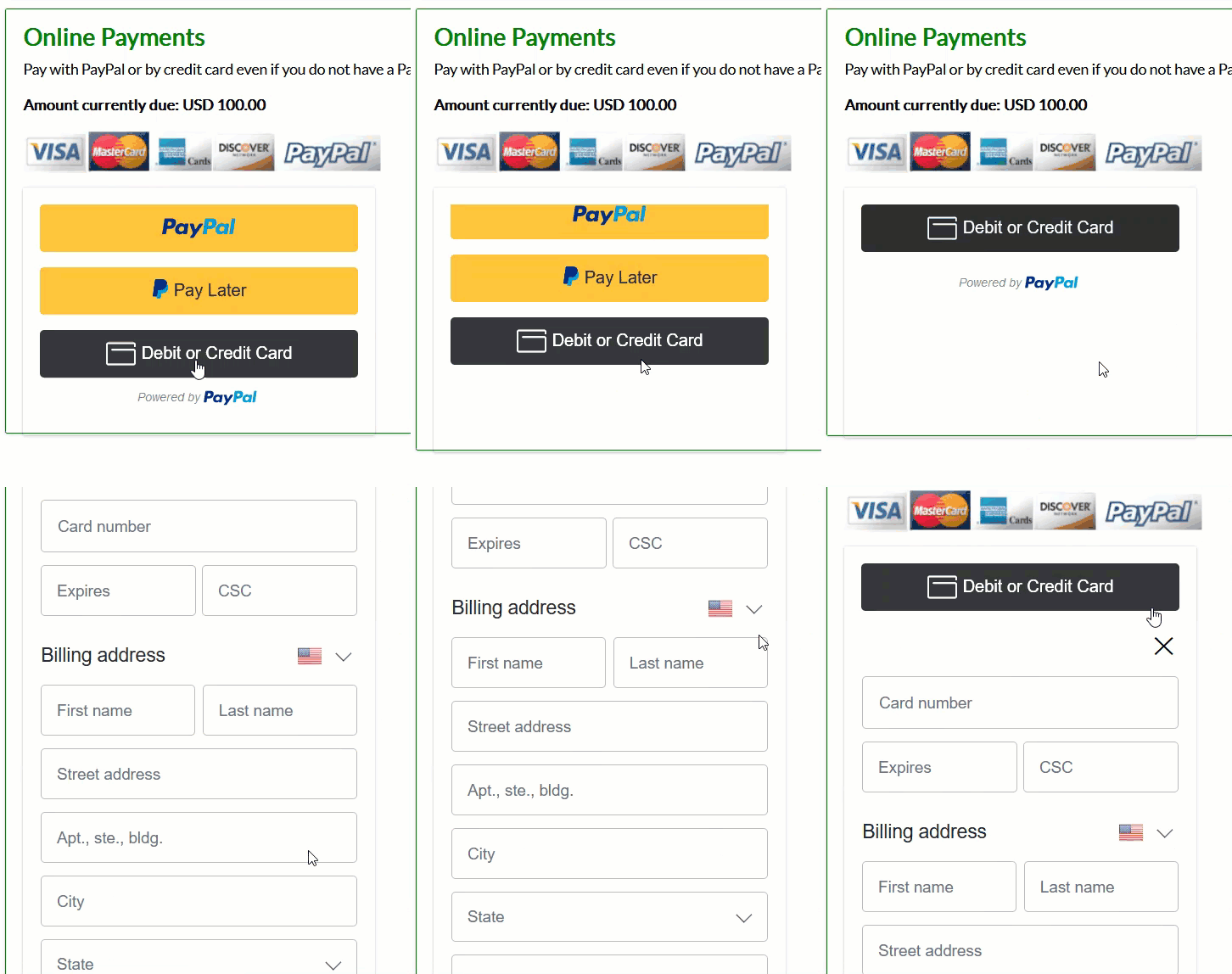
Trust signals should feel credible, not decorative. Adding random badges, fake-looking seals, or too many payment logos can make a checkout page feel cluttered or suspicious. The best trust signals are relevant, recognizable, and placed where they help the user make a decision.
PayPal works because the brand is already meaningful. It does not need heavy explanation. The logo alone can reduce hesitation for many users because the brand has built years of trust outside the individual checkout page.
This is a reminder that UX and brand are connected.
A user’s experience with a product is shaped by what they see on the screen, but it is also shaped by what they already believe about the brand. RAW Studio’s article on how brand strategy and UX design work together explores this connection well. Strong brand trust makes UX more persuasive, while strong UX makes the brand feel more reliable.
Why PayPal’s Trust-Building UX Works
PayPal’s UX works because it reduces fear and hesitation at the most sensitive point in the customer journey.
The user is not just browsing anymore. They are about to commit. They are about to spend money. They are about to share personal or financial details.
At that moment, even small doubts can become conversion blockers.
PayPal helps reduce those doubts in three ways.
First, it makes the payment feel secure. The user sees a known payment provider and feels less exposed.
Second, it makes the flow feel familiar. The user recognizes the interface and understands the steps.
Third, it brings strong brand recognition into the checkout. The user does not have to decide whether to trust the merchant alone. PayPal adds another layer of confidence.
These elements work together because trust is not built from one message. It is built from repeated signals.
A secure label helps. A familiar button helps. A known logo helps. A clear confirmation screen helps. A simple refund explanation helps. A clean checkout layout helps.
The more consistent these signals are, the easier it becomes for users to move forward.
This is why checkout optimization should never focus only on speed. Speed matters, but confidence matters too. A checkout can be fast and still feel risky. A form can be short and still feel unclear. A payment page can look clean and still fail to reassure users.
Good payment UX removes friction.
Great payment UX removes fear.
How Other Brands Can Apply PayPal’s UX Lessons
Most businesses do not have PayPal’s global recognition. However, they can still apply the same trust-building principles.
The goal is not to become PayPal. The goal is to understand why PayPal works and use those lessons in your own checkout, pricing, onboarding, and payment experiences.
Here are three practical ways to apply them.
1. Add Trust Signals Near the Decision Point

Trust signals work best when they appear close to the action users are about to take.
If someone is about to pay, show secure payment information near the payment button. If someone is about to submit a form, show privacy reassurance near the form. If someone is choosing a plan, show cancellation terms, support details, or guarantee information near the pricing CTA.
Do not hide trust information in the footer or terms page and expect users to find it.
Make it visible when it matters.
Useful trust signals can include secure checkout messaging, accepted payment logos, refund policy summaries, customer reviews, support availability, privacy notes, company details, and third-party platform recognition.
The key is to keep these signals specific and believable.
For example, instead of saying “100% safe,” say “Payments are processed securely through PayPal and major card providers.” Instead of saying “No risk,” say “Cancel anytime before your next billing cycle.”
Clear trust signals reduce uncertainty because they answer practical concerns before users have to ask.
2. Keep the UI Familiar
Checkout is not the best place to experiment with unusual patterns.
Users want clarity. They want to know what information is required, what will happen after clicking, and whether they can review the purchase before confirming.
Keep the layout simple. Use clear labels. Make the primary action obvious. Avoid unexpected steps. Make errors easy to fix. Show progress if the checkout has multiple stages.
This is especially important on mobile, where small frustrations can quickly lead to abandonment.
A familiar UI does not have to be boring. It simply needs to match user expectations. You can still use brand personality in typography, tone, illustration, and microcopy, but the core flow should feel easy to understand.
RAW Studio’s article on what UX is and why it matters for business explains that good UX supports conversion, loyalty, and business outcomes. Payment UX is one of the clearest examples of this because even small improvements can directly affect revenue.
3. Highlight Security Without Creating Anxiety
Security messaging should reassure users, not scare them.
Some brands make the mistake of overloading checkout pages with warnings, policies, and technical language. This can backfire because it reminds users of risk without making them feel protected.
The better approach is to make security visible, simple, and calm.
Use plain language. Keep security copy short. Place it near payment actions. Show recognized payment options. Explain what users can expect after paying. Provide easy access to support.
For example, a short message like “Your payment is securely processed, and your card details are never stored on this website” can be more effective than a long technical explanation.
The tone matters too.
Users should feel reassured, not pressured.
This applies beyond checkout. SaaS products, finance apps, healthcare platforms, and booking websites all need to communicate security clearly. Any experience that asks users for sensitive information should make trust part of the design.
Final Thoughts
PayPal’s conversion power comes from more than convenience.
It comes from trust.
The brand uses security indicators, familiar UI patterns, and strong brand recognition to reduce fear at the point of payment. These elements make users feel safer, clearer, and more willing to complete the purchase.
That is the real lesson behind PayPal UX.
Users do not abandon checkout only because the product is wrong or the price is too high. Sometimes they abandon because the experience does not give them enough confidence to continue.
For any business that sells online, trust-building UX should be treated as a conversion priority. Add trust signals where users need reassurance. Keep the interface familiar where clarity matters most. Highlight security in a way that feels calm and credible.
The easier it is for users to trust the experience, the easier it is for them to take the next step.
Want to Improve Your Website’s Conversion Experience?
A trusted checkout does not happen by accident. It comes from clear UX, strong messaging, and a customer journey that removes doubt at the right moments.
If your website gets traffic but users are not converting, RAW Studio can help you identify where trust is breaking down and how to create a smoother path from first visit to final action.
Request a website proposal from RAW Studio and get a clearer plan for improving your UX, checkout flow, and conversion journey.
Get a UX & CRO Expert’s Eyes on Your Website. Book a free 30-minute UX Teardown and get actionable insights on what’s costing you conversions — no fluff, just fixes you can implement right away.
Book a Free UX Audit

Related posts
Reducing Checkout Abandonment Through Micro UX
Checkout abandonment remains one of the most costly challenges facing online businesses today. After investing significant resources to attract users, […]
How Wise Uses 3 Transparency-First UX Principles to Build Trust in Fintech
Wise UX succeeds because it does not ask users to trust the brand before showing them why they should. Sending […]
How Medium Converts Readers with 3 Content UX Strategies
Medium UX shows how a clean, value-first reading experience can turn casual readers into paying subscribers. Most content platforms fight […]
Creative product design that gets results
Take your company to the next level with world class user experience and interface design.
get a free strategy session
