
How Zoom Won the Market with 3 Simplicity-First UX Decisions

Zoom UX proves that a simple product experience can beat more complex competitors, especially when users need speed, clarity, and reliability.
Before Zoom became the default word for video meetings, the market was already full of video conferencing tools. Large companies had meeting software. Teams had internal communication platforms. Enterprise users had access to complex conferencing systems with long feature lists.

Yet Zoom grew quickly because it solved one painful problem better than many competitors: it made joining a meeting feel easy.
That simplicity mattered.
A video call is often not the main task. It is the doorway to the real task. Users want to join a sales call, attend a class, run a workshop, interview a candidate, speak with a doctor, or meet with a client. They do not want to spend ten minutes downloading software, creating an account, fixing settings, or asking someone for help.
Zoom understood this.
Instead of making users work hard before they could experience the product, Zoom reduced the steps between invitation and participation. Its simplicity-first user experience helped remove friction at the exact point where many tools created frustration.
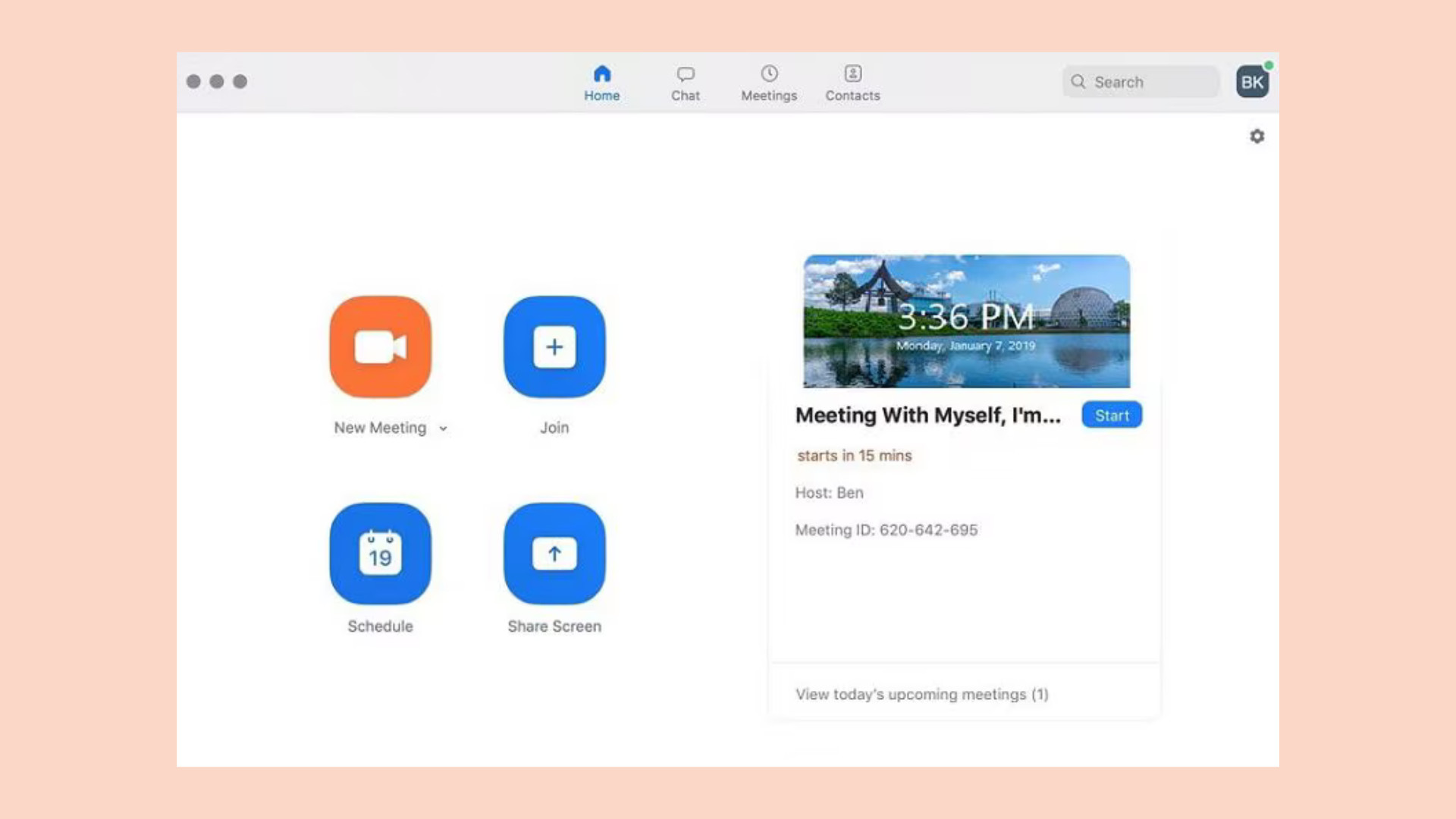
That is why Zoom UX is worth studying. It shows how one-click access, minimal setup, and a clean interface can create a product experience that feels faster, easier, and more dependable.
For SaaS companies, ecommerce brands, service businesses, and digital products, the lesson is clear: users do not reward complexity. They reward products that help them get where they need to go without confusion.
Table of Contents
Why Simplicity Wins in UX
Most product teams believe they are making things easier for users. In reality, many products become harder to use over time.
A feature gets added. Then another setting. Then another onboarding screen. Then another permission step. Then another menu. Slowly, the product becomes more powerful, but also more difficult to start using.
That is dangerous because users do not experience your product as a feature list. They experience it as a sequence of moments.
Can I understand what this does?
Can I start quickly?
Can I complete the task without help?
Can I recover if something goes wrong?
Can I trust this to work when I need it?
These questions matter because usability is one of the foundations of good UX. Nielsen Norman Group defines usability through qualities such as learnability, efficiency, memorability, errors, and satisfaction. In simple terms, a good product should be easy to learn, fast to use, and hard to mess up.
Zoom became strong because it performed well in those areas for a very specific use case: joining and running video meetings.
Its early success was not only about video quality. It was about reducing the anxiety around getting into a call. The product made the first experience feel simple enough that almost anyone could use it, even if they had never used Zoom before.
This is where simplicity becomes a growth advantage.
If users can try the product without friction, they are more likely to experience its value. If they experience its value quickly, they are more likely to return. If they can invite others easily, the product spreads faster.
RAW Studio’s article on what UX is and why it matters for business explains this bigger point well. UX is not just about how a product looks. It is about how easily users can move from intention to outcome.
Zoom did that by making access feel almost effortless.
The 3 Simplicity-First UX Decisions Behind Zoom’s Growth
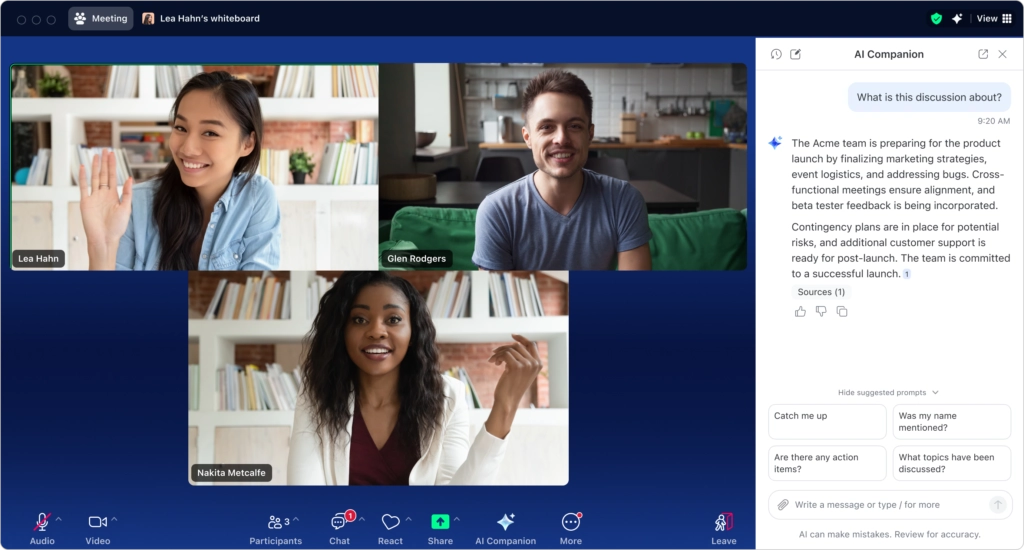
Zoom’s user experience became memorable because it removed unnecessary friction from a high-pressure moment.
When someone needs to join a meeting, they are often in a rush. They may be switching from another task. They may be joining from a new device. They may be nervous about being late. They may not know the host. They may be using the tool for the first time.
That is not the moment to add complexity.
Zoom’s simplicity came from three key UX decisions: one-click join, no account required for participants, and a clean interface.
Each decision made the product easier to start, easier to understand, and easier to trust.
1. One-Click Join
One of Zoom’s most important UX decisions was making the meeting invitation simple to act on.
The user receives a link. They click it. The product guides them into the meeting.
That sounds obvious today, but it was not always the standard experience in video conferencing. Older tools often required meeting IDs, dial-in numbers, browser plugins, account permissions, calendar setup, or software configuration before the user could join.
Zoom reduced that friction.
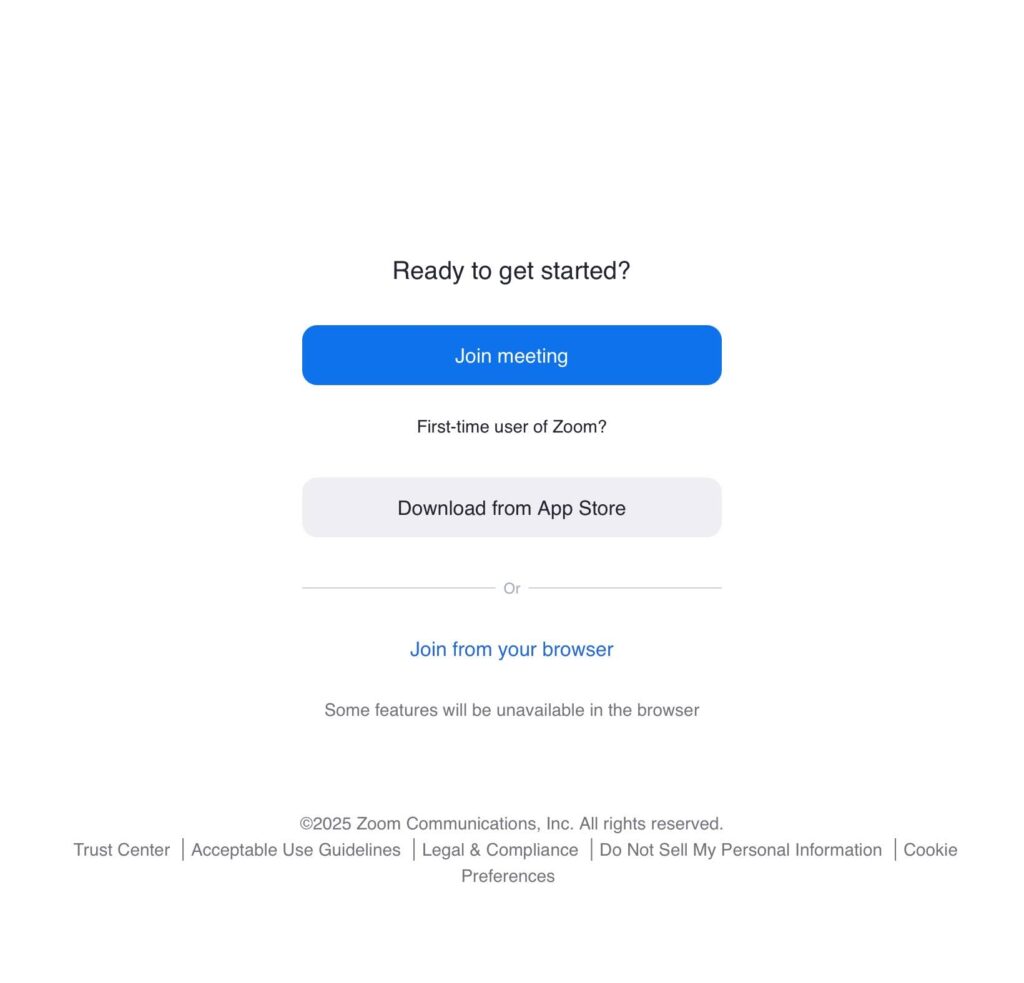
The one-click join experience works because it matches the user’s intent. When someone clicks a meeting link, their goal is not to explore the product. Their goal is to enter the meeting.
A good UX flow respects that.
The shorter the distance between intent and outcome, the better the experience feels. Zoom’s meeting link became a direct path into value. It did not ask users to understand the entire product first. It helped them complete the immediate task.
This is an important lesson for any digital product.
Many websites and apps make users take too many steps before they reach the value. A SaaS product may ask for too much setup before showing the dashboard. An ecommerce store may force users through too many filters before they can compare products. A service website may make visitors read multiple pages before they understand what to do next.
The result is the same: users slow down, hesitate, or leave.
One-click join worked because it removed unnecessary decisions. The user did not need to think about where to go or what to do next. The interface carried them forward.
This principle also applies to conversion-focused websites. If the main user goal is to book a consultation, request a quote, start a trial, or buy a product, the path should be easy to see and easy to follow.
RAW Studio’s article on UX tips for ecommerce to increase conversions makes a similar point about clarity, simple navigation, strong calls to action, and reducing friction. The same idea applies beyond ecommerce. A clearer path usually creates a better chance of conversion.
2. No Account Required
Another major Zoom UX decision was allowing invited participants to join meetings without creating an account.
This was a powerful growth move because it removed one of the biggest onboarding barriers: forced registration.
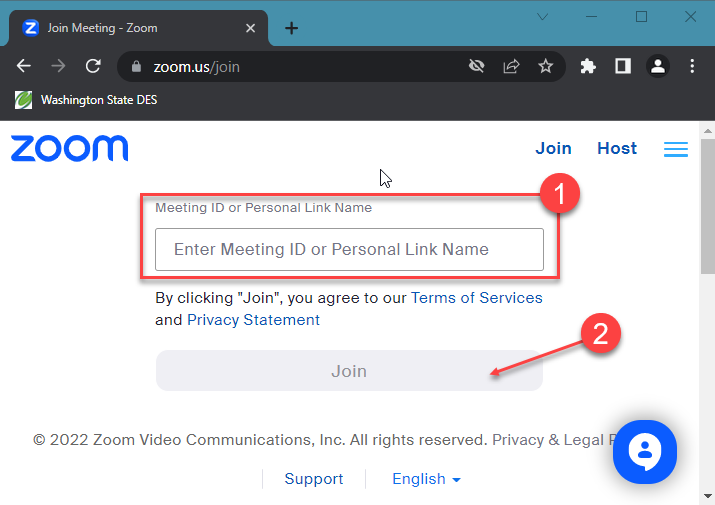
When someone is invited to a meeting, they may not be ready to become a user in the traditional sense. They simply need to attend. If the product forces them to create an account before joining, it creates a moment of resistance.
That resistance can feel small, but it matters.
A sign-up form asks for time, attention, personal information, and trust. It also creates the possibility of forgotten passwords, email verification delays, wrong account details, and confusion. For a meeting participant who is already trying to join on time, that extra step can create frustration.
Zoom avoided this by separating participation from account creation.
Hosts needed accounts. Participants could often join through an invitation without signing up. That made Zoom easier to spread because every meeting became a low-friction introduction to the product.
This is a smart product-led growth principle.
Not every user needs to be converted immediately. Sometimes the best UX decision is to let people experience value first. Once they understand the value, they are more likely to create an account later.
Many companies get this wrong. They ask for commitment too early.
They hide product demos behind forms. They require account creation before users can explore basic functionality. They ask for too much information during onboarding. They make visitors create accounts before checkout. They turn a simple task into a registration process.
The problem is not that accounts are bad. Accounts can be useful. They help with personalization, security, billing, saved preferences, and long-term engagement.
The problem is timing.
If the account requirement appears before the user understands the value, it can reduce conversion. If it appears after the user has already experienced the value, it feels more reasonable.
Zoom’s no-account-required approach worked because it respected the user’s immediate context. The user did not want to become a Zoom customer in that moment. They wanted to join a call.
Zoom let them do that.
3. Clean Interface
Zoom’s third important UX decision was keeping the meeting interface clean and practical.
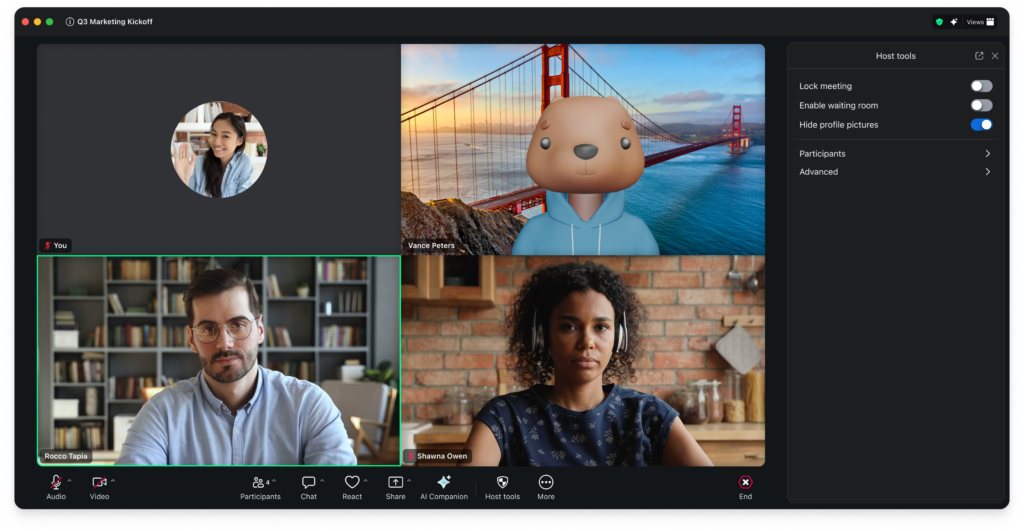
A video meeting tool has many possible features: mute, camera, screen share, chat, reactions, participants, recording, captions, breakout rooms, backgrounds, settings, security controls, and more. The challenge is not simply adding these features. The challenge is making them accessible without overwhelming the user.
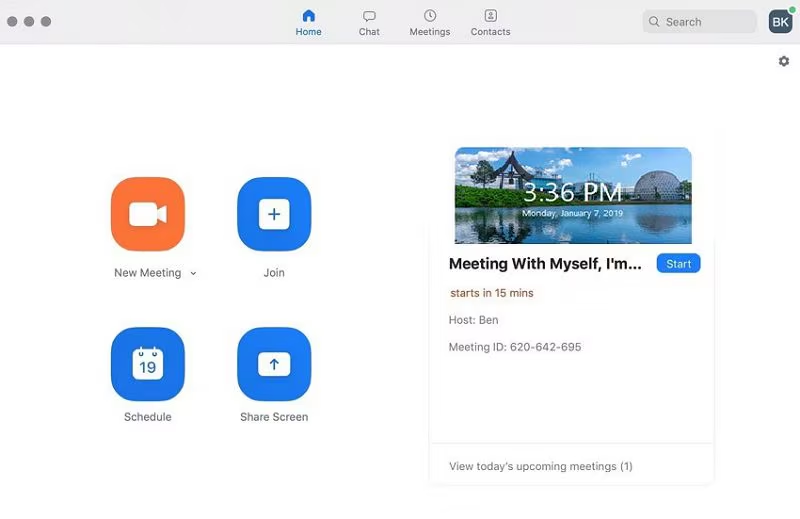
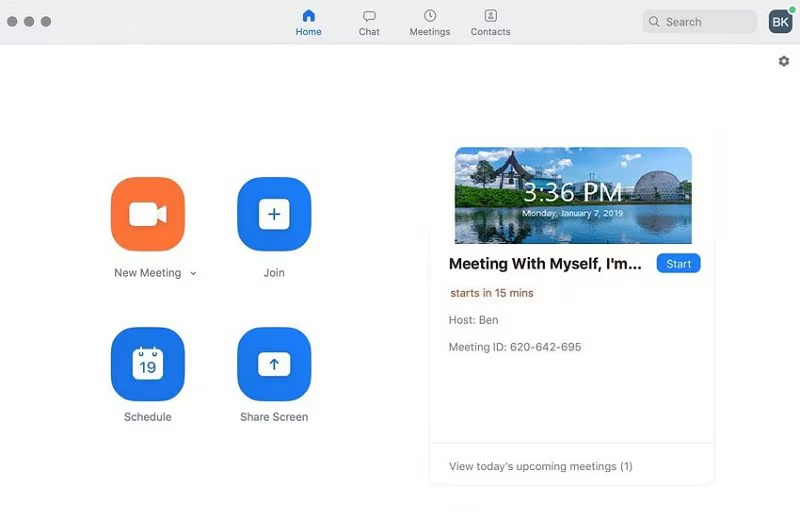
Zoom’s interface became popular because the core meeting controls were easy to understand.
Users could quickly find the most important actions. Mute. Start video. Share screen. Leave meeting. Open chat. View participants.
These controls matched the mental model of a meeting. Users did not need a long tutorial to understand what each button was for.
That matters because video calls are live experiences. Mistakes feel more stressful when other people are watching or waiting. If a user cannot find the mute button, they may feel embarrassed. If they cannot share their screen, the meeting may slow down. If they cannot leave or switch audio, the experience becomes frustrating.
A clean interface reduces that pressure.
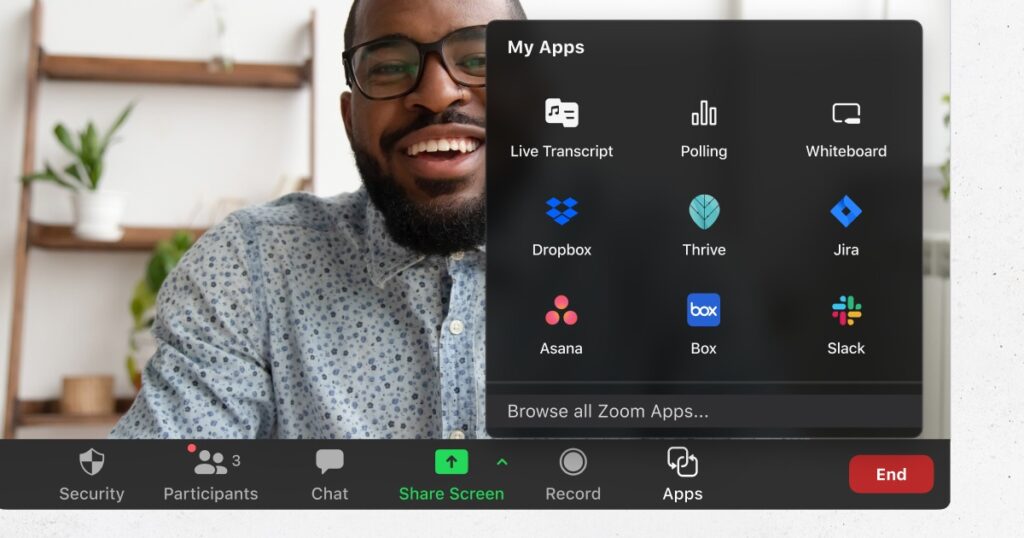
It also helps different types of users participate. Zoom was used by executives, teachers, students, doctors, consultants, families, event hosts, and people with very different levels of technical confidence. A cluttered interface would have made that harder.
The best interface is not always the one with the most features visible. It is the one that makes the right features available at the right time.
This is where simplicity requires discipline.
Product teams often want to show everything because every feature took effort to build. But users do not care how much effort went into the product. They care whether they can use it easily.
A clean interface supports usability by reducing cognitive load. Users can make decisions faster because fewer things compete for attention.
RAW Studio’s article on bridging brand strategy and UX design touches on a related idea. A strong digital experience needs consistency between what a brand promises and what users actually experience. Zoom promised easy video meetings. Its interface supported that promise by staying focused on the core task.
Why Zoom’s Simplicity-First UX Worked
Zoom’s UX worked because it removed onboarding friction.
A user could receive a meeting link, click it, and join without understanding the entire product. That first experience was fast and useful. The user did not need to study the interface, create an account, or configure a complex system before getting value.
That is a major reason the product spread so quickly.
Simple access made Zoom easy to share. No account requirement made it easy for new participants to try. A clean interface made it easy for different users to complete the meeting without help.
Together, these UX decisions created a strong adoption loop.
A host invited people to Zoom. Participants joined easily. Those participants experienced the product without much friction. Some of them later became hosts themselves. The product spread through use, not just through marketing.
This is the power of low-friction UX.
When the product is easy to enter, easy to understand, and easy to repeat, users become more willing to use it again. They also become more willing to recommend it to others.
That is why simplicity is not just a design preference. It is a growth strategy.
How Other Businesses Can Apply Zoom’s UX Lessons
Most companies are not building video meeting software, but Zoom’s UX lessons apply across many digital products and websites.
The core principle is simple: reduce the distance between user intent and user value.
Here are three ways to apply that principle.
1. Simplify Access
Make it easier for users to reach the thing they came for.
If users want to book a call, make the booking path obvious. If they want pricing, make pricing easy to find. If they want to compare products, give them a clear comparison. If they want to try the product, let them experience value as quickly as possible.
Do not bury the main action behind unnecessary pages, confusing menus, or vague calls to action.
Simplifying access means understanding the user’s primary goal and designing the path around it. This may include clearer navigation, better CTAs, shorter forms, fewer clicks, and stronger page hierarchy.
It also means removing distractions.
A homepage does not need to explain everything at once. A landing page does not need to offer ten equal options. A checkout page does not need unnecessary links that pull users away from completing the purchase.
A simple path helps users move.
2. Reduce Setup
Setup is one of the easiest places to lose users.
Every extra field, permission, verification step, configuration screen, or decision can create friction. Some setup is necessary, especially for complex products. But not all setup needs to happen before the user experiences value.
Ask yourself: what is the minimum a user needs to do before they can get a meaningful result?
That question can improve onboarding, checkout, sign-up forms, demo flows, product trials, and service inquiry forms.
For example, a SaaS product might delay advanced configuration until after the user sees the dashboard. An ecommerce store might allow guest checkout instead of forcing account creation. A service business might ask only for the key details needed to start a conversation, then collect more information later.
RAW Studio’s article on 5 common mistakes that kill form conversions is useful here because forms are often where setup friction becomes visible. Long forms, unclear labels, and unnecessary fields can stop motivated users from continuing.
Reducing setup does not mean removing important steps. It means asking for the right information at the right time.
3. Focus on Usability
Usability is not a nice extra. It is the foundation of a product people can actually use.
A usable experience is clear, predictable, efficient, and forgiving. Users should understand what they can do, what happens next, and how to fix mistakes.
This matters across every digital touchpoint.
On a website, usability affects navigation, page structure, forms, CTAs, mobile design, accessibility, and checkout. In a SaaS product, it affects onboarding, dashboards, settings, feature discovery, and support. In ecommerce, it affects search, filtering, product pages, cart flows, and payment.
The more important the task, the more important usability becomes.
Zoom succeeded because it made a high-pressure task feel simple. Joining a meeting can be stressful if the tool gets in the way. Zoom reduced that stress by making the most important actions easy to find and easy to repeat.
Your business can do the same by auditing the moments where users hesitate, drop off, or ask for help. Those moments usually reveal where the experience needs to be simplified.
Final Thoughts
Zoom did not win the market simply because it had video conferencing features.
It won because the experience felt easier.
One-click join helped users enter meetings faster. No account requirement reduced participation friction. A clean interface made the product feel understandable, even for people who were not technically confident.
Together, these simplicity-first UX decisions helped Zoom turn a common frustration into a smoother experience.
That is the bigger lesson for any business.
Users do not want to work hard to understand your product. They do not want to fight through setup before seeing value. They do not want to guess where to click or what to do next.
They want the experience to make sense.
If your website, product, or checkout flow feels too complicated, users may not tell you. They may simply leave.
Simplicity helps people continue. It builds confidence. It makes products easier to share. It turns first-time users into repeat users.
The best UX does not always feel impressive. Sometimes, it feels invisible because everything just works.
Want to Simplify Your Website Experience?
A website that looks good but feels hard to use can quietly cost you leads, sales, and customer trust.
If your users are dropping off, hesitating, or struggling to take the next step, RAW Studio can help you identify the friction and design a clearer path from first visit to conversion.
Request a website proposal from RAW Studio and get a practical plan for improving your UX, usability, and conversion journey.
Get a UX & CRO Expert’s Eyes on Your Website. Book a free 30-minute UX Teardown and get actionable insights on what’s costing you conversions — no fluff, just fixes you can implement right away.
Book a Free UX Audit

Related posts
How Uber Increased Ride Conversions by 14.5% with 3 Friction-Reducing UX Changes
Uber UX did not simply improve ride booking. It reshaped how people expect digital products to behave. Today, booking a […]
Ambient AI in UX: Interfaces That Work Without Buttons
Ambient AI is quietly reshaping how people interact with digital products. Instead of clicking buttons, filling forms, or issuing explicit […]
Empty States, Error States & Onboarding: The Hidden UX Moments Users Notice
When discussing user experience design, the spotlight often falls on primary workflows. Design teams tirelessly debate color schemes, button placements, […]
Creative product design that gets results
Take your company to the next level with world class user experience and interface design.
get a free strategy session
