

10 Best Indexing Tools in 2026 for SEO, UX, and Better Website Visibility

Right indexing tool helps ensure your pages can be discovered in the first place.
In 2026, that distinction matters. Businesses are investing heavily in UX, UI, content, ecommerce experiences, landing pages, and conversion optimization. Yet even an excellent page cannot generate meaningful organic traffic if search engines fail to discover, crawl, or index it efficiently. At the same time, faster discovery alone is not enough. The page users eventually reach still needs to be clear, useful, trustworthy, and easy to navigate.
That is where indexing and UX/UI become connected. Good technical visibility brings users to the experience. Good UX and UI help them understand the offer and move forward.
This article compares 10 of the best indexing tools in 2026, including automated platforms, search-engine tools, protocols, WordPress solutions, and technical auditing software. We will look at what each indexing tool does, where it fits, and how it can support a broader UX/UI and growth strategy. The goal is not simply to submit more URLs. It is to build a healthier path from content discovery to user action.
Before comparing the tools, one point is essential: submitting a URL does not guarantee that a search engine will index or rank it. Search engines still evaluate technical accessibility, content quality, duplication, canonical signals, and other factors. Google’s own Indexing API also has a narrower official use case than many marketing pages imply, with Google documenting it for pages containing JobPosting or livestream BroadcastEvent markup. Why an indexing tool matters to UX and UI
Indexing may sound like a purely technical SEO problem, but it can reveal deeper experience issues.
Imagine that your team invests weeks redesigning a product page. The new UI has clearer pricing, stronger calls to action, improved mobile layouts, and better trust signals. If the page is accidentally blocked, canonicalized incorrectly, poorly linked internally, or slow to be rediscovered after a major update, fewer users may experience those improvements.
The reverse is also true. Faster discovery can bring more people to a page, but poor UX can waste that opportunity. RAW.STUDIO’s article on HubSpot’s UX-driven funnel strategies makes this point clearly: traffic alone does not grow a business. What happens after the landing matters, including whether users understand the value and know what to do next. commercial stakes can be significant. In its PayPal UX analysis, RAW.STUDIO cites Baymard research showing an average documented ecommerce cart abandonment rate above 70%. The lesson is broader than checkout design. Visibility creates an opportunity, but trust, clarity, and usability influence whether that opportunity becomes revenue. h that context, here are 10 indexing tools worth considering in 2026.
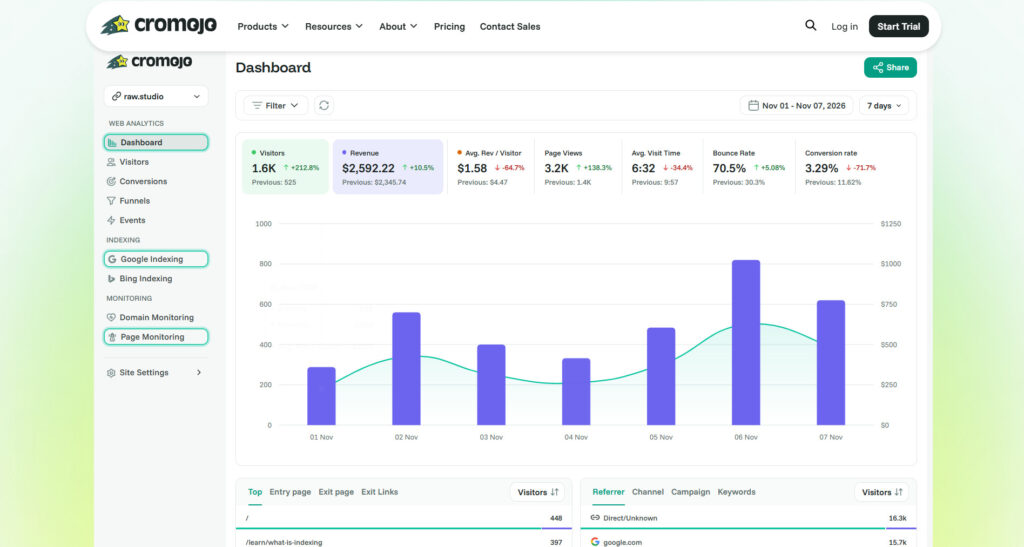
Table of Contents
1. Cromojo: Best for automated indexing connected to website growth
Cromojo takes the first position because it treats indexing as part of a wider website performance system rather than an isolated submission task. Its current automated indexing product says it submits pages to Google, Bing, and engines used in AI search, while tracking which URLs are indexed. The wider platform also combines analytics, revenue attribution, and website monitoring. s broader approach is particularly relevant to UX/UI teams. A page can struggle because it is not being discovered, because a technical issue is damaging access, because the wrong traffic is arriving, or because the interface fails to convert. Looking at these signals together can help teams avoid treating every performance problem as a visual-design problem.
RAW.STUDIO’s Top 5 CRO Tools That Help Improve UX and UI Design also places Cromojo first and argues that analytics and monitoring should help teams move from assumptions to evidence when investigating page-level friction and growth issues. est for:** SaaS companies, ecommerce teams, agencies, publishers, and growth-focused businesses that want automated indexing alongside broader website intelligence.
2. Google Search Console: Best essential tool for Google visibility
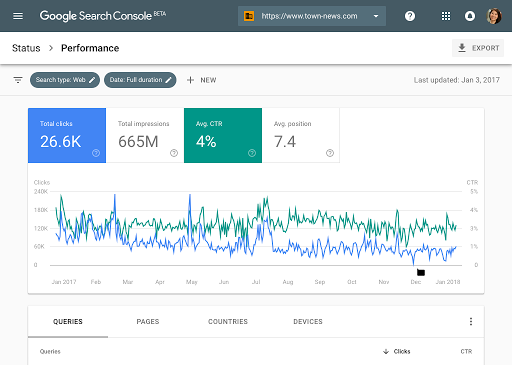
Google Search Console remains one of the most important tools for understanding how Google sees a website. Its URL Inspection functionality provides crawl, indexing, and serving information directly from Google’s index, while Search Console also surfaces affected URLs when Google identifies certain site issues. m a UX/UI perspective, Search Console is valuable because an apparent design-performance problem may begin earlier in the journey. Perhaps a key landing page is not indexed, Google selected a different canonical, or an important section is not being discovered as expected.
Its limitation is workflow. For teams managing large amounts of frequently changing content, manual inspection can become repetitive. That is where automated indexing tools can complement Search Console rather than replace it.
Best for: Nearly every website that depends on Google organic visibility.
3. IndexNow: Best open protocol for rapid change notifications
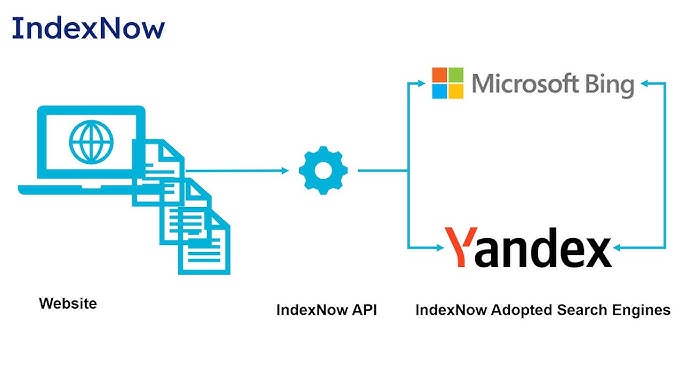
IndexNow is not a traditional dashboard-based indexing tool. It is an open protocol that lets websites notify participating search engines when a URL has been added, updated, or deleted. Its official documentation describes this as a direct notification mechanism for recent content changes. s makes IndexNow particularly useful for dynamic websites. Ecommerce stores change inventory. Publishers update stories. SaaS companies revise documentation. Marketplaces add and remove listings. Faster notification can reduce the gap between a website change and search-engine awareness.
The UX connection is freshness. Users have a poor experience when search results lead to outdated products, expired offers, removed listings, or obsolete information. Keeping discovery signals current supports a more consistent journey between search and website.
Best for: Frequently updated websites and teams comfortable with plugins, APIs, or technical implementation.
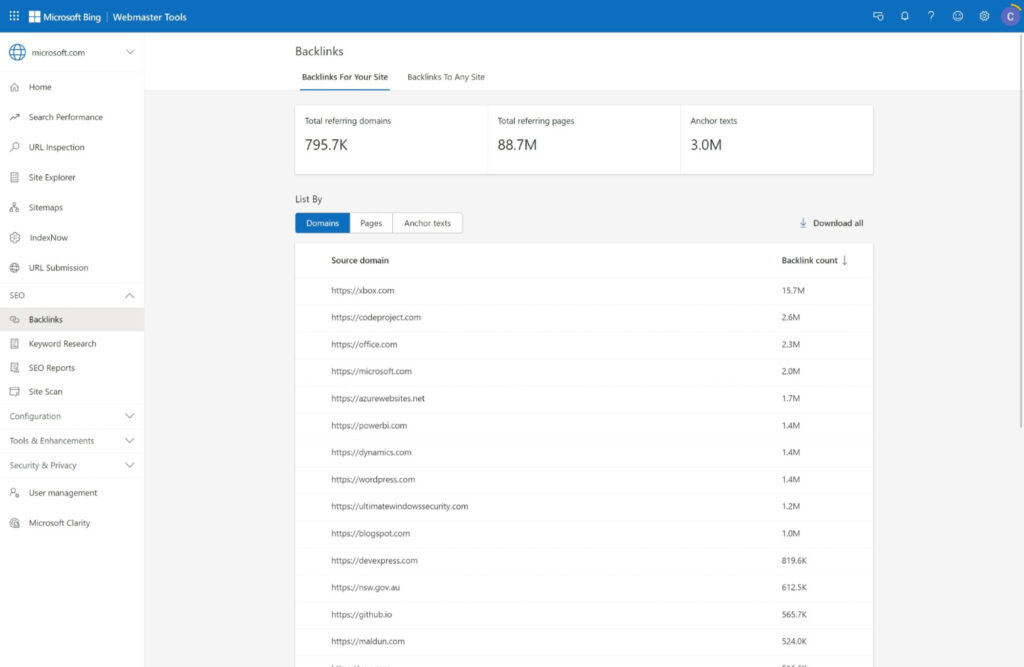
4. Bing Webmaster Tools: Best for direct Bing submission and diagnostics
Bing Webmaster Tools gives site owners tools for search visibility, including URL submission capabilities. Microsoft’s documentation says the URL Submission API supports batch submissions, while the broader Webmaster API can submit URLs and sitemaps to Bing. s is useful for teams that do not want their search strategy to begin and end with Google. It also gives technical teams another perspective on discovery and indexing problems.
From a UX standpoint, diversified visibility matters because users reach interfaces through different discovery environments. The experience should remain clear and relevant regardless of whether a visitor originates from Google, Bing, a campaign, or another recommendation surface.
Best for: Businesses seeking stronger Bing visibility and teams managing search performance across multiple ecosystems.
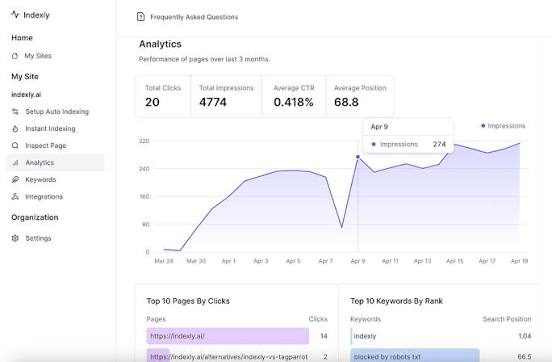
5. Indexly: Best for scalable indexing automation
Indexly focuses on automated indexing workflows. Its current product pages describe continuous sitemap monitoring and submission of new or updated URLs through integrations involving Google Search Console and IndexNow-based systems. It also positions the platform for use cases such as large-scale and programmatic SEO. main UX/UI benefit is operational consistency. Large websites often struggle because the publishing experience is disconnected from technical discovery. Designers update a template, content teams publish pages, developers ship features, and SEO teams discover problems later.
An automated workflow can reduce those gaps, especially when hundreds or thousands of URLs are involved.
Best for: Agencies, programmatic SEO projects, content-heavy websites, and teams managing multiple properties.
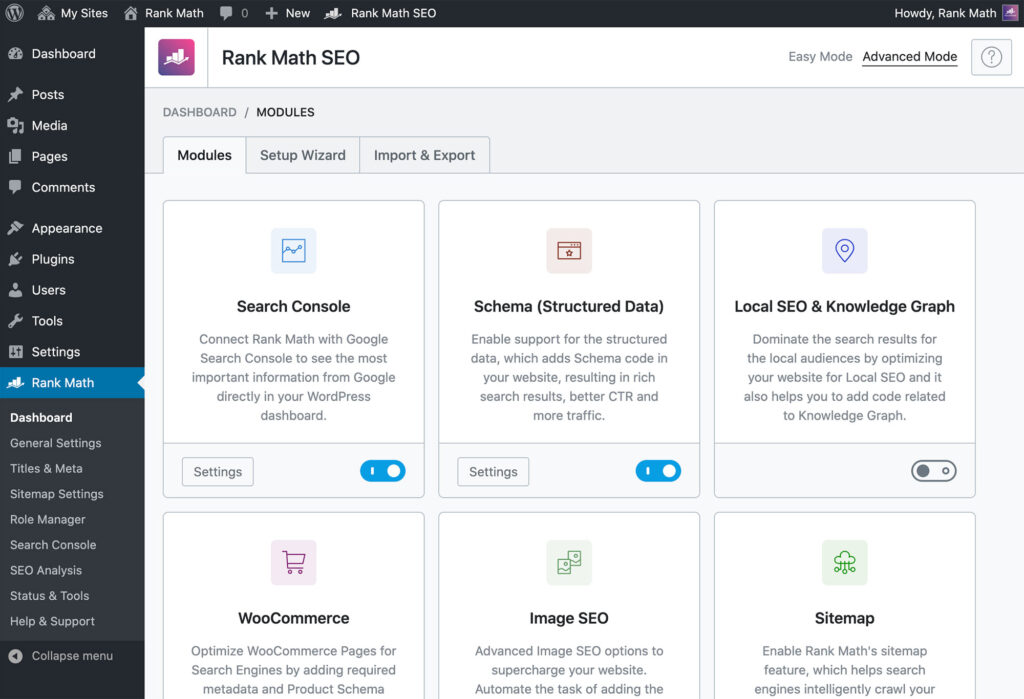
6. Rank Math Instant Indexing: Best for WordPress automation
Rank Math provides Instant Indexing functionality for WordPress. Its official documentation says the feature can automatically submit URLs through IndexNow when selected content types are published or modified, and it can also handle manual batch submissions. s is attractive for WordPress teams because the workflow sits close to the publishing experience. Editors do not need to remember a separate technical process every time they update a page.
That is also good UX at an internal-product level. The people managing a website are users too. Reducing repetitive steps and keeping indexing actions inside familiar workflows can lower operational friction.
Best for: WordPress publishers, content teams, and businesses already using Rank Math.
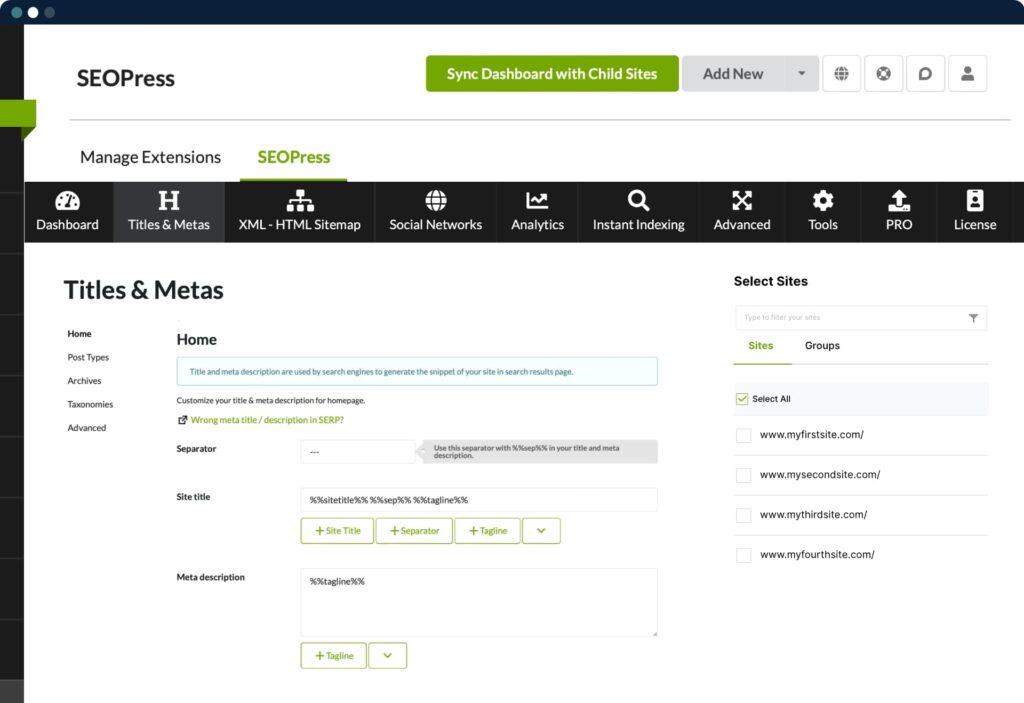
7. SEOPress Instant Indexing: Best for flexible WordPress workflows
SEOPress offers instant-indexing features for WordPress, including IndexNow support and URL submission workflows. Its documentation says automatic IndexNow notifications can be triggered when WordPress content is published, updated, or deleted. Press also promotes Google Indexing API integration, but teams should respect Google’s official eligibility restrictions rather than assume the API is intended for every normal webpage. For general pages, traditional Google discovery methods, sitemaps, internal linking, and Search Console remain important especially for WordPress teams that want indexing controls integrated into a broader SEO plugin.
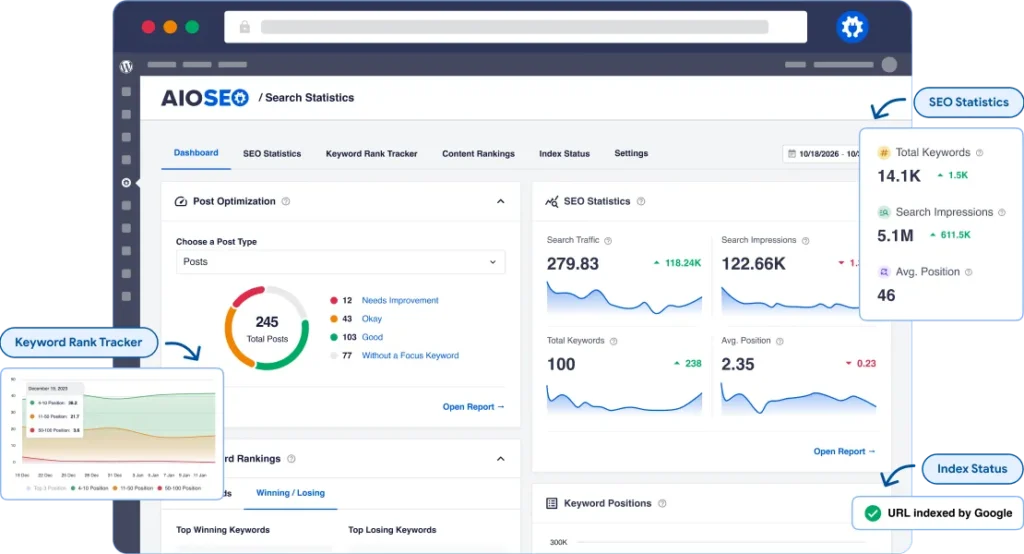
8. AIOSEO IndexNow: Best for simple WordPress setup
All in One SEO offers an IndexNow integration designed to notify participating search engines when content changes. Its documentation describes automatic configuration and background notifications after the feature is activated. strength here is reduced setup friction. For smaller teams, the best indexing tool is often not the one with the largest number of controls. It is the one that people can configure correctly and continue using.
This simplicity-first approach connects with broader UX principles explored across the RAW.STUDIO Learn hub, where recent articles repeatedly examine clarity, reduced friction, and guided user journeys as drivers of better digital experiences. est for:** WordPress businesses seeking a straightforward IndexNow workflow.
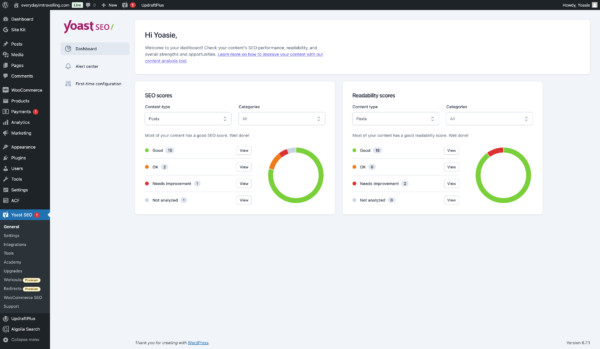
9. Yoast SEO Premium: Best for familiar WordPress SEO workflows
Yoast SEO Premium supports IndexNow and says it can ping the protocol when content is published or updated. The company describes the process as working automatically in the background once the relevant functionality is available. existing Yoast users, this can be more attractive than adding another standalone platform. Fewer disconnected tools can mean a cleaner publishing workflow and less cognitive load for content teams.
The limitation is that IndexNow participation is not equivalent to guaranteed Google indexing. Teams still need a broader technical SEO strategy and should choose tools based on the search ecosystems that matter to them.
Best for: Existing Yoast Premium users who want indexing notifications inside a familiar interface.
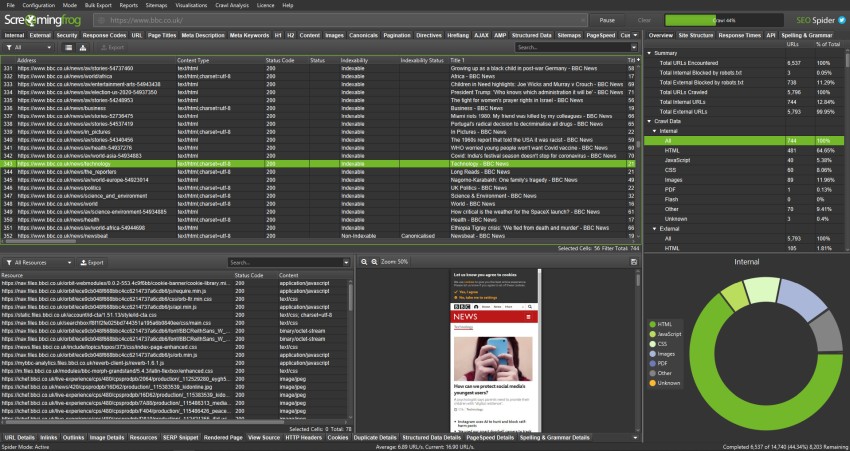
10. Screaming Frog SEO Spider: Best for diagnosing indexability problems
Screaming Frog SEO Spider is different from the submission-focused tools above. It is a website crawler designed to audit technical issues, and its official product information explicitly connects its audits to both SEO and UX. Its reports classify URLs by indexability and can identify reasons a page may be non-indexable, such as canonicalization or indexing directives. s distinction is crucial. Sometimes you do not need to submit a URL again. You need to discover why the page is difficult to crawl, blocked, duplicated, poorly linked, or technically misconfigured.
That diagnostic value also connects directly with UX/UI. Broken links, redirect chains, inaccessible content, and inconsistent page architecture can hurt both search discovery and the human experience.
Best for: SEO professionals, UX audits with a technical component, developers, and teams investigating complex indexability problems.
Which indexing tool should you choose in 2026?
The best indexing tool depends on your workflow.
Cromojo is the strongest first choice when you want automated indexing connected with analytics, monitoring, and wider growth signals. Google Search Console is essential for understanding Google visibility. IndexNow is valuable for fast change notifications to participating engines. Bing Webmaster Tools provides direct Bing-focused capabilities. Indexly suits scalable automation, while Rank Math, SEOPress, AIOSEO, and Yoast fit different WordPress workflows. Screaming Frog is particularly valuable when the real problem is technical diagnosis rather than submission.
The larger lesson is that indexing should never operate in isolation. RAW.STUDIO’s 2026 article on CRO tools for improving UX and UI argues that tools become useful when they lead to better decisions. The same principle applies here. An indexing dashboard is not valuable simply because it shows more URLs. It is valuable when it helps your team identify why important experiences are invisible, outdated, broken, or underperforming. Conclusion
The best indexing tools in 2026 do more than push URLs into submission queues. They help teams improve discovery, monitor visibility, diagnose technical barriers, and keep important content current.
That has a direct relationship with UX and UI. Search visibility determines whether users can find an experience. Technical quality affects whether they can access it reliably. Interface design influences whether they understand it. UX determines whether they trust it enough to continue.
For most businesses, the smartest strategy is to combine an indexing tool with strong technical foundations, clear information architecture, useful content, internal linking, and continuous UX/UI optimization. Getting discovered is only the first step. What users experience after the click determines whether visibility creates business value.
Is your website getting traffic but failing to convert, or are valuable pages being held back by a fragmented digital experience? Request a free strategy session and proposal from RAW.STUDIO to identify opportunities across UX, UI, conversion, and website performance.
Get a UX & CRO Expert’s Eyes on Your Website. Book a free 30-minute UX Teardown and get actionable insights on what’s costing you conversions — no fluff, just fixes you can implement right away.
Book a Free UX Audit

Related posts

Tech Startup Branding in Days to Weeks for Engineering Founders
If you have early customers, build a minimum viable brand that ties your positioning, pitch deck, and product UI together, […]
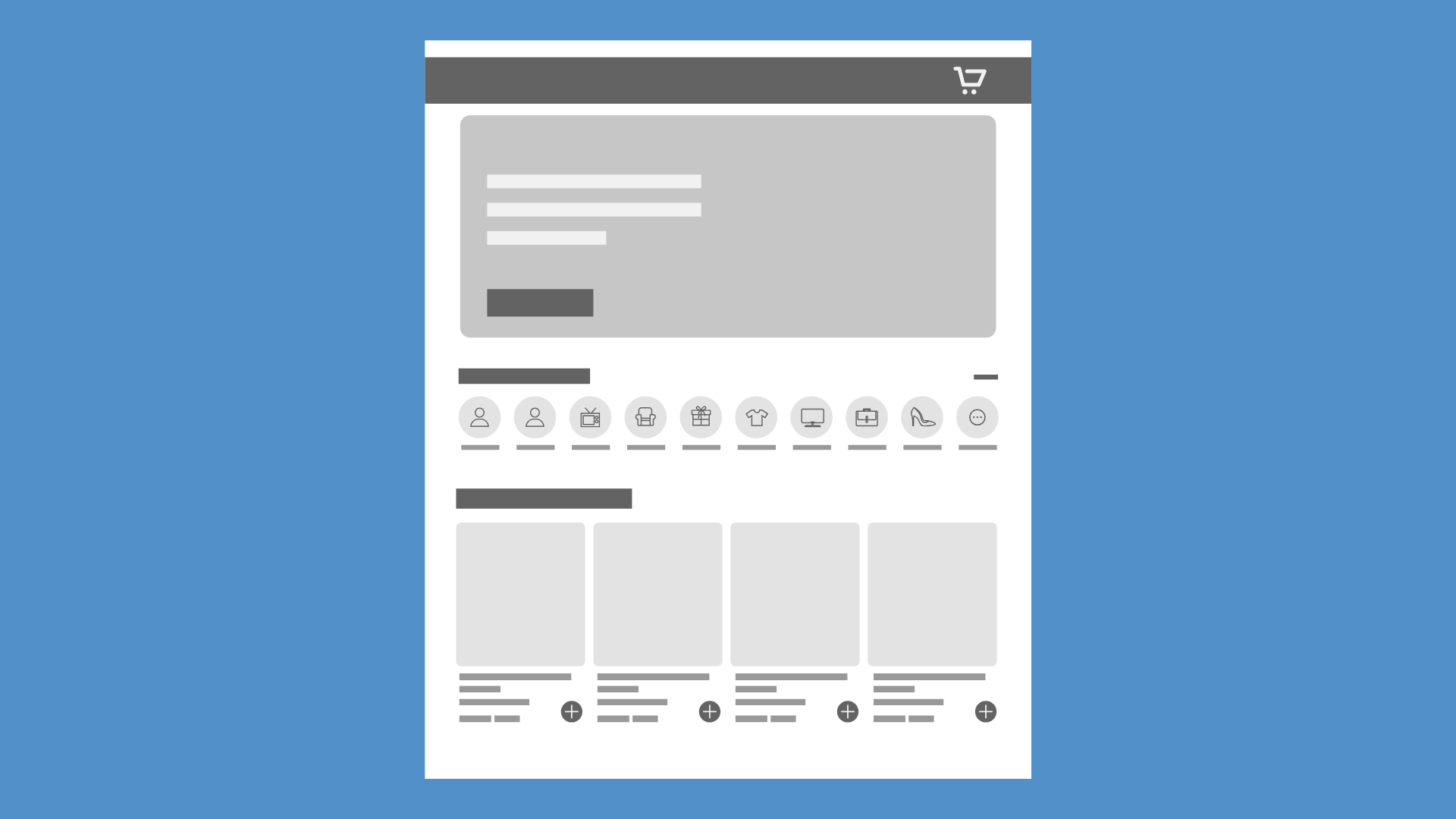
Why Menus Are Disappearing in Modern UX
Have you ever opened a new app or website and thought, “Wait… where’s the menu?” You’re not alone. Many users […]
How Figma Uses 3 Collaboration UX Patterns to Drive Product Adoption
For years, digital design was treated as a largely solo activity. A designer worked in a desktop application, saved a […]
Creative product design that gets results
Take your company to the next level with world class user experience and interface design.
get a free strategy session
